You tell yourself one more video. Twenty minutes later you are still there, and you cannot remember a single thing you watched. You open TikTok to kill a spare minute and it quietly eats the evening. If you have decided you want out, you are not weak and you are not alone. You are up against an app built by a large team to hold your attention, and that is a fair fight only once you change the rules.
This guide explains why TikTok is so hard to put down, then gives you a plan to quit: remove it from easy reach, lock it so opening it takes real effort, and point the freed time at something you actually want. No shame, and an honest section on what to do when you slip.
Why TikTok is hard to quit
TikTok is a near-perfect loop. Every swipe is a tiny bet: the next video might be hilarious, shocking or exactly your thing, and sometimes it is. That uncertain reward is the same mechanism that keeps people at slot machines. Your brain learns that swiping sometimes pays off, so it keeps you swiping.
Three things make the loop especially sticky:
- The videos are short. A clip ends before you decide to stop, so there is never a natural moment to put the phone down. The feed just refills.
- The recommendations get sharper the more you watch. The longer you stay, the better it guesses what will hold you, so quitting feels harder the deeper in you are.
- It asks nothing of you. No reading, no thinking, no effort. When you are tired, that frictionlessness is exactly why your thumb reaches for it on its own.
None of this means something is wrong with you. It means the app is good at its job. Over months, heavy short-video use can also leave your attention twitchy and your patience thin, a feeling many people describe as brain rot. The reassuring part is that the same attention recovers when you give it something slower to do.
The quit plan step by step
You do not need to white-knuckle this. You need to make opening TikTok harder than opening something better. Work through these steps in order.
- Decide what quitting means for you. A clean break is one option. Cutting to a few minutes a week is another, and for most people it is more realistic. Pick one and write it down.
- Remove TikTok from your Home Screen. Do not leave it where your thumb lands by habit. Put it in the App Library or a back-page folder, so opening it takes a search instead of a reflex.
- Turn off every notification. No badges, no previews, no sounds. A notification is a door the app opens from the outside. Close it.
- Add friction to opening it. Log out, so each visit needs a password, and lock the app behind a real barrier, which the next section covers. The goal is that opening TikTok becomes a deliberate decision rather than an automatic swipe.
- Give the freed time a destination. This is the step most people skip, and it is why most attempts fail. An empty slot where TikTok used to be gets filled by TikTok again unless something waits in its place.
That fifth step is the hinge. Breaking a habit is easier when you replace it rather than just remove it, because the urge still arrives and needs somewhere to land.
Lock it, do not just delete it
Deleting TikTok feels decisive, and for some people it is enough. For many, it fails within a week. The install is thirty seconds away, the urge arrives at a weak moment, and you are back with your feed intact. Deleting removes the app but not the reflex that reaches for it.
A lock works better because it keeps the barrier standing every time, including the moments when your willpower is low. The point is not to make TikTok impossible to open. It is to add a short, deliberate pause between the urge and the feed, long enough for the automatic part of your brain to lose its grip.
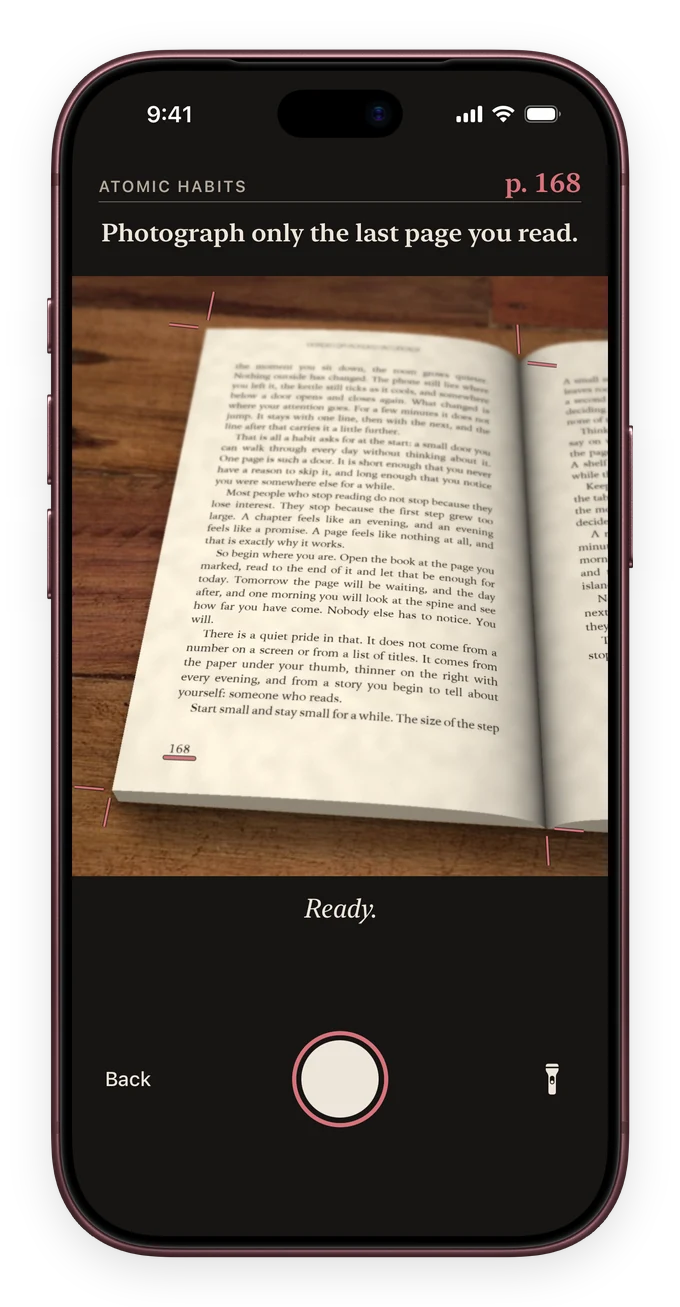
This is the idea behind ReadFirst. You choose the apps to lock with Apple Screen Time, and TikTok is the obvious first pick. To open a locked app, you read a page of a printed book and take a live photo of it, which is checked on your device and never saved. Your reading rule decides how many pages buy how many minutes, so the price of opening TikTok is paid in pages of something worth reading. Read extra and the surplus fills a read-ahead bank for later.
The barrier matters, but so does what is on the other side of it. Instead of a plain block that you resent and eventually switch off, the lock turns the urge to scroll into a few minutes with a book. Over a couple of weeks, the reach for TikTok starts to feel like a cue to read instead.
What to do with the freed time
When TikTok stops filling the gaps, you notice how many gaps there were: the bus, the queue, the ten minutes before sleep, the pause between tasks. If you leave them empty, the old app walks right back in. Fill them on purpose.
A printed book is the strongest replacement, because it is the opposite of what made TikTok sticky. A book is slow where TikTok is fast, it asks for a little effort where TikTok asks for none, and it leaves you with something at the end. Keeping a book where you used to scroll, on the nightstand, in your bag, on the couch, means the better option is already in reach.
A few ways to make the swap stick:
- Start absurdly small. Two pages counts. The goal is to show up, not to finish a chapter.
- Use a timer instead of a page target. Set ten minutes and read until it rings. The reading timer runs on your Lock Screen so you can see the session without opening anything else.
- Pick a gripping book, not an improving one. A thriller or a book a friend loved will out-compete TikTok. A dense classic will send you back to the feed.
- Read before you open any feed. When reading comes first, you are not fighting the urge. You are using it as the reminder to read.
If short-video habits have left your focus frayed and a single page feels like work, that is normal and it passes. Our guide on your attention span after TikTok explains why it happens and how quickly it recovers with daily practice.
Handling relapses
You will reopen TikTok at some point. Plan for it now, so a slip stays a slip instead of becoming the end of the attempt.
The thing that undoes most people is not the relapse. It is the story they tell afterwards: I failed, so why bother. That turns one bad evening into a lost month. Quitting a sticky habit is rarely a clean line. It is a downward trend with bumps, and the bumps do not erase the progress underneath them.
When you slip, do three small things:
- Notice without the shame. You scrolled. Fine. Shame makes you want to numb out, which sends you straight back to the feed.
- Fix the hole. Ask what let it in. Was the app back on the Home Screen, were notifications back on, did you remove the lock on a bad night? Patch that one thing.
- Make the very next slot a win. Read two pages, right then. One good small action resets the momentum faster than a day of guilt.
Watch the trend over a few weeks, not any single day. If the direction is less scrolling and more reading, the plan is working, bumps and all. If you want a sturdier structure around the lock, locking apps on iPhone until you read walks through setting up a rule you will not quietly switch off.
Frequently asked questions
Is it better to delete TikTok or just limit it?
It depends on your goal. Deleting suits a clean break, but the app is quick to reinstall, so the reflex often wins within a week. A lock that makes opening it take real effort tends to hold up better, because the barrier stays standing on the evenings your willpower does not.
How long does it take to quit TikTok?
The pull is usually strongest for the first week or two, while your habit still expects the feed at every gap. Keep opening it difficult and fill those gaps with something else, and most people find the urge fades noticeably within a couple of weeks.
What should I replace TikTok with?
Something slow that asks a little effort and leaves you with something at the end. A printed book fits best, because it is the opposite of the fast loop that made TikTok sticky. Keep it where you used to scroll so the better choice is the easy one.
Will my attention span recover after quitting?
For everyday heavy use, yes. Attention is a matter of practice, and short daily reading rebuilds it faster than one long effort. Expect a few clumsy sessions first, then stretches of focus that return sooner than you expect.
What do I do if I relapse and start scrolling again?
Treat it as a bump, not a failure. Skip the shame, patch the one thing that let TikTok back in, such as a Home Screen icon or a notification, and make your next free slot a small win by reading a page or two right away.