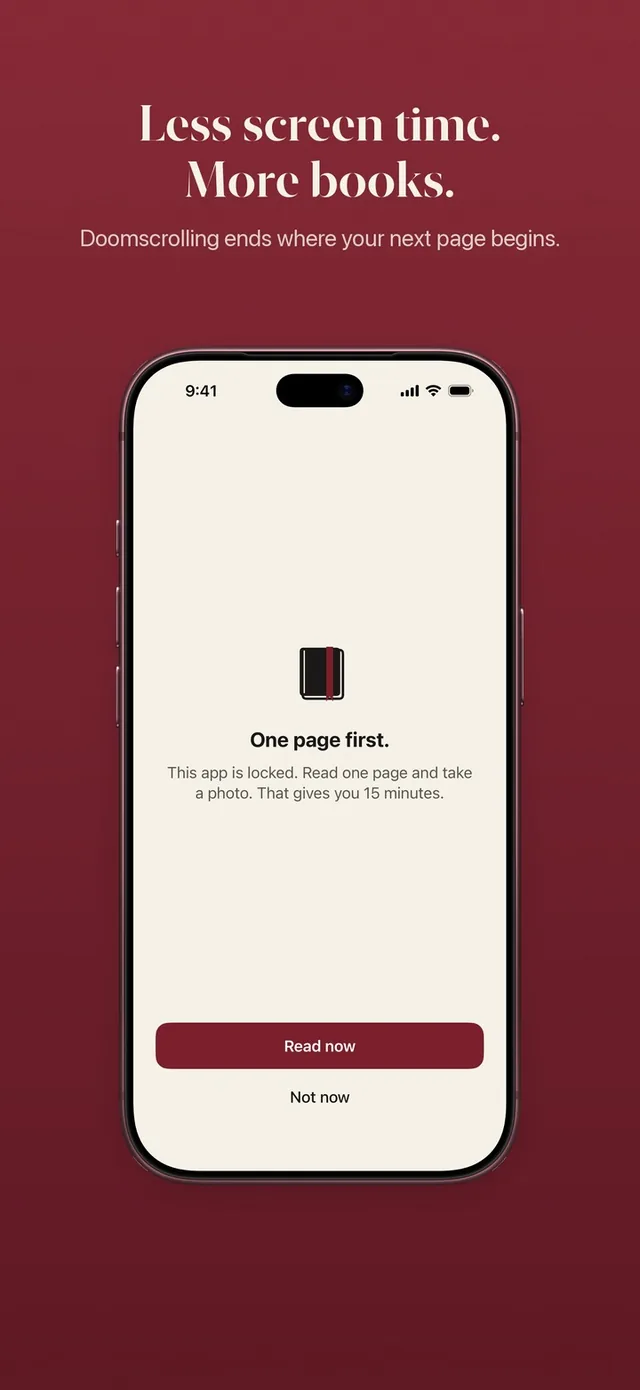
People look for a one sec alternative for two common reasons. Some find that the breath turns into a habit of its own, and they tap through it without noticing. Others like the pause and wish it gave them something back. ReadFirst is built for the second group: the pause before your feed is a page you actually read.
We make ReadFirst, so we are not neutral. We checked every fact about one sec on its App Store page and website on 20 October 2026.
What is one sec?
one sec is an app that makes you pause and breathe before a distracting app opens, instead of blocking it outright. In the words of its App Store listing, it "DELAYS access to distracting apps instead of blocking apps completely."
When you open an app you chose, a short breathing exercise appears first, set up through a Shortcuts automation. You can then go ahead or let it go. one sec also offers Re-Intervention, which nudges you out again after a set time such as 5 minutes, plus schedules, manual blocks, time budgets and a Safari extension for websites.
one sec is free to download with in-app purchases. As listed on the US App Store on 20 October 2026, its paid plan costs $6.99 a month or $19.99 a year, with a one-time option at $99.99 and family plans on top. It runs on iPhone and iPad with iOS 15 or later and on Mac.
one sec vs ReadFirst at a glance
| one sec | ReadFirst | |
|---|---|---|
| What it is | A pause before distracting apps | App blocker plus reading tracker |
| How you get back into your apps | Breathe, then choose to continue or close | Read a page of a printed book and take a live photo of it |
| How firm it is | A delay you can pass | A lock that stays until you read |
| Reading built in | None | Bookshelf, reading clock, goal, streak, medals |
| Printed books | Not part of the app | Required: every unlock is a real page |
| Streaks and goals | Not listed among its features | Daily page goal, streak with one grace day a month, 60 medals |
| Price (US App Store, 20 Oct 2026) | $6.99 a month, $19.99 a year, one-time $99.99 | $39.99 a year with 3 days free for new subscribers, $7.99 a month, one-time $99.99 |
| Platforms | iPhone, iPad, Mac | iPhone and iPad, iOS 18 or later |
| Best for | A gentle nudge that breaks autopilot | Turning the urge to scroll into reading |
Where one sec is a great choice
one sec is a great choice if you want a light touch. It does not shut anything; it just puts a moment of awareness between the urge and the app. For many people that moment is enough, and it costs only a few seconds.
It is also affordable, with a yearly plan listed at $19.99, and it covers iPhone, iPad and Mac. If you mainly want to notice your habits rather than change their shape, one sec is a thoughtful, well-made tool.
Where ReadFirst is different
The core difference is what the pause is made of. A breath is over in seconds. A page takes a minute or two and adds up to a book.
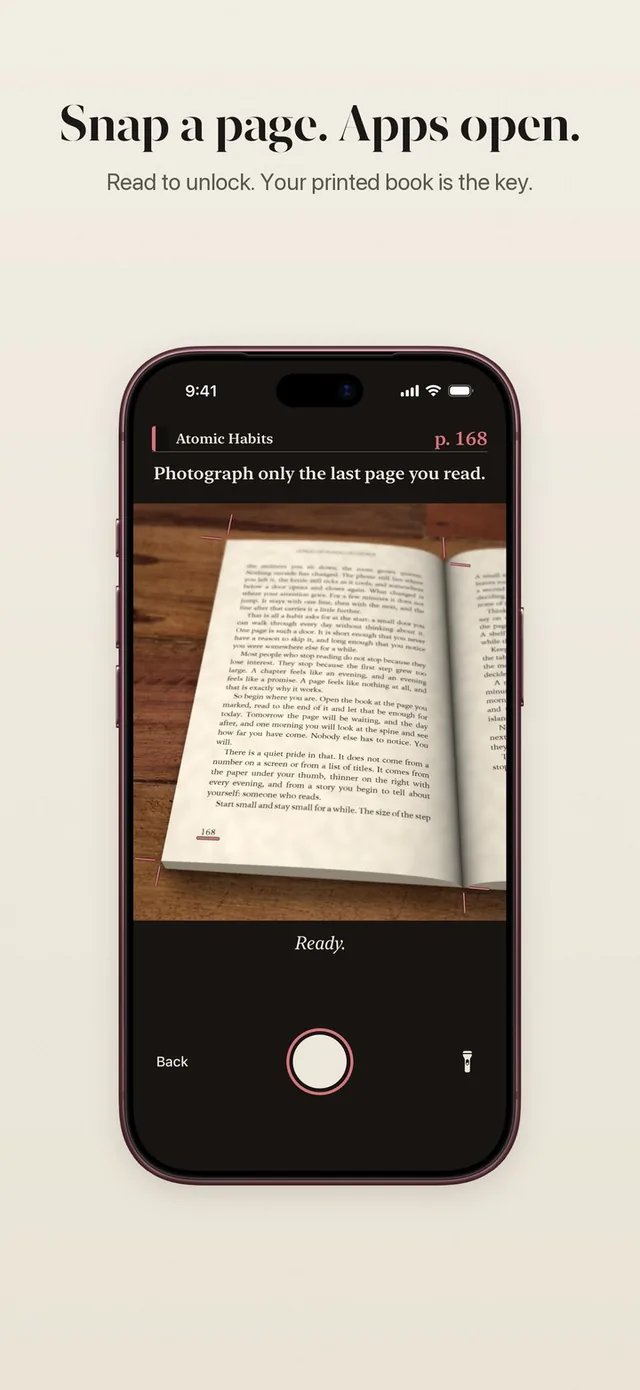
- A real gate, not a delay. Your chosen apps stay locked through Apple Screen Time. To open them, you tap Read now, read your printed book and take a live photo of the last page. The only way around it is a skip, one a week by default, and it waits 10 seconds first. See how read to unlock works.
- A reading clock instead of a breathing timer. The clock runs while you read and shows on your Lock Screen and in the Dynamic Island. The camera opens once the reading time has passed. More on the reading timer.
- Pages become minutes. Your rule decides the trade, for example one page for 15 minutes. One unlock opens all your locked apps, and the minutes only count down while you use them.
- Every page counts twice. The page that opens your apps also moves your bookmark, your daily goal and your reading streak. Over a few weeks the pauses become finished books.
- Private by design. The page is checked on your iPhone and the photo is never saved. You do not need an account.
Switching from one sec
If one sec's breath has stopped working for you, switching is simple. Pick the same apps in ReadFirst's Screen Time list, choose a rule you can keep (one page for 15 minutes is the default), and put a book where your phone usually lands. The first evening will feel stricter. That is the point.
If you would rather keep one sec for a few apps where a nudge is enough, choose different apps in each, so you always know which rule is in charge.
Which one should you choose?
Choose one sec if:
- You want a gentle pause, not a lock.
- You want a lower yearly price and support on your Mac.
- You mostly need to notice your habits, not replace them.
Choose ReadFirst if:
- You already tap through pauses without thinking.
- You want the time before your feed to become reading time.
- You like seeing your pages, books and streak grow.
Frequently asked questions
Is ReadFirst a good one sec alternative?
It is if you want something firmer than a breath. one sec delays apps with a breathing exercise; ReadFirst keeps the apps you choose locked until you read a page of a printed book and take a live photo of it.
Is ReadFirst free like one sec's download?
No. ReadFirst has no free tier. New subscribers get 3 days free on the yearly plan of $39.99; there is also $7.99 a month or $99.99 as a one-time purchase (US App Store, 20 October 2026).
How long does a ReadFirst unlock take?
About as long as reading your page. Each page takes at least one minute on the reading clock, then you take one photo and your apps open for the minutes your rule gives.
Does ReadFirst work on Mac?
No. ReadFirst runs on iPhone and iPad with iOS 18 or later.
Can I use e-books with ReadFirst?
No. ReadFirst works with printed books only, and photos of screens, including e-readers, do not count.