You wanted to read tonight. You even put the book on the nightstand. Then your thumb found the icon, one video became forty, and the evening was gone. If you want to read instead of scrolling, you are not short on willpower. You are up against a habit that has had years of daily practice, and a book that has had almost none.
The good news is that habits can be swapped. You do not have to stop wanting the phone. You only have to change what happens in the first minute after you reach for it.
Why scrolling wins and reading loses
Scrolling wins because it asks for nothing: no decision, no starting point, no effort to get going. A feed is always open, always new and always one tap away. A book asks you to find it, find your page and settle in, and in a tired moment that small effort is enough to lose.
So the fix is not to make reading more exciting. It is to make reading easier to start and scrolling slightly harder to start. When the book is in your hand before the feed is on your screen, reading has a fair chance.
Keep the cue, change the routine
The most reliable way to read instead of scrolling is to keep the trigger you already have and attach a book to it. You already reach for your phone at certain moments: after dinner, in bed, on the couch while the kettle boils, the first minute after waking up. Those moments are your best reading slots, because the habit of stopping and picking something up already exists.
Pick one of them, only one, and write it down as a simple plan: "When I sit down on the couch after dinner, I read two pages before I touch my phone." You are not banning the phone. You are putting a book in front of it. For a deeper look at this swap, read how to replace scrolling with reading.
Start with fewer pages than you think
A small daily goal you hit on your worst day beats a big goal you drop after a week. Two pages is enough to start. On good days two pages turns into twenty, and on bad days two pages still counts, which is what keeps the habit alive.
Small numbers also add up faster than they look. Ten pages a day comes to 3,650 pages a year, which is about 12 books of 300 pages. If you want to see the full table for 5 to 50 pages a day, read how many books you read with 10 pages a day. If you are unsure where to begin, how many pages a day you should read helps you pick a number you will keep.
Make the book easier to reach than the phone
Environment does more work than motivation. Look at where your phone lives at the moments you scroll most, and put the book there instead.
- On the nightstand: the book on top, the phone charging across the room or on the floor.
- On the couch: the book on the armrest, already open at your bookmark.
- In your bag: a paperback that fits, so waiting rooms and train rides have an option.
- At the breakfast table: the book next to your plate, the phone in another room until you are done.
Use a real bookmark, not a folded corner you have to hunt for. Starting where you left off should take two seconds. If you have had trouble focusing on long text lately, why you can't read books anymore explains why short, regular sessions help attention come back.
Put the book in front of the feed
Willpower is weakest at exactly the moments you scroll most: late, tired, a little bored. That is why many people find it easier to add a small gate than to rely on deciding again every evening. The gate does not need to be strict. It only needs to turn the automatic tap into a short pause where the book is the obvious next step.
There are a few ways to build that gate:
- Move the apps. Put your most-scrolled apps off the Home Screen, inside a folder on the last page.
- Log out. Typing a password is a small speed bump that often breaks the reflex.
- Set a Screen Time limit. Apple's built-in limits help, but the limit can be ignored with a tap, which is easy at 11 p.m. See why Screen Time limits are easy to ignore.
- Make the feed cost pages. An app that keeps your chosen apps locked until you have read turns "read first" from an intention into the way your phone works.
How ReadFirst makes reading come first
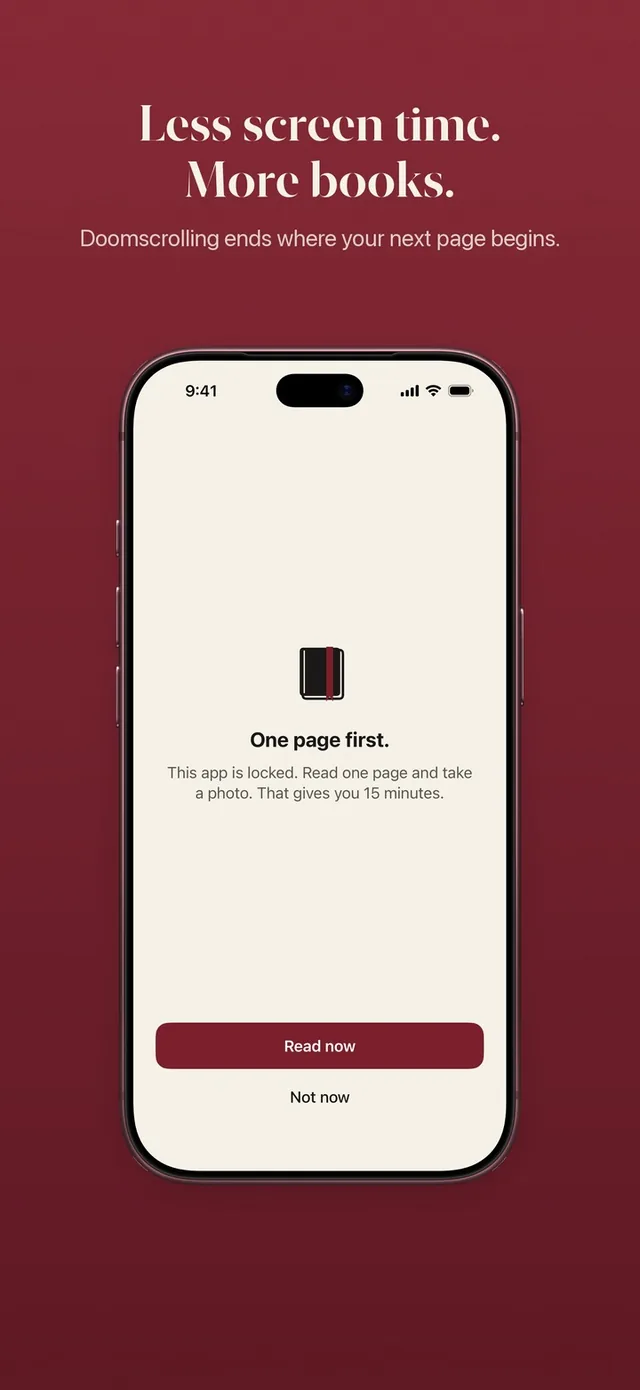
ReadFirst is built around one idea: your book comes before your feed. You choose the apps you scroll most, and they stay locked through Apple Screen Time. To open them, you read a page of a printed book and take a live photo of the last page you read. The page is checked on your iPhone and the photo is never saved.
Your rule decides the trade, for example one page gives you 15 minutes in your apps. The minutes only run while you actually use the locked apps, so a short check does not spend your whole portion. If you read more than the rule asks, the extra minutes go into a bank you can use later that day. See how the whole loop works in read to unlock.
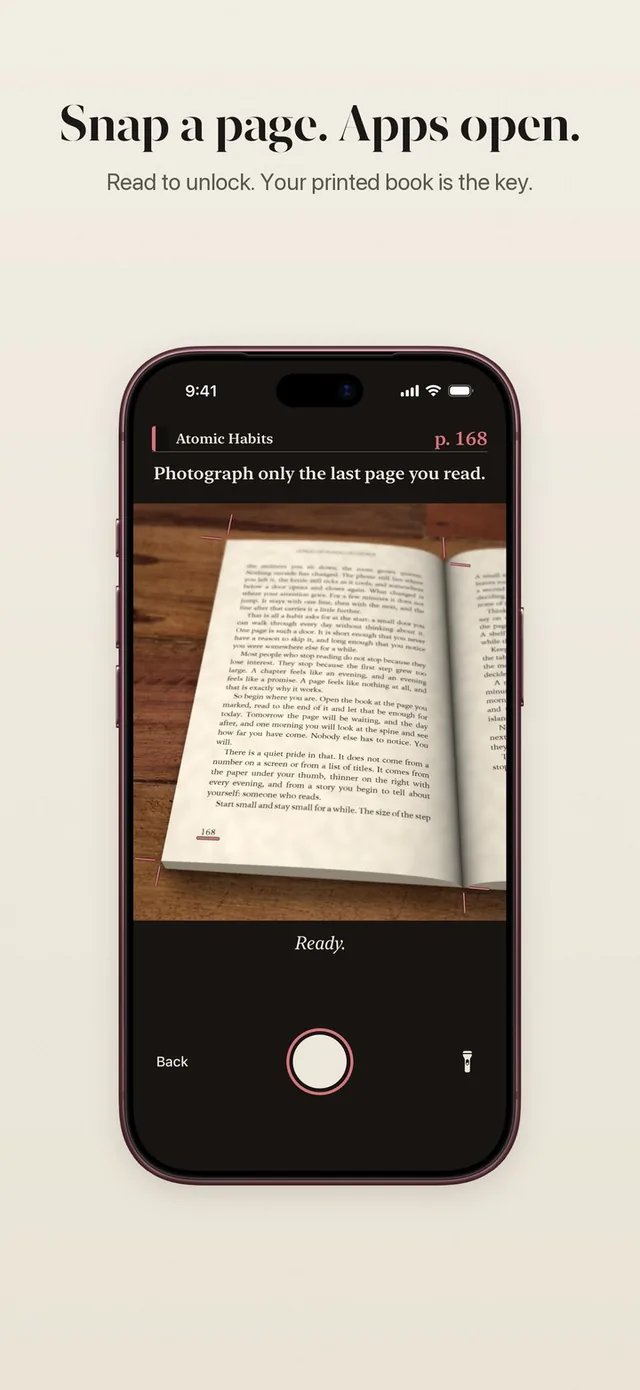
The effect is simple. The moment your thumb reaches for the icon, the screen asks for a page. Most evenings, that page becomes ten.
A simple plan for this week
You can start tonight without any app. Here is a plan that takes five minutes to set up.
- Choose one moment. The one where you lose the most time, often in bed or after dinner.
- Choose one book. Something you actually want to read, not something you think you should read. A novel you are curious about beats a classic you dread.
- Set a floor of two pages. Two pages before the phone, every day. More is a bonus.
- Move the book, move the phone. Book where the phone was, phone a few steps away.
- Count the days. A mark on a calendar or a reading streak makes the habit visible, and seeing it grow is its own motivation.
- Review after seven days. If two pages felt easy, try five. If you missed days, make the goal smaller, not bigger.
Expect some evenings where you read two pages and then scroll anyway. That still counts as a win. The goal of the first weeks is not to quit the feed. It is to make the book the first thing you pick up, so reading becomes the default and scrolling becomes the choice.
What changes when you read first
When reading comes first, the evening feels different. You end the day with a few chapters of a story instead of a blur of clips you cannot remember. Books get finished instead of sitting on the nightstand for months. And slowly you become someone who reads again, which is usually the person you wanted to be when you bought the book.
If you want your phone to hold you to that, ReadFirst keeps your chosen apps locked until you have read your pages, then gets out of the way.
Frequently asked questions
How do I start reading instead of scrolling?
Pick one moment when you usually scroll, like in bed, and read two pages of a printed book before you touch your phone. Keep the book where your phone usually lies and the phone a few steps away.
How many pages should I read to replace scrolling?
Start with two to five pages a day, a number you can keep on a tired day. Many evenings it grows on its own, and ten pages a day adds up to about 12 books of 300 pages in a year.
Is there an app that makes you read before you can scroll?
Yes. ReadFirst keeps the apps you choose locked through Apple Screen Time until you read a page of a printed book and take a live photo of it. Only your chosen apps open, for the minutes your rule allows.
Does reading on my phone count as reading instead of scrolling?
It can, but a phone keeps notifications and your feeds one swipe away, which makes drifting back easy. A printed book has nothing else on it, which is why ReadFirst works with printed books only.
What if I read a little and then scroll anyway?
That is normal in the first weeks and still progress. The point is to make the book come first; over time the reading part tends to grow and the scrolling part tends to shrink.