If you are looking for a ScreenZen alternative, here is the honest short answer first. ScreenZen is free and does a lot, so you should only pay for something else if it gives you something ScreenZen does not. ReadFirst does one thing differently: the wait before your feed becomes a page of a real book.
We make ReadFirst, so we are not neutral. We checked every fact about ScreenZen on its App Store page and website on 20 October 2026.
What is ScreenZen?
ScreenZen is a free, donation-supported app blocker that adds a wait before distracting apps open. Its App Store listing is "ScreenZen- Screen Time Control" by ScreenZen LLC, and its website calls it "the only donation-supported screen time app".
The wait can grow with each open, so later visits in a day can take longer than the first. While you scroll, timed check-ins ask if you still want to be there. ScreenZen also offers daily goals per app, schedules by day and time, strict blocks by time range or number of opens, a settings lock with an accountability partner, a Halo mode that allows apps only in one place, and breathing prompts while you wait.
ScreenZen is free. As listed on the US App Store on 20 October 2026, the only in-app purchases are optional tips of $5, $10, $20 and $40. It runs on iPhone, iPad, Mac and Apple Vision.
ScreenZen vs ReadFirst at a glance
| ScreenZen | ReadFirst | |
|---|---|---|
| What it is | Free app blocker built on waiting | App blocker plus reading tracker |
| How you get back into your apps | Wait out a delay that can grow with each open | Read a page of a printed book and take a live photo of it |
| Strict options | Strict blocks, settings lock, accountability partner | The lock stays until you read; skips are 1 a week by default and can be set to 0 |
| Reading built in | None | Bookshelf, reading clock, goal, streak, medals |
| Printed books | Not part of the app | Required: every unlock is a real page |
| Streaks and goals | Daily goals per app | Daily page goal, streak with one grace day a month, 60 medals |
| Price (US App Store, 20 Oct 2026) | Free, optional tips $5 to $40 | $39.99 a year with 3 days free for new subscribers, $7.99 a month, one-time $99.99 |
| Platforms | iPhone, iPad, Mac, Apple Vision | iPhone and iPad, iOS 18 or later |
| Best for | A strong blocker at no cost | Turning the urge to scroll into reading |
Where ScreenZen is a great choice
ScreenZen is a great choice if you want a capable blocker and do not want to pay for one. It gives you many ways to add friction: growing delays, check-ins, per-app goals, schedules and strict blocks.
The settings lock and accountability partner are thoughtful touches for people who know they will try to loosen their own rules. And because it is supported by tips, you can try every feature before deciding whether it is worth anything to you.
If your goal is simply to open apps less often, ScreenZen is hard to beat on value.
Where ReadFirst is different
ReadFirst costs money, so it has to earn its place. It does that by changing what the pause is for. Waiting is time spent doing nothing. Reading is time spent on something you wanted to do anyway.
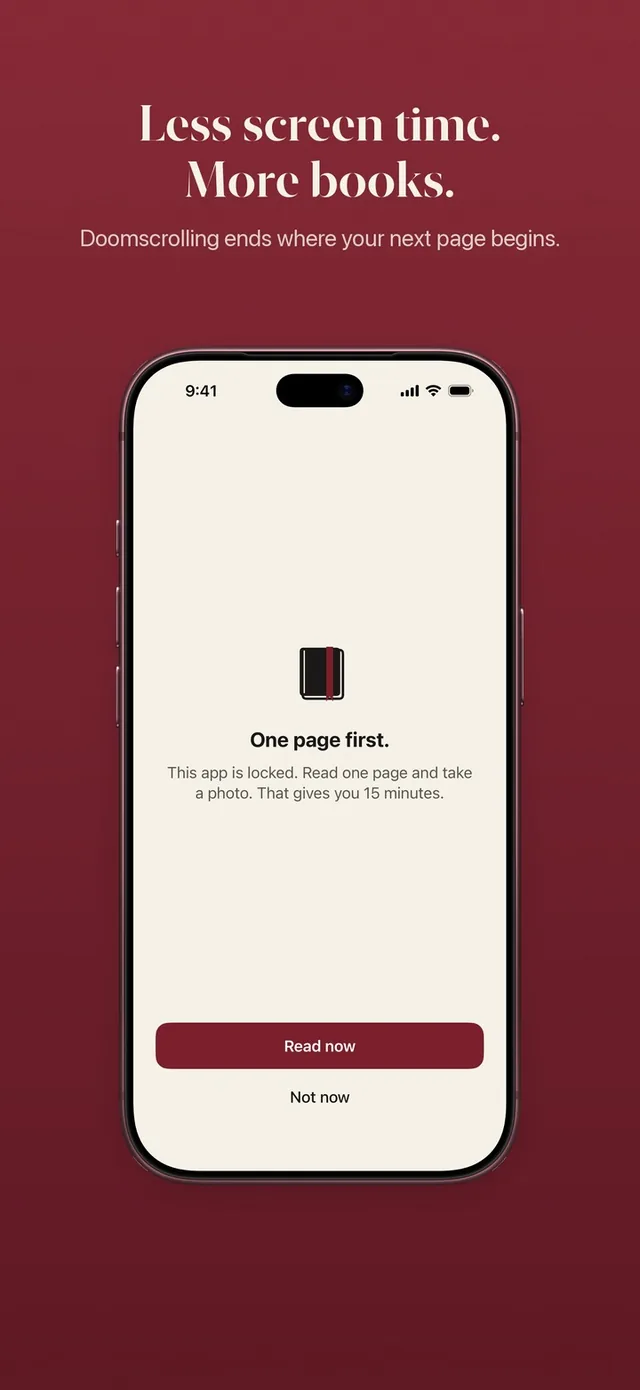
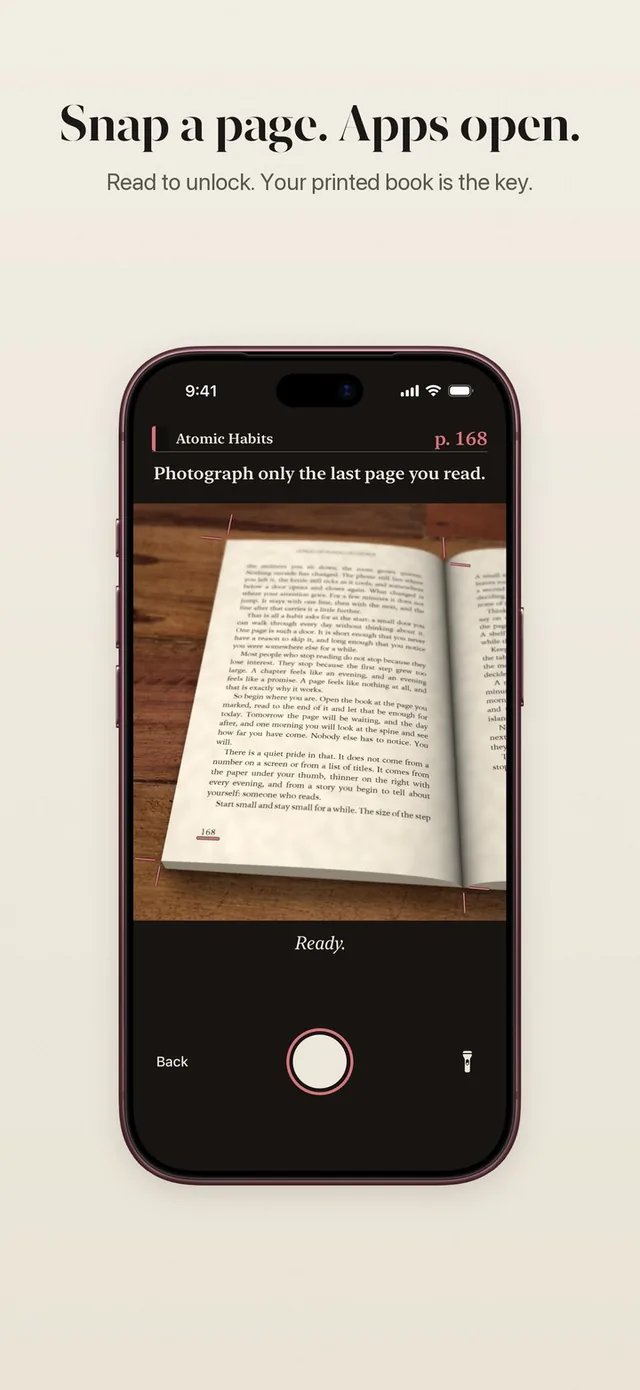
- A page instead of a countdown. When you open a locked app, you see "This page can wait." Tap Read now, read your printed book and take a live photo of the last page. Your apps open for the minutes your rule gives. See how read to unlock works.
- A rule you set yourself. One page for 15 minutes is the default, and you can choose 1 to 5 pages and 5 to 60 minutes. Changes apply right away. More on your reading rule.
- Minutes that respect your time. The minutes only count down while you use the locked apps. Read more than your rule asks and the extra goes into a bank for later that day.
- A reading tracker in the same app. Your bookshelf, a daily page goal, a reading streak with one grace day a month, weekly to yearly progress and 60 reading medals. Every page you read for an unlock counts for your book too.
- Checked on your iPhone. The page photo is checked on the device and never saved. Screens and pages you already showed do not count.
Can you use both?
You can. Some people keep ScreenZen on apps where a short wait is enough, like news or email, and use ReadFirst on the two or three apps that eat their evenings. Choose different apps in each, so you always know which rule is in charge.
If you only want to track your reading for a while, ReadFirst also has a Track only mode: set your minutes to 0 and every page counts for your book, your goal and your medals.
Which one should you choose?
Choose ScreenZen if:
- You want a free app blocker and do not want a subscription.
- You like many small kinds of friction: delays, check-ins, per-app goals.
- You also want the same tool on your Mac.
Choose ReadFirst if:
- You want the time you take back to turn into pages and finished books.
- Waiting out a timer no longer stops you.
- You like seeing your pages, books and streak grow in one place.
Frequently asked questions
Is ReadFirst free like ScreenZen?
No. ScreenZen is free with optional tips, and ReadFirst has no free tier. New subscribers get 3 days free on the yearly plan of $39.99; there is also $7.99 a month or $99.99 as a one-time purchase (US App Store, 20 October 2026).
What is the main difference between ScreenZen and ReadFirst?
ScreenZen makes you wait before an app opens. ReadFirst keeps the apps you choose locked until you read a page of a printed book and take a live photo of it.
Does ReadFirst lock my whole phone?
No. Only the apps, categories and websites you choose are locked. Calls, maps and every app you did not pick work as usual.
Does ReadFirst work with Kindle?
No. ReadFirst works with printed books only, and photos of screens, including e-readers, do not count.