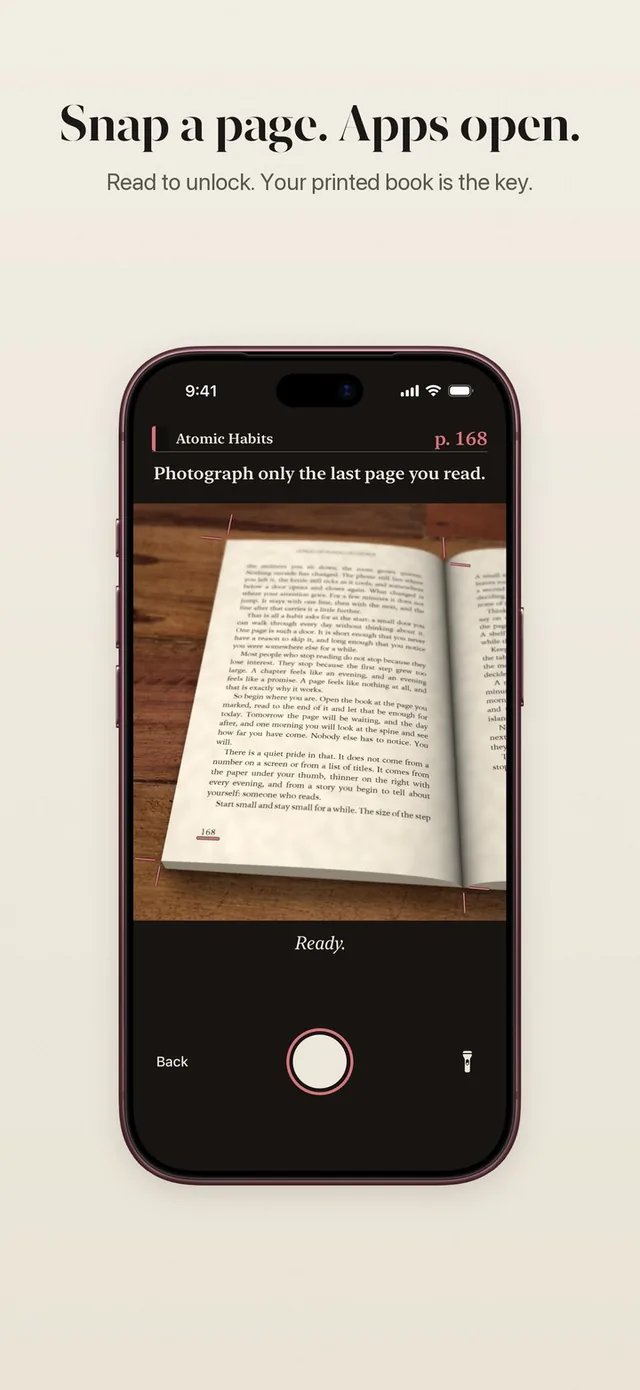
A good reading timer app should stay out of the way. ReadFirst's reading clock starts with one tap, sits quietly on your Lock Screen while you read, and only cares about the time you actually spend with the book.
It does two jobs at once. It tracks how long you read, so your progress shows real reading time. And it decides when the camera opens for your page photo, so the pages you count are pages you had time to read.
How it works
The reading clock runs every time you sit down with your book.
- Tap Read now. From the app, the screen of a locked app, Control Center, the Action button or Siri.
- Put the phone down and read. The clock runs on its own. You can lock your phone.
- Glance at the Lock Screen. A Live Activity shows the clock without opening the app.
- Come back when you are done. Once enough time has passed for your rule, the camera opens for the page photo check.
- Your reading time is saved. It counts for today, your week and your all-time progress.
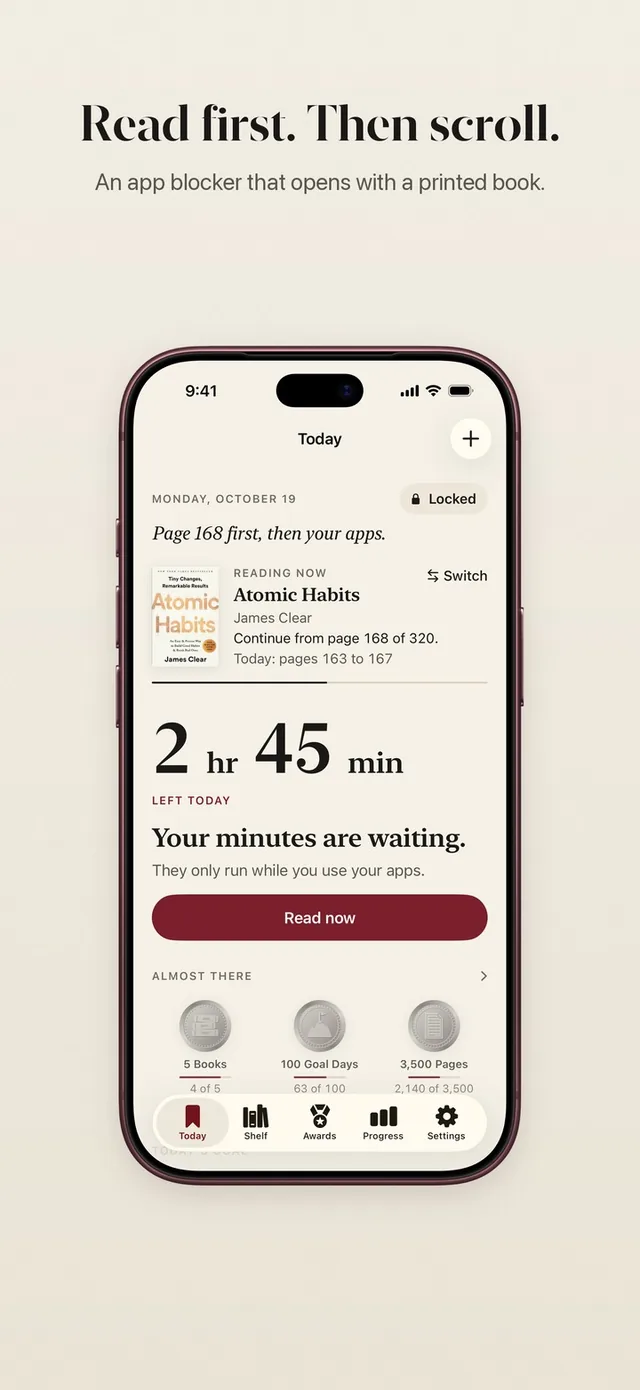
The clock pauses when you switch apps
The reading clock counts the time you spend with your book, not with your phone. If you pick up your iPhone and open another app, the clock pauses. When you go back to the book, it continues.
That is what makes it a book reading timer rather than a stopwatch. A text message in the middle of chapter four does not count as reading, and you do not have to remember to pause anything.
A clock that was started and forgotten stops on its own after 8 hours.
On your Lock Screen, Dynamic Island and Apple Watch
While you read, the clock shows as a Live Activity on your Lock Screen and in the Dynamic Island. You can see how long you have read at a glance, right from the Lock Screen.
The same Live Activity appears in the Smart Stack on Apple Watch and in CarPlay. A glance at your wrist tells you whether your pages are ready.
Start reading from anywhere
The fastest way to read is the one closest to your hand. ReadFirst offers a Read now control you can add to Control Center, the Lock Screen or the Action button. One press and the clock is running.
Siri works too. Say "Read now" or "Add a book", or ask "How many pages did I read today" or "Show my reading progress". The phrases also work in German. You can use them in the Shortcuts app to build your own routines, like starting the clock when you get into bed.
Your Home Screen and Lock Screen can show your reading too. See reading widgets for every size.
Forgot the clock?
Sometimes you sit down with a book and forget to start the clock. ReadFirst notices when a reading step had too little time on the clock and asks once: "How long did you read?"
Your answer counts toward your reading time on Progress, so your reading stats stay true. It never counts toward the bank or toward opening your apps. Those still need time on the clock.
Reading time per page
The clock and your rule work together. Your rule asks for at least one minute of reading time per page. With a rule of two pages and one minute a page, the camera opens after two minutes of reading. With 1½ minutes a page, it opens after three.
Read longer and more pages can count, up to what the clock allows. That keeps the lock fair for slow readers and honest for fast ones.
Who it's for
The reading timer is for readers who like to see their time, and for anyone who wants their reading to count without fiddling with a timer:
- People who read in short sessions and want to know where the minutes go.
- Bedtime readers who want the phone on the nightstand, not in their hand.
- Readers who track reading time per week or per year and want an honest number.
Time on the clock also counts toward medals, like Bookworm for three hours on the reading clock in one day.
Frequently asked questions
Does the reading timer keep running if I check my phone?
No. The clock pauses while you use another app and continues when you go back to reading.
Can I see the timer without opening the app?
Yes. The clock shows as a Live Activity on the Lock Screen and in the Dynamic Island, and in the Apple Watch Smart Stack.
Can I start reading with Siri or the Action button?
Yes. Say "Read now" to Siri, or add the Read now control to Control Center, the Lock Screen or the Action button.
I forgot to start the clock. Is my reading lost?
No. ReadFirst asks how long you read, and your answer counts toward reading time on Progress. It does not count toward the bank or toward opening your apps.
Does the timer work with e-books?
No. ReadFirst is built for printed books, and e-books are not supported. The clock pauses whenever you use another app on your phone.