BECOME SOMEONE WHO READS
Your apps open
when you open
your book.
Works with printed books, not e-books.
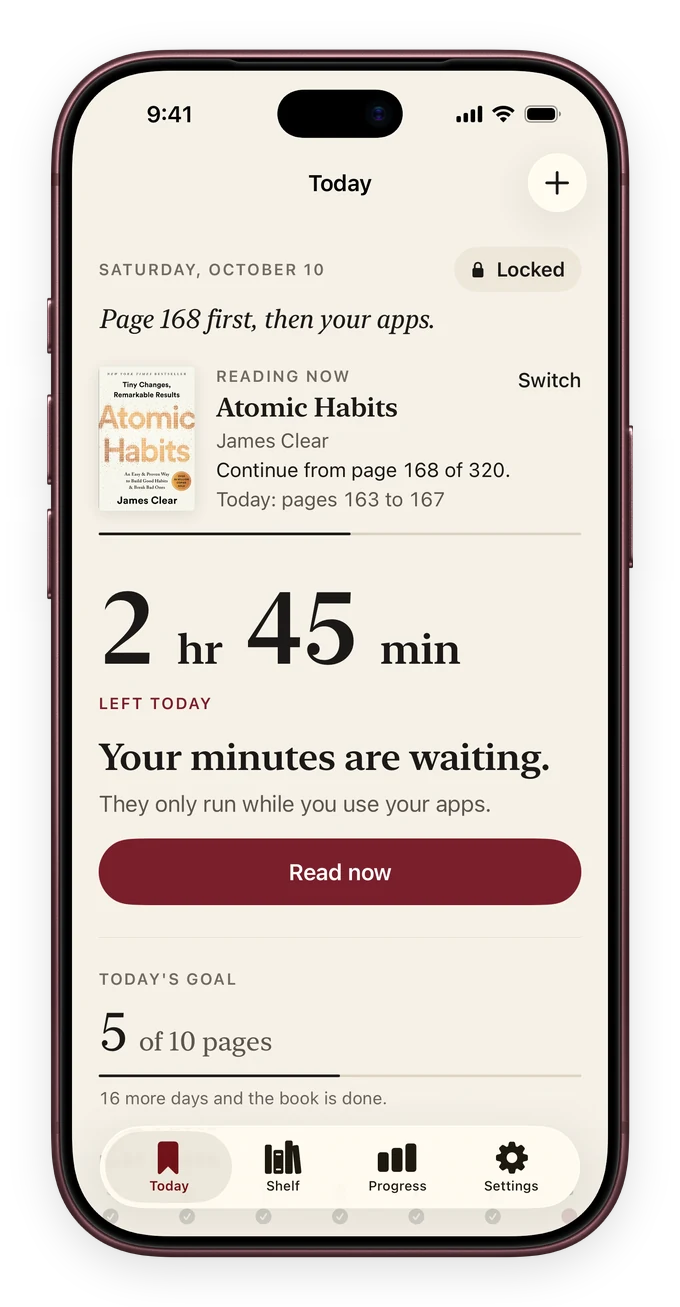
Become someone who reads every day: more focused, calmer and sharper. Read a page of a real book, snap it, and unlock the apps you choose. Less scrolling. More of the person you want to be.
For iPhone & iPad · Real books. A little every day.
YOU ALREADY KNOW THE FEELING
You picked up your phone.
There went another evening.
You wanted to read a chapter. Somehow, you read a hundred posts instead. ReadFirst puts a small, meaningful pause between the impulse and the scroll.
WHO YOU BECOME
Less scrolling is the start.
Who you become is the point.
Every page trains what endless scrolling wears down. A little reading every day adds up, and after a few weeks you notice it in yourself.
- ✧
Focused
Reading trains your attention to stay with one thing. You carry that focus into work, study and conversations.
- ✧
Sharper
Books grow your vocabulary, and following a story across chapters keeps your memory working. The right words come more easily.
- ✧
Knowledgeable
Book by book, you build knowledge that lasts. A feed is forgotten by tomorrow. What you read stays with you.
- ✧
Empathetic
Stories let you see the world through other eyes. That helps you understand the people in your own life.
- ✧
Calmer
A book instead of a bright screen before bed helps your mind slow down, so the day ends quietly.
- ✧
In control
Your phone stops deciding for you. Scrolling becomes a choice again, not a reflex.
No overnight miracle and no promises about your IQ. Just a daily habit that shapes who you are, one page at a time.
A BETTER DEFAULT
Same phone.
New first instinct.
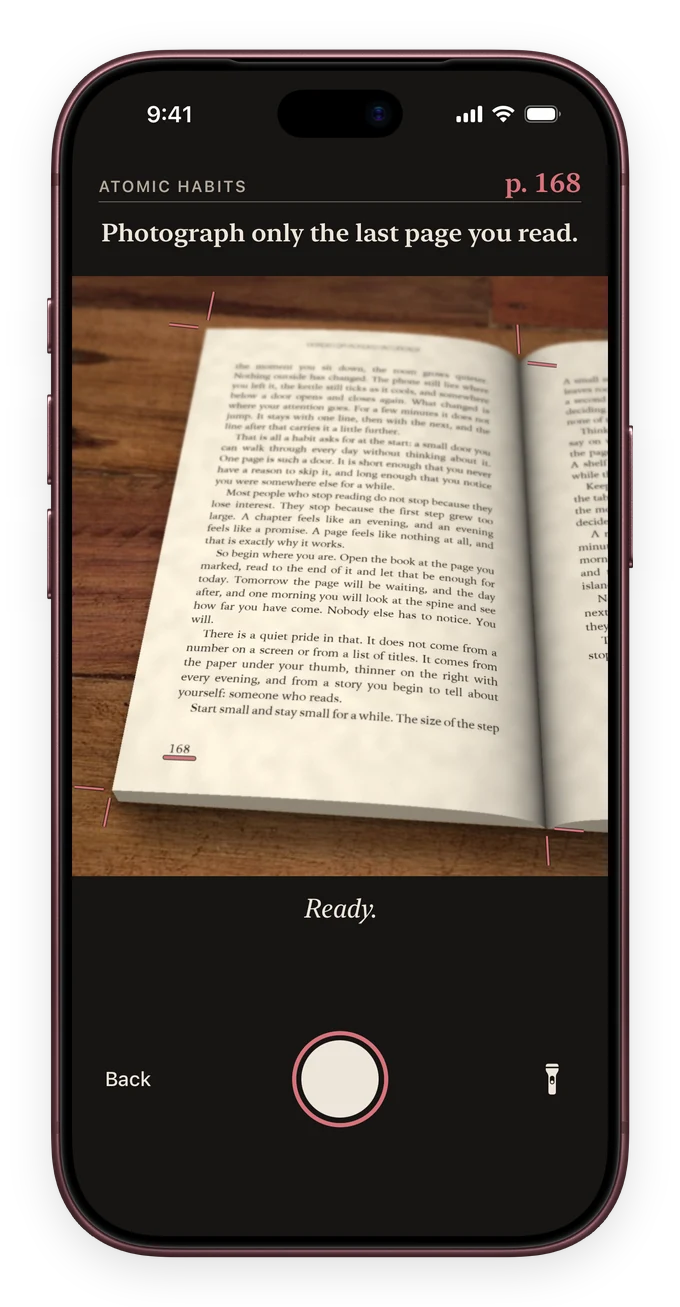
ReadFirst turns the urge to scroll into a reason to open a real book. A reading habit and app blocker, together.
- 01
Let the noise wait.
Choose the apps that pull you in. ReadFirst keeps them closed until you’ve made a little time for your book.
- 02
Give yourself a page.
Pick up a real book and read a page. Then photograph the last page you read. The photo is checked on your device and never saved.
- 03
Enjoy your time.
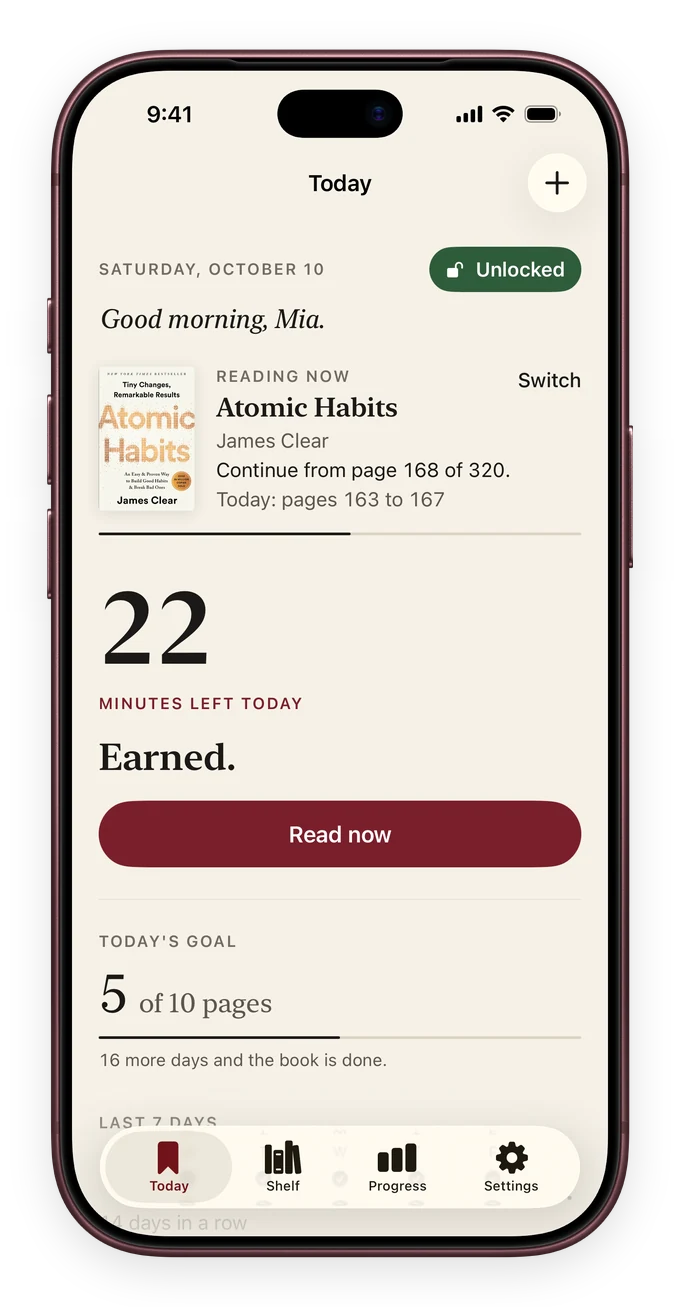
Your apps open for the time you choose. You’ve already done something for yourself before the first scroll.
FOR THE WAY LIFE ACTUALLY HAPPENS
Read ahead.
Scroll later.
Lost in a good chapter? Stay there. Extra reading builds your bank for the rest of the day, ready for the next time you want to open your apps. A quiet afternoon can make room for your evening.
Read a little more now. Open your apps with a tap later.
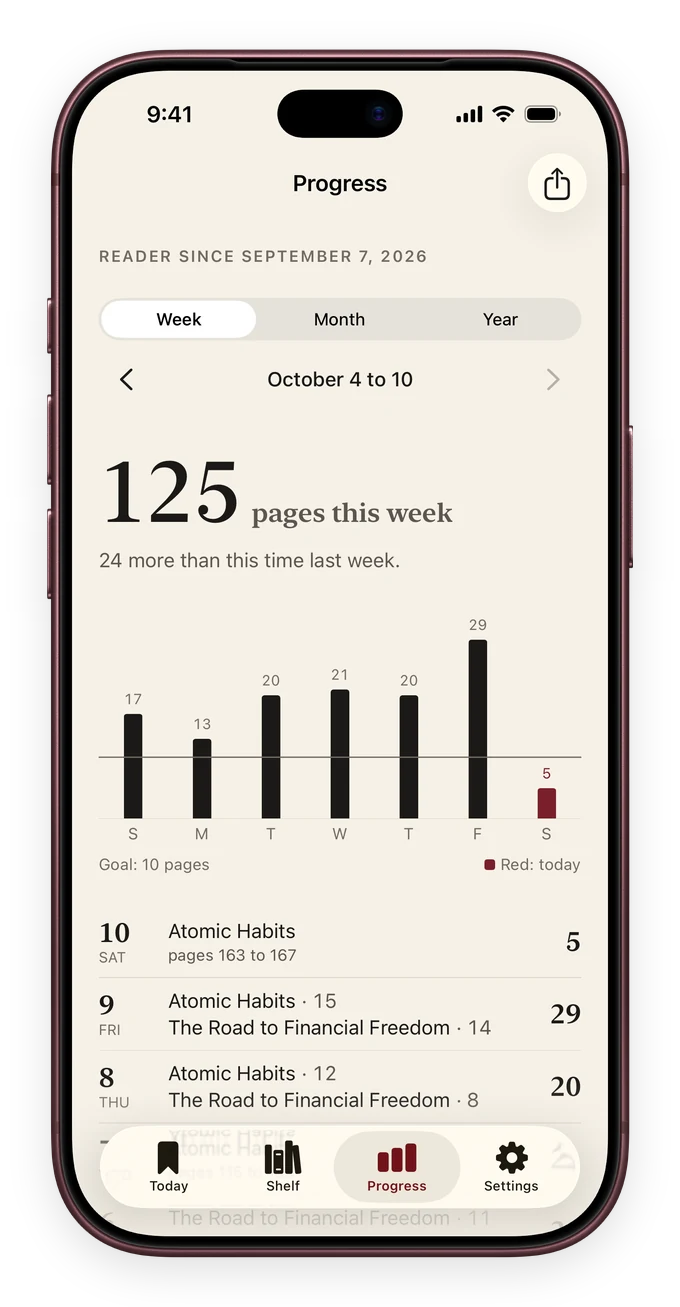
FROM “I SHOULD” TO “I DO”
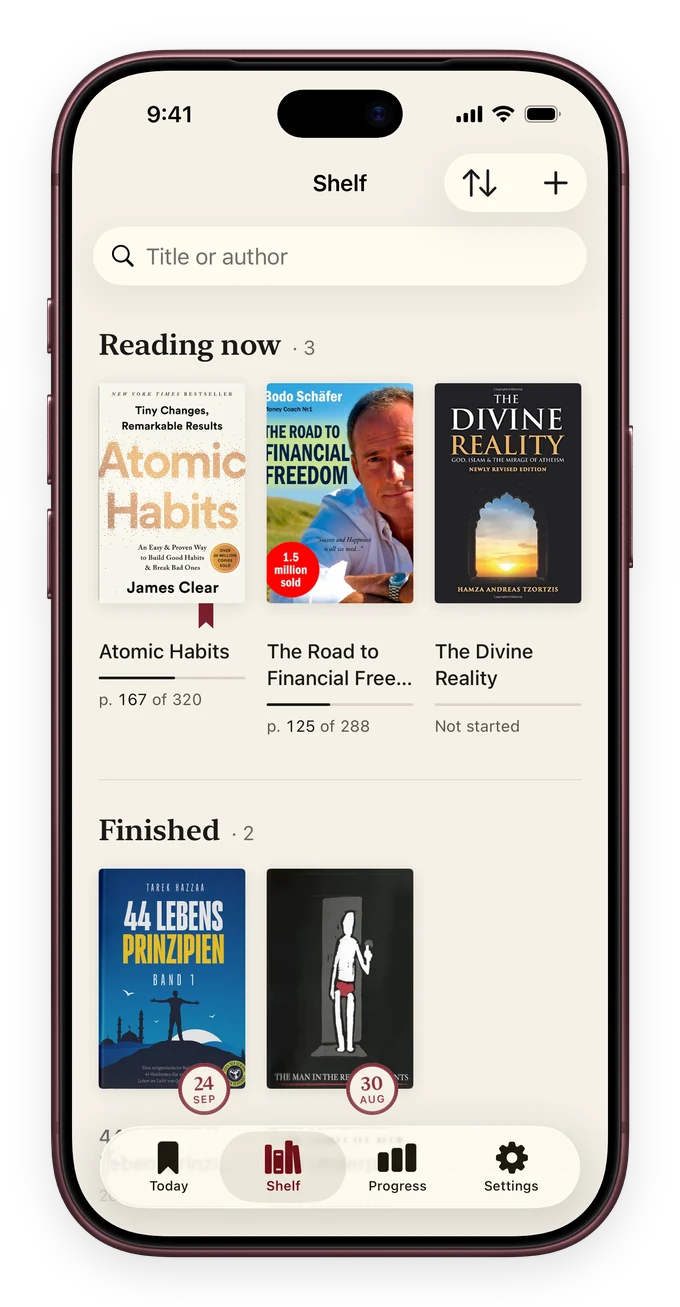
A bookshelf that feels
more like you.
The books you finish. The days you show up. Watch the evidence of your new habit grow, one page at a time.
- Your books, together in one place
- Reading days, streaks and real progress
- Your own reading goal and unlock rule
Real app screens. Illustrative reading data.
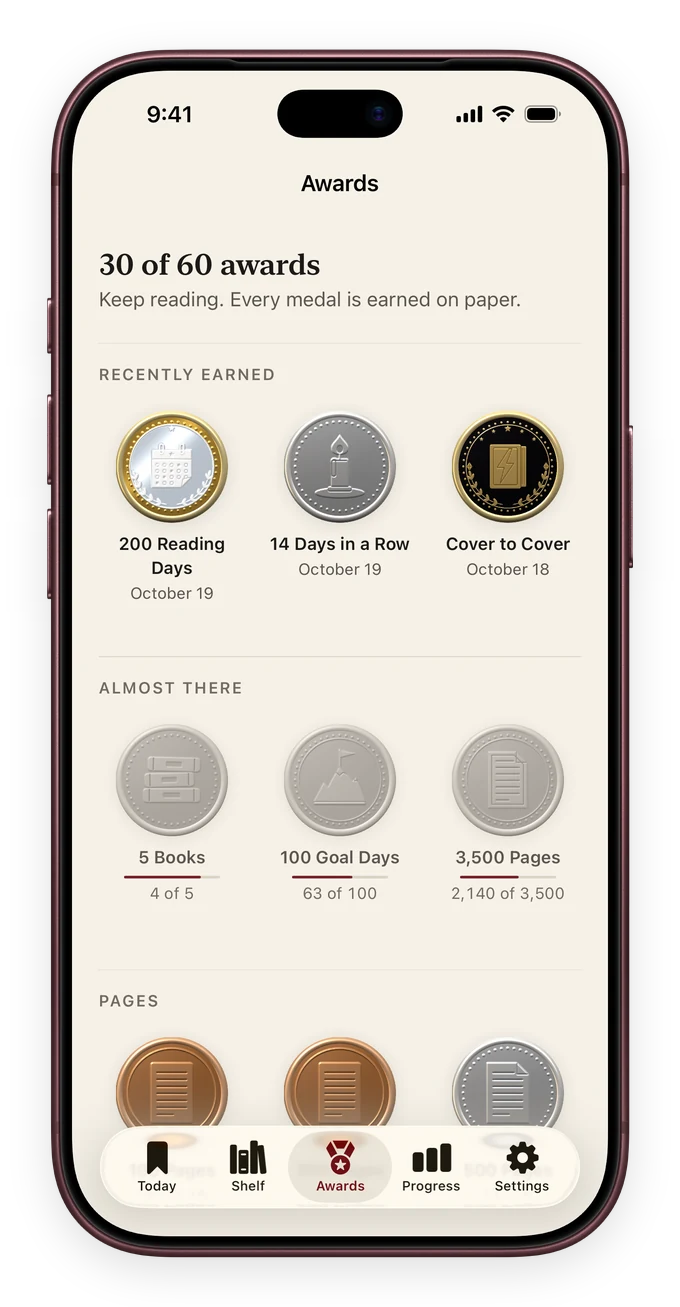
MEDALS AND AWARDS
Earn a medal
for every milestone.
ReadFirst is a reading tracker that turns your pages, finished books and days in a row into 60 medals to collect. Small rewards that keep your reading habit going, book after book.
Your reading life.
Stays yours.
No ReadFirst account. Pages are checked on your device and page photos are never saved. Your books and your reading history stay on your device and in your own iCloud.
Our approach to privacy ↗BEFORE YOUR FIRST PAGE
A few things to know.
What is ReadFirst?
ReadFirst is a reading habit and app-blocking app for iPhone and iPad. Read a page of a printed book and photograph the last page you read. Then the distracting apps you chose open.
Is ReadFirst the same as apps with a similar name?
No. ReadFirst is made by TrueDigital, LLC and is listed on the App Store as “ReadFirst: App Blocker”. Apps with a similar name, such as Read First or ReadTime, come from other developers.
How does ReadFirst help me scroll less?
ReadFirst uses Apple’s Screen Time controls to block the apps you choose. Read a page of a printed book, photograph the last page you read, and your selected apps open. You choose how many pages to read and how much app time you get.
Do I need a special book?
No. ReadFirst is made for printed books you already own. Add a book by scanning its ISBN, photographing its cover, searching for its title or entering it yourself. Page recognition is designed for printed text, rather than audiobooks or e-books.
What happens if I read more?
Extra pages put minutes in your bank, within the app’s limits. Use them later the same day to open your apps with a tap, without a new photo. How many minutes you get depends on your rule and how long you read.
Am I locked out of my whole phone?
No. You select which apps should wait. ReadFirst does not lock your whole device. You can adjust your rule and use the app’s limited skips when you need a break from the routine.
Is ReadFirst free?
No. ReadFirst needs a subscription through Apple, billed yearly or monthly, or a one-time purchase of $99.99. The price in your currency, the billing period and the renewal terms are shown in the app and in Apple’s purchase confirmation before you buy.
Which devices does it work on?
ReadFirst is built for iPhone and iPad running iOS or iPadOS 18 or later. App blocking needs Screen Time permission; page photographs need camera access. Some behaviour depends on your OS version.
YOUR NEXT CHAPTER
Less “one more scroll.”
More “one more page.”
You don’t have to become someone else.
Just make a little room for who you want to be.