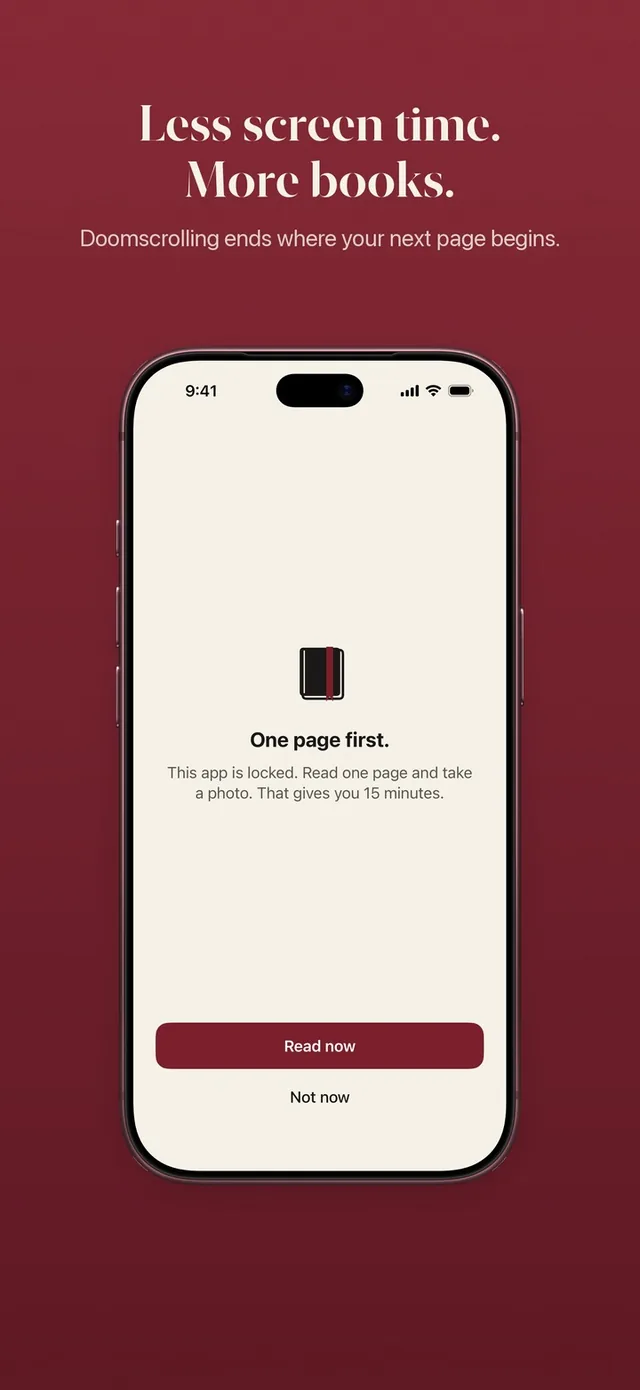
People who search for a Brick alternative usually like the idea of a real barrier between them and their feed, but not the idea of another gadget to buy, mount and remember. The honest short answer: Brick is a hard physical lock you pay for once. ReadFirst is a lock you open with something you already own, a printed book, and every time you open it you have read a page. We make ReadFirst, so we are not neutral. We checked every fact about Brick on its App Store page and website on 20 October 2026.
What is Brick?
Brick is a small physical device paired with a free iPhone app. You choose the apps you want blocked and a mode in the app, then tap your phone against the Brick to start blocking. To unblock, you tap the phone against the Brick again. You can start a session from the app, but ending one needs the physical Brick, and the app gives you five emergency unbricks for the moments you truly cannot reach it.
The Brick device costs $59 on getbrick.com, and the app itself is a free download with no in-app purchases listed on the US App Store on 20 October 2026. Brick lists a case and a mount as optional accessories. The app runs on iPhone with iOS 18 or later, and the website says Brick also works with Android 12 or later.
Brick vs ReadFirst at a glance
| Brick | ReadFirst | |
|---|---|---|
| What it is | A physical device plus an app blocker | An app blocker plus a reading tracker |
| How you get back into your apps | Tap your phone on the Brick | Read a page of a printed book and take a live photo of it |
| What you need with you | The Brick device | Any printed book |
| Reading built in | No | Yes: pages, books, streak, goal, medals |
| Printed books | Not part of the app | The key to your apps |
| Streaks and goals | Not listed | Daily page goal, reading streak, 60 medals |
| Price (20 Oct 2026) | $59 device (getbrick.com), app free on the App Store | $39.99 a year (3 days free for new subscribers), $7.99 a month or $99.99 one-time purchase |
| Platforms | iPhone (iOS 18+), Android 12+ | iPhone and iPad (iOS and iPadOS 18+) |
| Best for | A hard barrier you leave in another room | Turning phone time into reading time |
Where Brick is a great choice
Brick is a strong pick if you want the barrier to live outside your phone. Leaving the Brick at home or in another room means the apps stay blocked until you walk back to it, and that physical distance is the whole idea. Many people find that kind of hard stop easier to respect than anything on the screen.
It is also simple to pay for. The device is a one-time purchase and the app has no subscription listed on the US App Store, so if you dislike recurring payments, Brick is easy to budget. And Brick works on Android as well as iPhone, which ReadFirst does not.
If what you want is a full break, such as a phone-free weekend or deep work with no way back in, Brick does exactly that.
Where ReadFirst is different
ReadFirst asks a different question. Instead of "can you reach the device?", it asks "did you read?". The barrier is still real, but passing it leaves you with something: a page read, a book that moves forward, an evening that went somewhere.
- Your book is the key, not a gadget. There is nothing to buy, pair, mount or lose. Pick up any printed book, read, then take a live photo of the last page you read. Learn how read to unlock works.
- The check is real and private. The page photo is checked on your iPhone or iPad: the app looks for a printed page and its page number, rejects photos of screens, catches a page it has already seen and never saves the photo. More on the page photo check.
- Pages become minutes. You set the rule, for example one page gives you 15 minutes in your apps. Minutes only run while you use the locked apps, and you can lock them again early at any time. See your reading rule.
- Read ahead, use it later. Read more than the rule asks and the extra minutes go into a bank for later that day, up to 5 hours. Read in the morning and you can open your apps at lunch with one tap. The read-ahead bank empties at midnight.
- It tracks your reading too. A shelf for your books, a daily page goal, a streak with one grace day a month, Home Screen and Lock Screen widgets, and 60 reading medals. Brick keeps the feed away. ReadFirst also shows you the reader you are becoming.
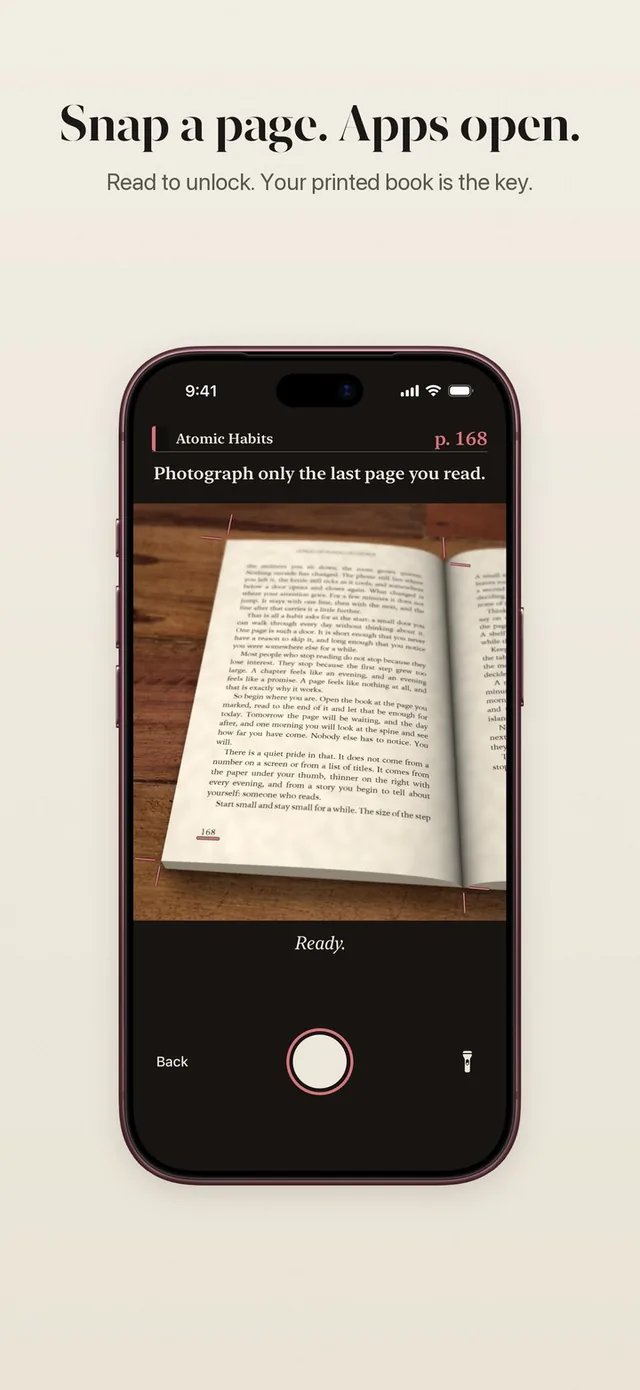
There is one honest trade-off. Brick's barrier sits in another room; ReadFirst's barrier is a book you could keep beside you. For many readers that is the point: the book is right there, so reading is the easiest way back in.
What about emergencies?
Both apps leave a small door open. Brick gives you five emergency unbricks in the app. ReadFirst gives you skips: one a week by default, and you can choose zero to three. A skip waits 10 seconds, opens your apps for at most 15 minutes and never counts for your streak. If you need fewer exceptions, set skips to zero.
Can you use both?
Yes, and they fit together better than you might think. Use Brick for the long, hard breaks, such as a weekend or a workday when you want no way back in at all. Use ReadFirst for everyday life, so the few minutes you do spend in your apps are earned with pages. Brick decides when you are offline. ReadFirst makes sure the time you are online starts with a book.
Which one should you choose?
Choose Brick if:
- you want a physical barrier that stays in another room
- you prefer one device payment over a subscription
- you use an Android phone
Choose ReadFirst if:
- you do not want to buy, carry or keep track of extra hardware
- you want every return to your apps to start with a page of a real book
- you want your reading tracked too, with a shelf, a streak, a daily goal and medals
Frequently asked questions
Is ReadFirst a Brick alternative without a device?
Yes. ReadFirst needs no hardware. Your chosen apps open when you read a page of a printed book and take a live photo of it, so the book you already own is the key.
Is ReadFirst a one-time purchase like Brick?
You can choose. ReadFirst costs $39.99 a year with 3 days free for new subscribers, $7.99 a month, or $99.99 as a one-time purchase on the US App Store. There is no free tier.
Does ReadFirst lock my whole phone?
No. Only the apps and websites you choose are locked through Apple Screen Time. Every app you do not choose keeps working as usual.
Does ReadFirst work with Kindle or e-books?
No. ReadFirst works with printed books only. The page check rejects photos of phone and e-reader screens.
Does ReadFirst work on Android?
No. ReadFirst runs on iPhone and iPad with iOS and iPadOS 18 or later.