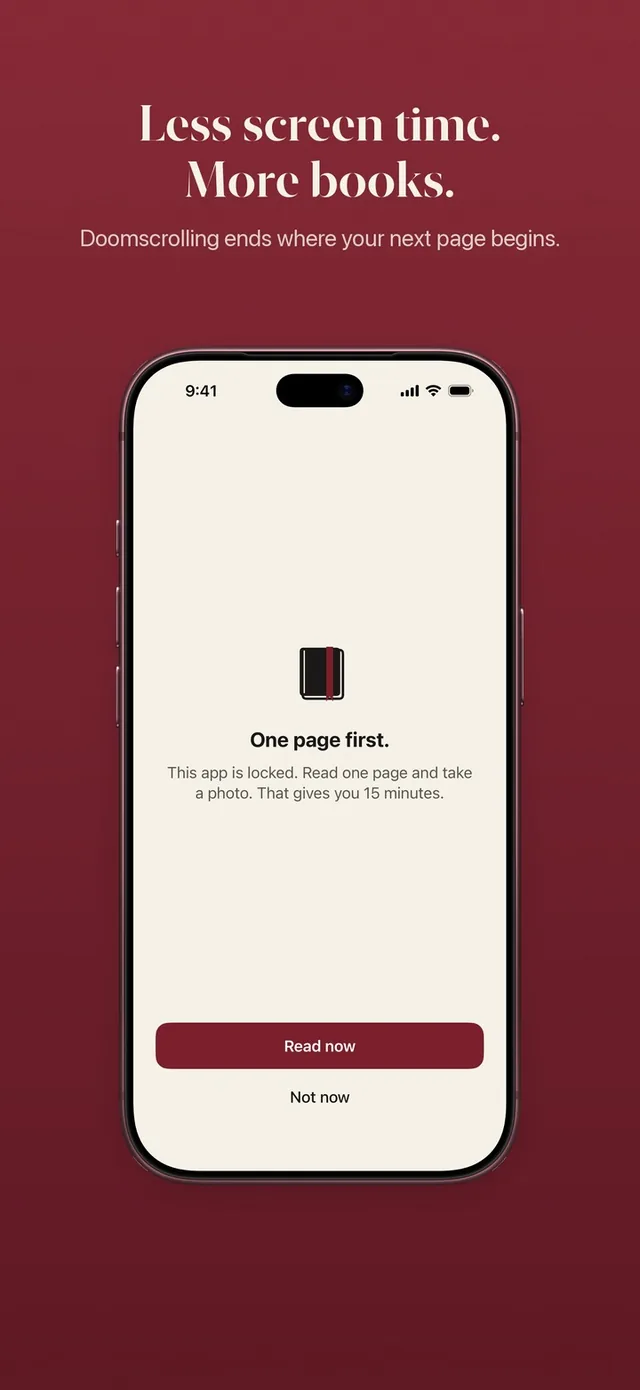
If you are looking for an Unpluq alternative, you probably like the core idea: a small barrier between you and a distracting app, so the reflex has time to pass. ReadFirst keeps that idea and changes the barrier. Instead of a shake, a tap pattern or a key tag, the way in is a page of a printed book. You still slow down, and you also end up having read something. We make ReadFirst, so we are not neutral. We checked every fact about Unpluq on its App Store page and website on 20 October 2026.
What is Unpluq?
Unpluq, listed as "Unpluq: Reduce Screen Time" by Unplug Technology B.V., is an app blocker built around barriers. You choose the apps to block and set schedules. When you want to open a blocked app, you pass a barrier you picked: shake the phone, tap a random pattern, scroll through blank space, a random mix, a QR code, or the Unpluq Tag, a physical NFC keychain. The QR code and the Tag are part of Premium.
Unpluq has a free tier with 2 apps, 1 schedule and 2 barriers. On the US App Store on 20 October 2026, Premium was listed at $6.99 a month and $59.99 a year. The Unpluq website also sells Premium with or without the Tag. Unpluq runs on iPhone (iOS 16 or later) and, according to its website, on Android.
Unpluq vs ReadFirst at a glance
| Unpluq | ReadFirst | |
|---|---|---|
| What it is | An app blocker with barriers | An app blocker plus a reading tracker |
| How you get back into your apps | Pass a barrier: shake, pattern, scroll, QR code or NFC Tag | Read a page of a printed book and take a live photo of it |
| Schedules | Yes | No: the lock is always on until you read |
| Reading built in | No | Yes |
| Printed books | Not part of the app | The key to your apps |
| Streaks and goals | Not listed | Daily page goal, reading streak, 60 medals |
| Price (US App Store, 20 Oct 2026) | Free tier, Premium $6.99 a month or $59.99 a year | $39.99 a year (3 days free for new subscribers), $7.99 a month or $99.99 one-time purchase |
| Platforms | iPhone (iOS 16+), Android | iPhone and iPad (iOS and iPadOS 18+) |
| Best for | A quick, varied barrier or a physical key | Turning every return to your apps into reading |
Where Unpluq is a great choice
Unpluq is a great choice if you want a barrier that takes seconds, not minutes. A shake or a tap pattern is just enough friction to catch an automatic swipe without getting in the way when you really need an app. If you like the idea of a physical key, the Unpluq Tag gives you one that fits on a keyring.
It also gives you choice. You can switch barriers, set schedules and start on the free tier. And if you use an Android phone, Unpluq works there and ReadFirst does not.
Where ReadFirst is different
The difference is what the barrier asks of you. Unpluq's barriers are designed to interrupt. ReadFirst's barrier is designed to replace: the minutes you would have spent scrolling start with minutes spent reading.
- A page instead of a gesture. Read a page of a printed book, take a live photo of the last page you read, and your chosen apps open. See how read to unlock works.
- A barrier that asks for real reading. The photo is checked on your iPhone or iPad. ReadFirst looks for a printed page and its page number, rejects photos of screens, notices a page it has already seen and never saves the photo. If no page number is read, nothing counts. More on the page photo check.
- One unlock, real minutes. Your rule sets how much a page is worth, for example 15 minutes in all your locked apps. Minutes only run while you use those apps, and extra pages go into a read-ahead bank for later that day, up to 5 hours.
- A reading life in the same app. Your printed books on a shelf, a daily page goal, a reading streak with one grace day a month, weekly and yearly progress, widgets, and 60 reading medals.
- No account, no extra hardware. Your reading syncs through iCloud, and the key is a book you already own.
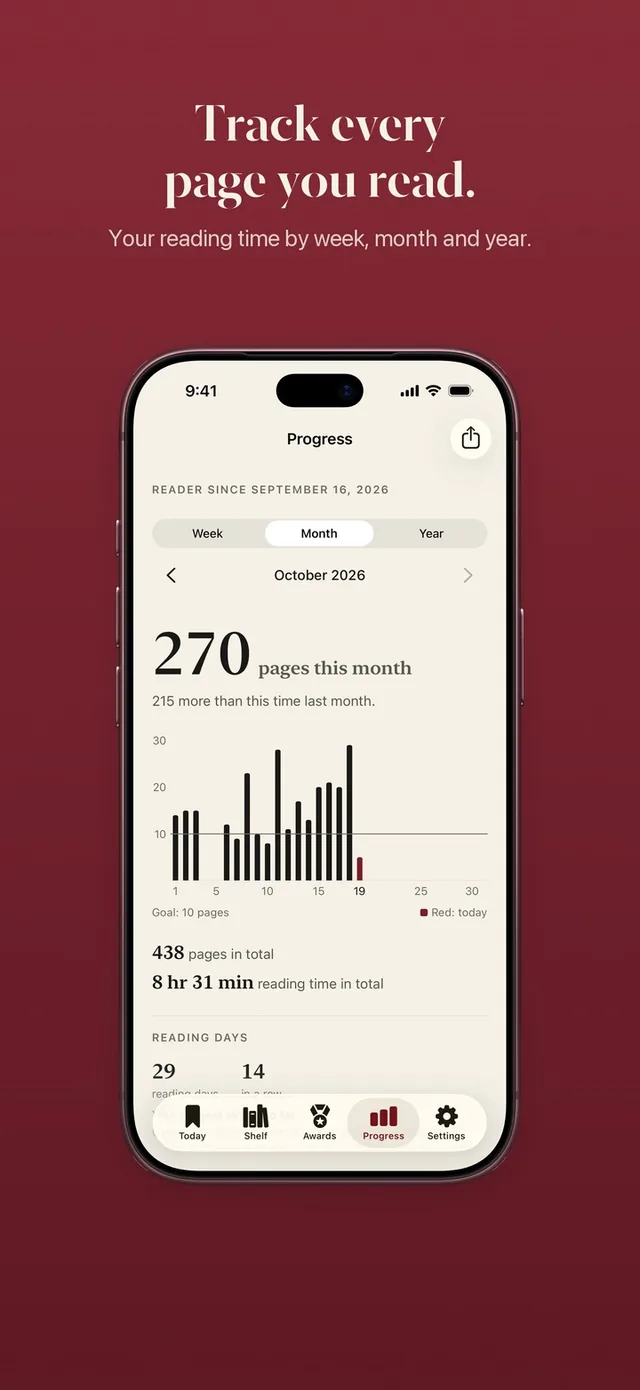
Unpluq's own App Store listing names reading books as one use of the time you get back. ReadFirst builds the whole app around that idea.
Can you use both?
You can, but it is usually simpler to pick one for each app. Some people keep a light barrier like Unpluq's on apps they need often, such as email or maps, and put the apps that swallow their evenings behind ReadFirst. That way the quick checks stay quick, and the long scrolls start with a book.
Which one should you choose?
Choose Unpluq if:
- you want a barrier that takes a few seconds
- you like a physical key tag you can carry
- you use Android or want to start on a free tier
Choose ReadFirst if:
- you want the time before your apps to be time spent reading
- you want the barrier itself to be something worth doing
- you want your books, streak, goal and medals tracked in one place
Frequently asked questions
Is ReadFirst like Unpluq?
Both lock the apps you choose and ask for something before they open. Unpluq asks for a barrier such as a shake, a pattern or an NFC tag. ReadFirst asks for a page of a printed book and a live photo of it.
Do I need a tag or device for ReadFirst?
No. ReadFirst needs no extra hardware. Any printed book is the key.
Is ReadFirst free?
No. ReadFirst has no free tier. It costs $39.99 a year with 3 days free for new subscribers, $7.99 a month, or $99.99 as a one-time purchase on the US App Store.
Does ReadFirst work with e-books or Kindle?
No. ReadFirst works with printed books only, and the page check rejects photos of phone and e-reader screens.