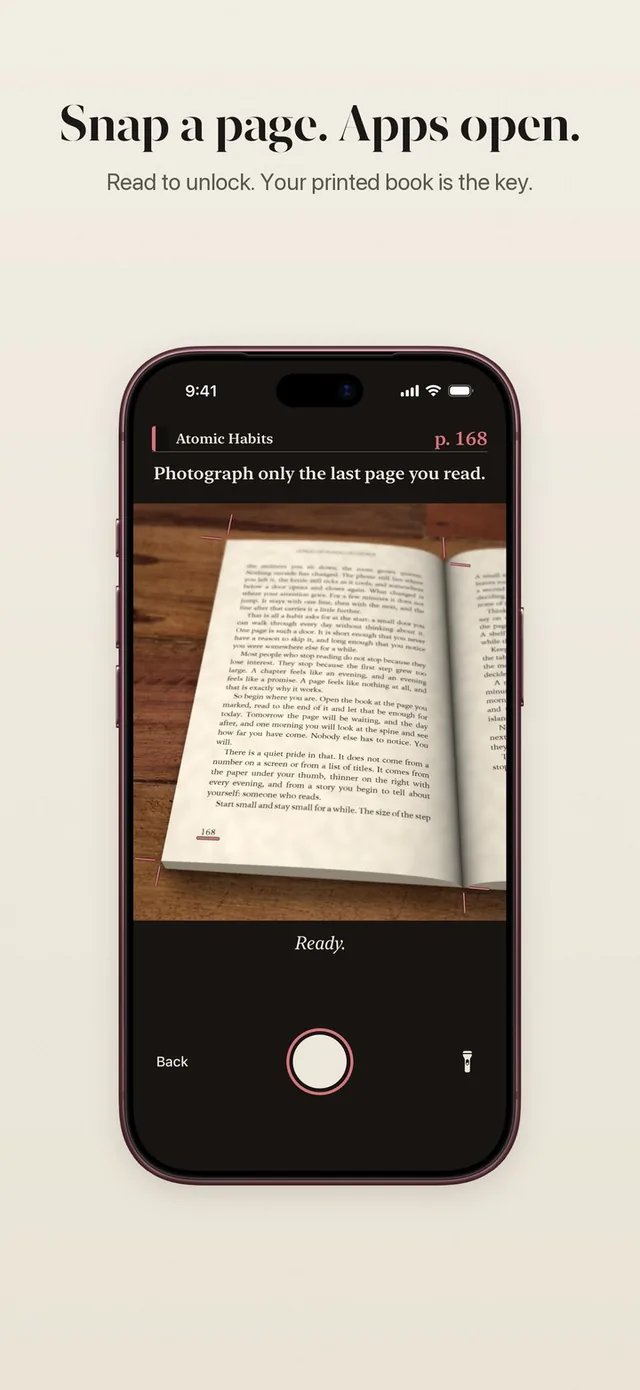
ReadFirst is the app that locks apps until you read. You pick the apps and websites that pull you in, Apple Screen Time keeps them closed, and a page of a real book opens them again. The feed is still there. It just comes after the book now.
Most app blockers ask you to wait, breathe or tap a button. Read to unlock apps works differently: the price of opening Instagram or TikTok is a page you actually read. Over a few weeks, those pages add up to finished books.
How it works
Read to unlock takes about as long as the reading itself. The steps are the same every time.
- Choose what to lock. Pick apps, whole categories and websites in the Screen Time list. Up to 45 together.
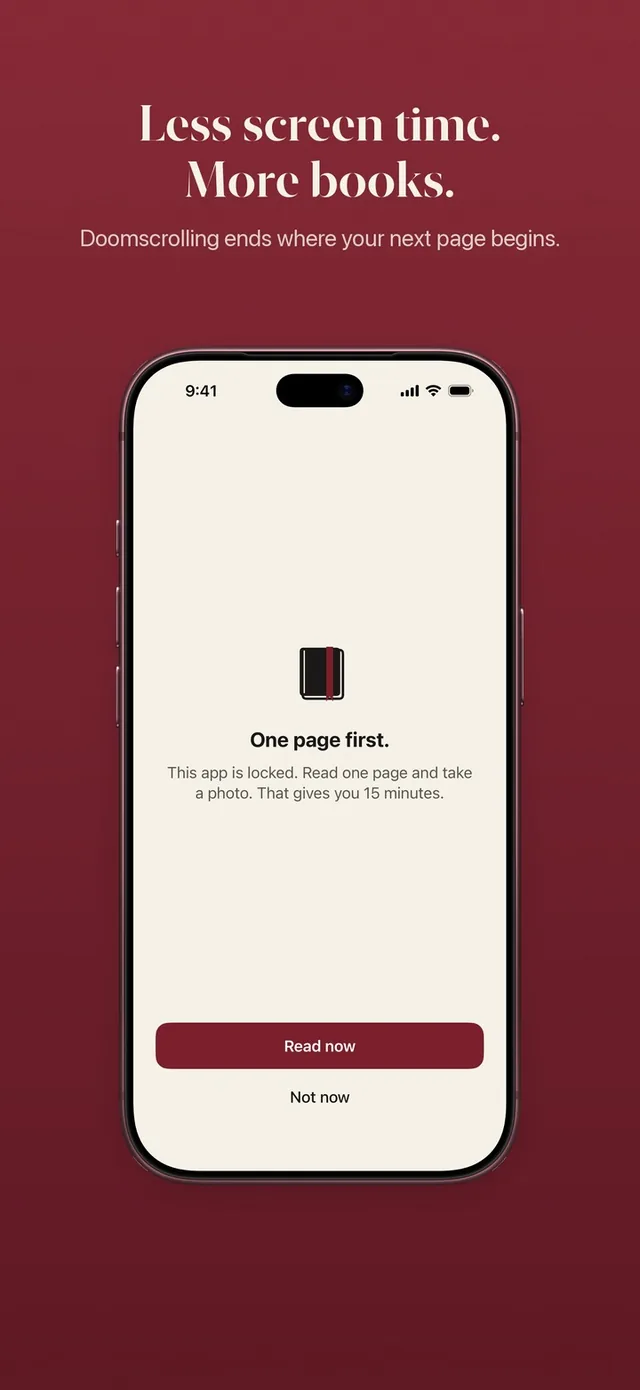
- Set your rule. For example, one page gives you 15 minutes in your apps. You can change it any time.
- Open a locked app. Instead of the feed, you see a quiet screen: "This page can wait." with Read now and Not now.
- Read. Tap Read now and pick up your printed book. A reading clock runs while you read.
- Take a live photo of the last page you read. ReadFirst checks the page on your iPhone. The photo is never saved.
- Your apps open. They stay open for the minutes your rule gives, then lock again on their own.
One unlock opens all your locked apps
One read opens every app you locked, not just the one you tapped. If your rule gives you 15 minutes, you can spend them in messages, then the feed, then a video, without reading again for each app.
That keeps the rule simple. You are not managing a dozen timers. You read, you get your minutes, you use them how you like.
When you are done early, tap Lock now. Your apps close right away, and the unused minutes stay with you for the rest of the day.
Minutes only run while you use the apps
Your minutes count down only while you are in the locked apps. Put the phone down after five minutes of a 15 minute portion and the other ten wait for you. Switch to an app you did not lock, like maps or your calendar, and the clock on your minutes stands still.
This matters more than it sounds. A plain timer punishes you for leaving the feed early. ReadFirst rewards it: the minutes you do not spend are still yours later that day.
Midnight starts the day locked
Every day starts fresh at midnight. Any open portion closes, and your locked apps start the new day closed until you read. Unused minutes in your bank expire at midnight too, so nothing piles up into a weekend of scrolling.
If you read more than your rule asks, the extra pages turn into minutes for later that same day. You can read ahead and scroll later without taking a new photo.
Printed books, checked on your iPhone
ReadFirst works with printed books, not e-books. That is on purpose. A paper book is the one thing on your nightstand that does not ping, autoplay or refresh.
The page check is built for honesty and privacy at once. It needs a live camera shot, it catches photos of screens, and a page you have shown before does not count twice. How the page photo check works explains each step.
Some other read-to-unlock apps have you read inside their own e-reader, or add a quiz question to the page scan. ReadFirst asks for neither. You read your own book, show the page and go.
Who it's for
ReadFirst is for adults who want to read more and scroll less, and who know that willpower alone has not done it. It suits you if:
- You reach for your phone in every quiet moment and want a book to be the first stop.
- You own a stack of books you meant to finish.
- You tried screen time limits and found yourself tapping "ignore" every time.
- You want a rule you set yourself, like one page for 15 minutes, and a way to change it when life changes.
If you would rather only track your reading for a while, you can set your minutes to 0. Every page then counts for your book, your goal and your medals. Read more in your reading rule.
ReadFirst runs on iPhone and iPad with iOS 18 or later, in English and German. It costs $39.99 a year with 3 days free for new subscribers, $7.99 a month, or $99.99 as a one-time purchase (US App Store, 20 October 2026).
Frequently asked questions
What does "read to unlock" mean in ReadFirst?
The apps you choose stay locked through Apple Screen Time. To open them, you read a page of a printed book and take a live photo of it, and your apps open for the minutes your rule gives.
Does ReadFirst lock my whole phone?
No. Only the apps, categories and websites you choose are locked. Calls, maps, your camera and every app you did not pick work as usual.
Does one page open every locked app?
Yes. One unlock opens all of your locked apps for the minutes your rule gives, and those minutes only count down while you use them.
Can I use e-books or a Kindle?
No. ReadFirst works with printed books only. Photos of screens, including e-readers, are recognized and do not count.
What happens at midnight?
Every open portion closes and your apps start the new day locked. Minutes left in your bank expire at midnight as well.