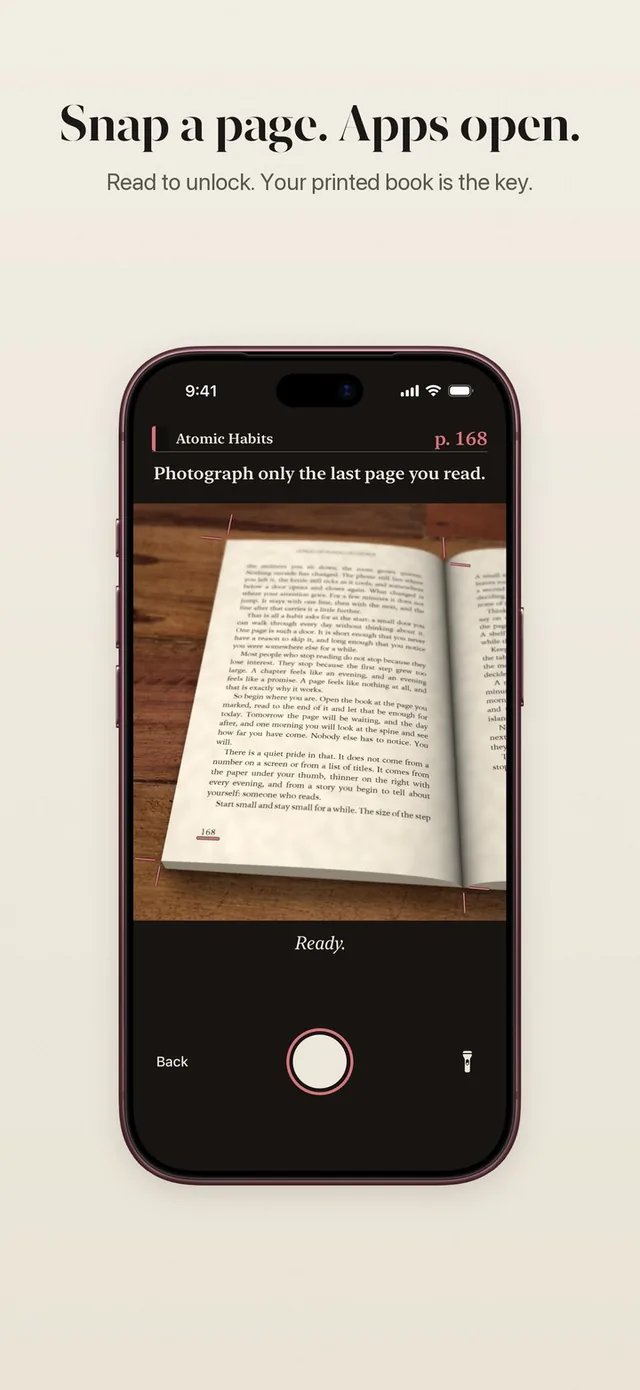
Some days you have a quiet hour with a book in the morning and no time at all in the evening. ReadFirst lets you read ahead and scroll later. Every page beyond what your rule asks for turns into minutes that wait in your bank until you want them.
It is a small idea with a big effect. Reading stops being a toll you pay at the worst moment and becomes something you do when it suits you, with the feed waiting politely until after.
How it works
The bank fills on its own whenever you read more than one unlock needs.
- Read past your rule. Say your rule is one page for 15 minutes, and you read a whole chapter on the train.
- Take your page photo as usual. ReadFirst counts the pages and opens your apps for this unlock.
- The extra pages become minutes. They go into your bank. Today shows how much is "in the bank".
- Use them later with one tap. When you open a locked app later that day, you can open your apps from the bank. No book, no new photo.
- Midnight clears it. Whatever is left expires at midnight, and the new day starts locked.
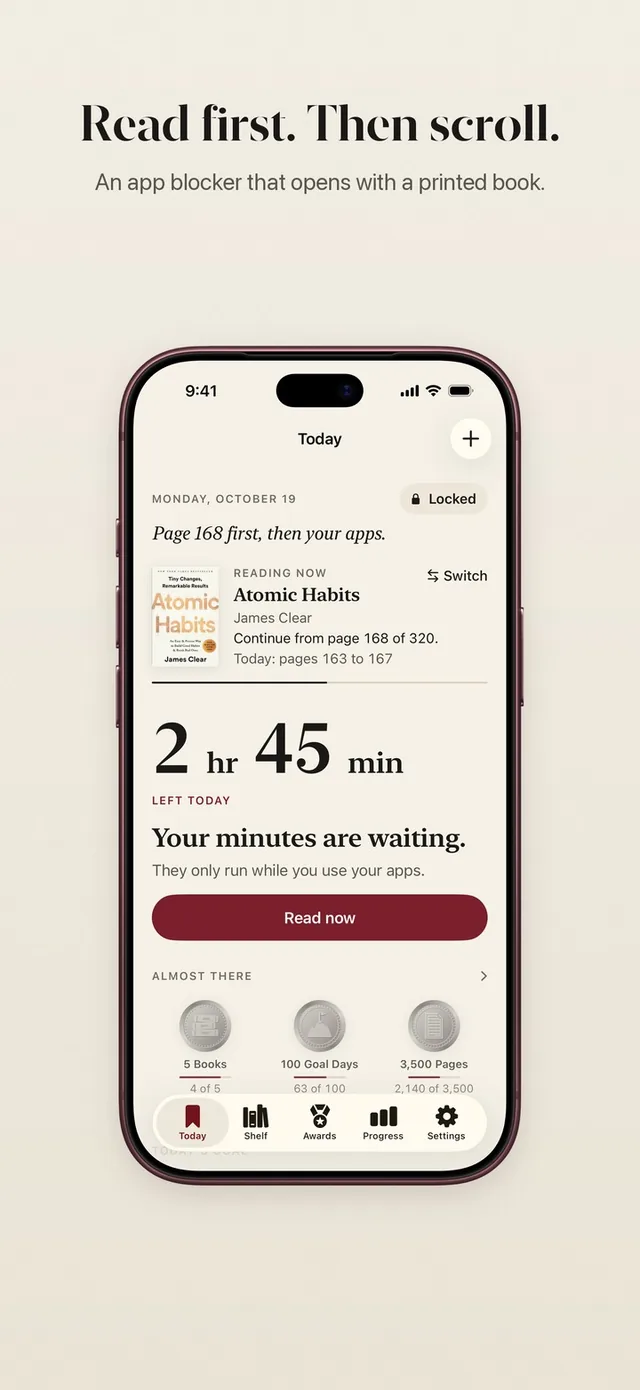
What a morning chapter buys you
The bank turns pages into a simple, visible amount of time. Extra pages earn minutes at the rate of your rule, as long as your reading time backs them up. With one page for 15 minutes, five extra pages read over breakfast can leave more than an hour waiting for you after work.
You do not have to plan any of it. Read when the book feels good, and the minutes follow. On a busy day, ten pages in the morning can carry you through the evening without opening the camera again.
The bank also fills when you finish a book. Finishing gives you a small gift: the minutes of one unlock go into your bank, at most once a day.
Up to 5 hours, and why there is a cap
The bank holds up to 5 hours of minutes earned by reading. That is more than any normal day needs, and it keeps one long reading session from turning into a whole day of scrolling.
If you also set a daily limit in your reading rule, it still sets how much time in your apps is enough for one day. The bank only decides when you can open them without reading again.
Why the bank empties at midnight
Every day in ReadFirst starts locked. At midnight any open portion closes and the bank empties, so yesterday's reading does not pay for today's scrolling.
This keeps the habit honest. One big Sunday with a book cannot buy a week of feeds. Each day asks for a little reading, which is how reading becomes part of who you are rather than something you did once.
Minutes, not pages
The bank stores minutes, not pages. That keeps it simple when you change your rule. The time you earned stays the time you earned.
And like every portion in ReadFirst, bank minutes only run while you use your locked apps. Open the feed for ten minutes, put the phone away, and the rest stays in the bank. If you close your apps early with Lock now, the unused minutes stay with you for the rest of the day.
Who it's for
The bank suits readers whose days are uneven:
- Morning readers who like a chapter with coffee and want their evening free of interruptions.
- Commuters who read on the train and scroll later at home.
- Parents who get ten quiet minutes at odd hours and want them to count.
- Anyone who finds the lock fair but would rather pay ahead than at the door.
If you use Track only, with your minutes set to 0, there is nothing to bank: every page simply counts for your book, your daily reading goal and your medals.
Frequently asked questions
How do I get minutes into the bank?
Read more pages than your rule asks for and take your page photo as usual. The extra pages turn into minutes and go into your bank.
How much can the bank hold?
Up to 5 hours of minutes earned by reading. Anything beyond that is not added.
Do I need a new photo to use bank minutes?
No. Later that day, one tap opens your apps from the bank without reading or taking a new photo.
What happens to unused minutes at night?
The bank empties at midnight. Each day starts locked, so you read again for the new day.
Do bank minutes run while my phone is in my pocket?
No. Like every portion in ReadFirst, bank minutes only count down while you use your locked apps.