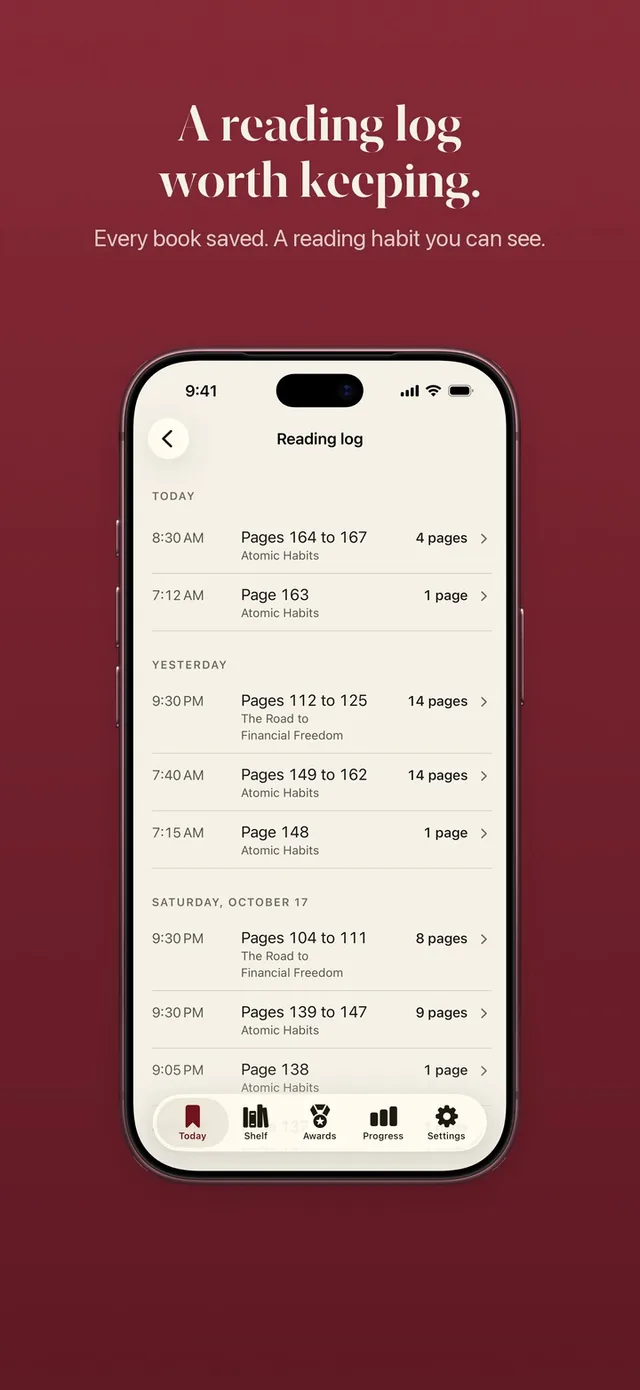
A reading stats app should answer simple questions honestly: how much did I read this week, am I reading more than last month, and what was my best stretch so far. ReadFirst's Progress tab does exactly that for the printed books you read. Every page you count becomes part of a chart, a record or a calendar day, so you see your reading as it really is.
The numbers come from the same pages that open your apps. ReadFirst locks the apps you choose until you read a page of a printed book, and each of those pages lands in your stats.
How it works
Your stats build themselves from the pages you count, with nothing to fill in.
- Read your printed book and count the pages with a live page photo, or add pages by hand if you read away from your phone.
- Open the Progress tab.
- Switch between week, month and year.
- Read the chart, your records and your reading days calendar.
- Tap share to turn the period into a Story or square card, or save it as an image.
Week, month and year charts
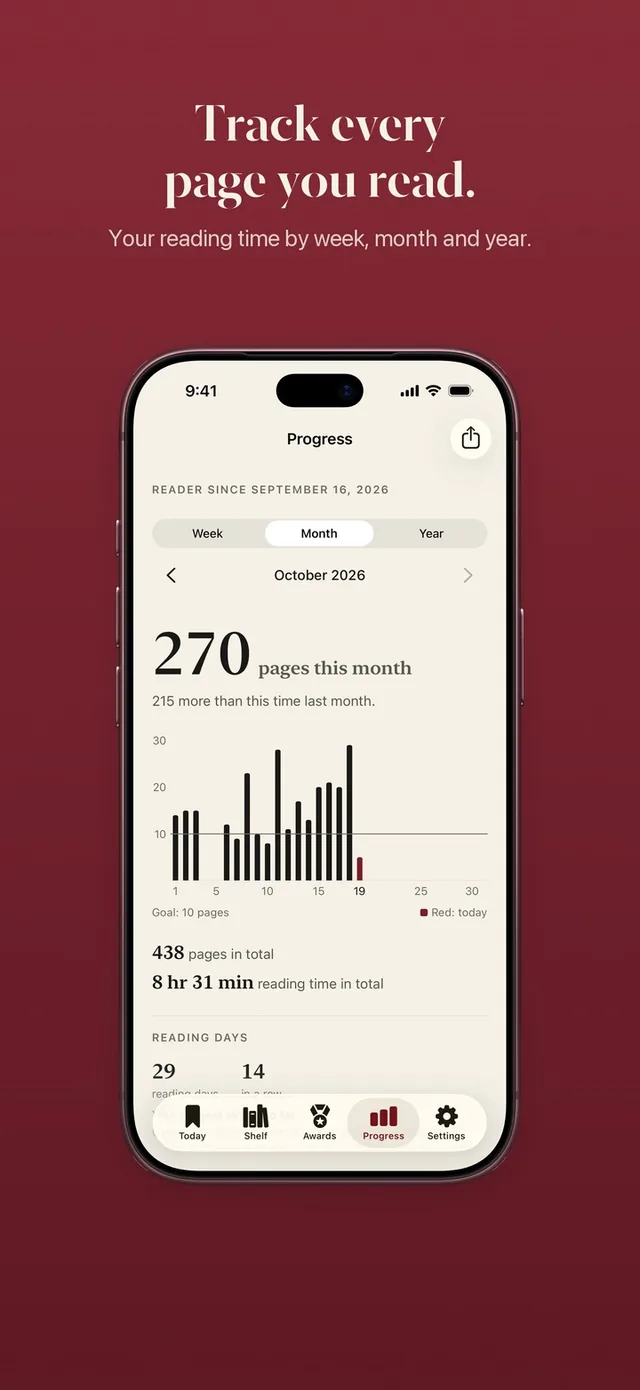
Each period shows a bar chart of pages read with your daily goal as a line across it. The week and month views show pages per day; the year view shows pages per month. Days that clear the line stand out at a glance.
Under the chart, ReadFirst compares the period with the same point last time. On a Thursday, this week is measured against last week up to Thursday, not against a full seven days. That keeps the comparison fair, so a slow Monday does not make the whole week look like a failure.
Records worth chasing
The Progress tab keeps the numbers that tell the longer story of your reading:
- Best day and best week: the most pages you have read in a single day and in a single week.
- Reading days: a month calendar that marks every day you read.
- Books finished: every printed book you have taken to the last page.
- Longest streak: your best run of days in a row, kept even after a streak ends.
- All-time pages and reading time: everything you have read since you started, and how long you spent reading.
- Reader since: the day your reading in ReadFirst began.
Records feed into your reading medals too. Beat your best reading day and you earn New Record. Read more in a month than in any month before and you earn Monthly Record.
A pages read tracker that counts real pages
ReadFirst counts whole pages of printed books. When you count your reading with a photo, the page is checked on your iPhone, the page number has to move forward and the photo is never saved. A reading clock also caps what counts, so your stats reflect reading rather than flipping. You can learn how that works on the page photo check.
Reading time comes from the reading clock. If the clock stopped too early, ReadFirst may ask once how long you read, and your answer counts toward reading time on Progress.
Share cards for Story and square
Any period can become a share card in two formats: Story 9:16 for Instagram or TikTok stories, and Square 1:1 for a post or a group chat. You can also save the card as an image. A month with 400 pages, a year with 20 books: some numbers deserve to be seen.
Stats that work with the app lock
ReadFirst is an app lock and a reading tracker in one app. Your rule, for example one page for 15 minutes, decides when your locked apps open, and your stats show the reading behind it. If you only want the stats for now, set the minutes in your rule to 0. In Track only, every page counts for your book, your goal and your medals, and your charts fill up just the same.
Your stats sync with iCloud between iPhone and iPad, without a ReadFirst account.
Who it's for
ReadFirst's reading stats suit adults who read printed books and like to see progress: people who want to know whether they really read more this month, readers motivated by a best week to beat, and anyone who wants to share a finished year of reading.
If you want stats on e-books, audiobooks, genres or authors, a general reading tracker may suit you better. ReadFirst tracks pages and time for printed books.
Frequently asked questions
What stats does ReadFirst show?
Pages per day with your goal line, pages per month in the year view, a comparison with the last period, best day, best week, reading days, books finished, longest streak, all-time pages and reading time.
Can I share my reading stats?
Yes. Every period can be shared as a Story card in 9:16 or a square card in 1:1, or saved as an image.
Does ReadFirst track reading time?
Yes. Reading time comes from the reading clock and shows on the Progress tab, along with your all-time total.
Does ReadFirst work as a pages read tracker without the app lock?
Yes. Set the minutes in your rule to 0 and ReadFirst runs in Track only: every page counts for your book, your goal and your medals, and your charts fill up as usual.