A reading log app for adults should do one thing well: remember what you read without making you fill in a form. ReadFirst keeps a log of every reading step, with the book, the pages and the day, and writes it for you as you read. Most reading logs on the web are worksheets for school kids. This one is for grown-ups who want an honest record of their reading.
The log is filled by the same pages that open your apps. ReadFirst locks the apps you choose until you read a page of a printed book, so the reading that earns your scroll time is also the reading in your journal.
How it works
Each time you count pages in ReadFirst, a new entry appears in your reading log.
- Read your printed book, ideally with the reading clock running.
- Take a live photo of the last page you read. The page is checked on your iPhone and the photo is never saved.
- ReadFirst records the step: which book and how many pages.
- The step appears under Recent reading on the Today tab.
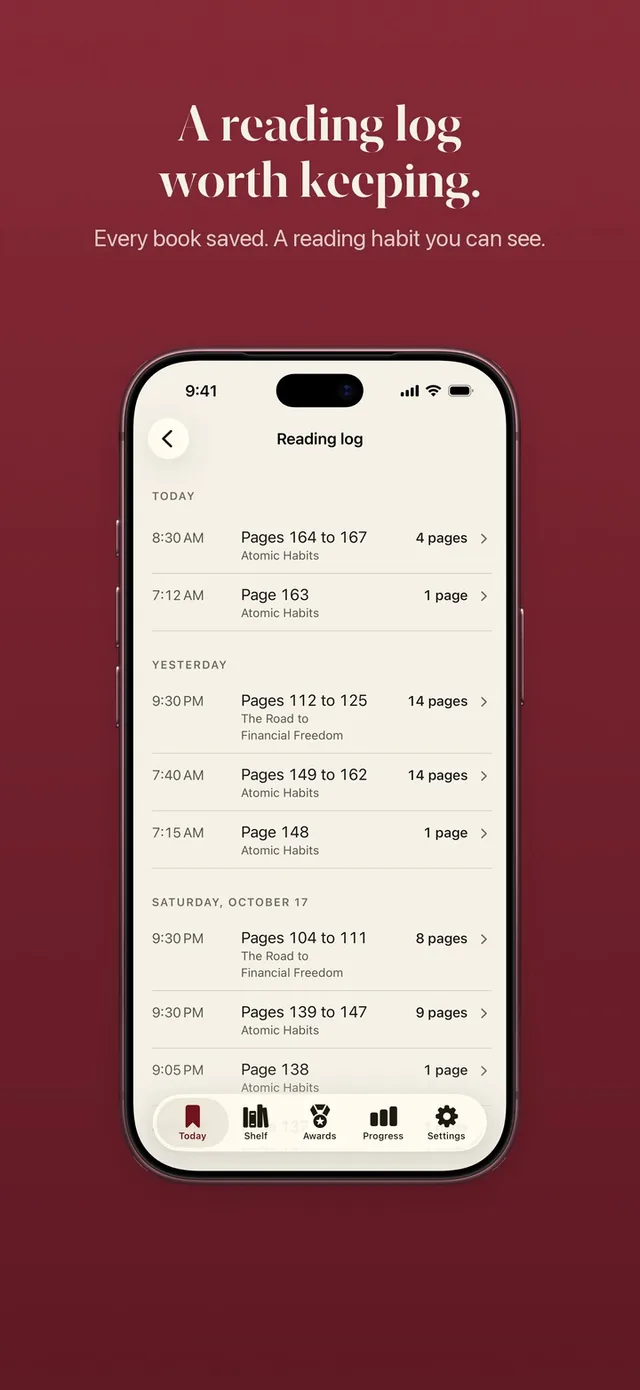
- Tap Show all to open the full log, grouped by day.
Every reading step, grouped by day
Your reading log lists every step with its pages and its book, and groups them by day. A Tuesday might show 12 pages of a novel in the morning and 8 pages of a nonfiction book before bed. A Saturday might show one long session of 40 pages.
Seen together, the log turns into a reading journal you did not have to write. You can see which book you keep coming back to, which one has been sitting untouched for a week and how your evenings actually went. If you read two or three books at once, each step is tied to the right one, and your shelf stays in sync.
Recent reading on the Today tab
The Today tab shows your most recent reading steps under Recent reading, so the last few entries are always one glance away. Tap Show all for the full history. It is a small thing, but it answers the question many readers ask themselves at night: did I actually read today, and how much?
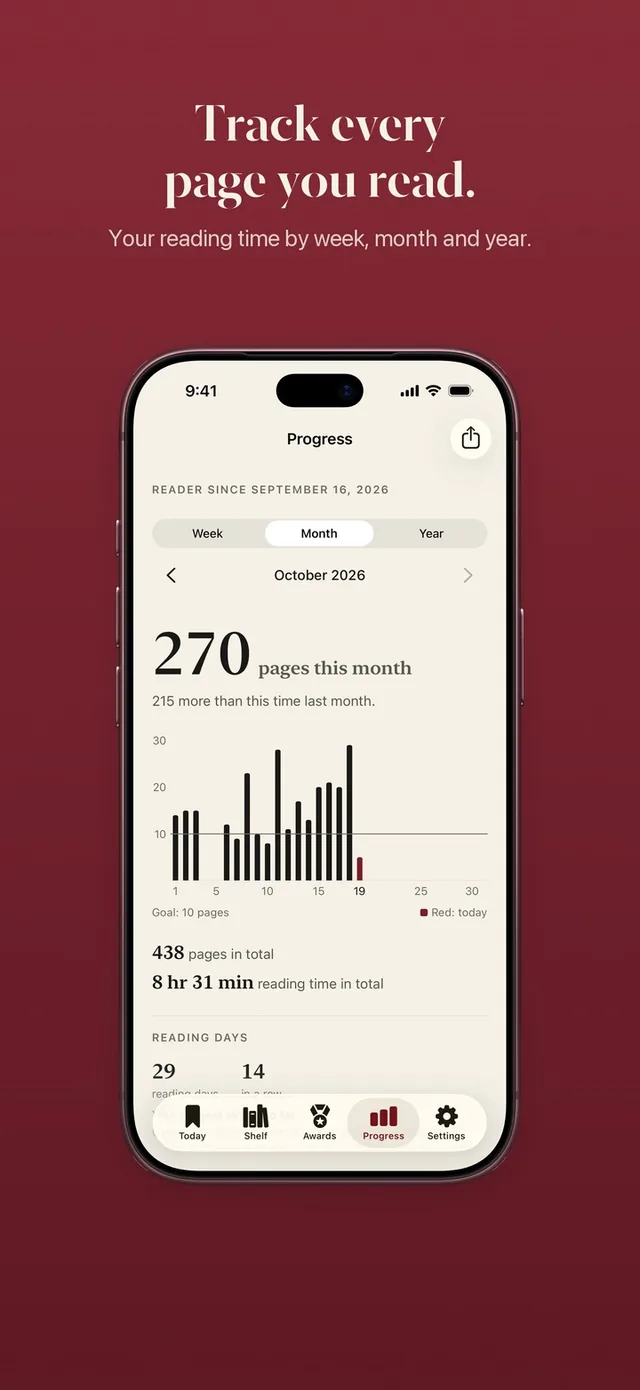
For a wider view, your reading stats turn the same log into charts by week, month and year, with your best day, your longest streak and every book finished.
Pages read away from your phone
Not every page is read next to your phone, and ReadFirst lets you add those pages by hand. Maybe you read on a camping trip, at the beach with the phone in a locker, or simply forgot to count last night.
Typed pages count for your book and for your reading streak, so your log and your shelf stay complete. They never open apps: opening your locked apps always takes a live photo of a page. That keeps the lock honest while still letting your log reflect all of your reading.
If you read with the clock but it stopped too early, ReadFirst may ask once how long you read. Your answer counts toward reading time in your stats only.
A log that works with the app lock
ReadFirst is an app lock and a reading tracker in one. You choose the apps that steal your evenings, set a rule such as one page for 15 minutes, and those apps stay locked until you read. Read more than the rule asks and the extra minutes go into a bank for later that day. You can read the details on read to unlock.
If you want only the log for now, set the minutes in your rule to 0. In Track only, every page counts for your book, your goal and your medals, and the lock is one setting away when you want it.
Private by design
Your log syncs through iCloud between your iPhone and iPad, and there is no ReadFirst account. Book lookups send only the ISBN or your search words to the catalogues. Page photos are checked on your device and never saved.
Who it's for
ReadFirst's reading log suits adults who read printed books and want a record without the busywork: readers who like looking back at a month of evenings, people who read several books at once, and anyone who wants to know how much they really read rather than how much they think they read.
If you want a journal for quotes, notes and reviews, or a log for e-books and audiobooks, a dedicated journaling app will suit you better. ReadFirst logs pages of printed books.
Frequently asked questions
What does the reading log record?
Each reading step with its book, its pages and its day. Steps are grouped by day, and the most recent ones show under Recent reading on the Today tab.
Can I add pages I read without my phone?
Yes. Pages you add by hand count for your book and your streak. Opening your locked apps always takes a live photo of a page.
Is this a reading log for kids?
ReadFirst is made for adults. There are no school forms or parent sign-offs, just your own record of the printed books you read.
Where is my reading log stored?
On your device and in your iCloud, synced between your iPhone and iPad. ReadFirst has no account of its own.