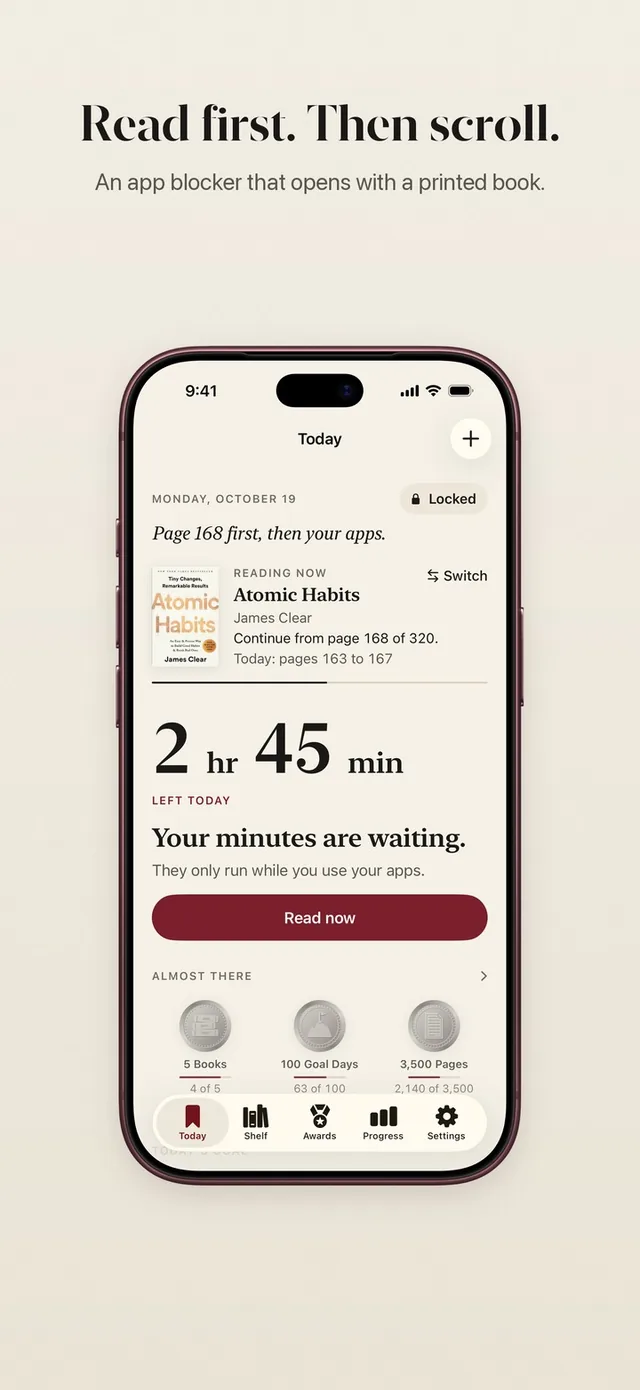
ReadFirst is a physical book tracker app built for paper. The books on your shelf, the paperback in your bag, the hardcover a friend lent you: each one gets a place in the app, with its cover, its page count and the page you are on. Most reading tracker apps on iPhone treat printed books as one format among many. In ReadFirst, printed books are the whole point.
That is because ReadFirst is also an app lock. You choose the apps that pull you away from reading, and they stay locked until you read a page of a printed book. The shelf is where those pages land, so the book you are holding and the book in the app always match.
How it works
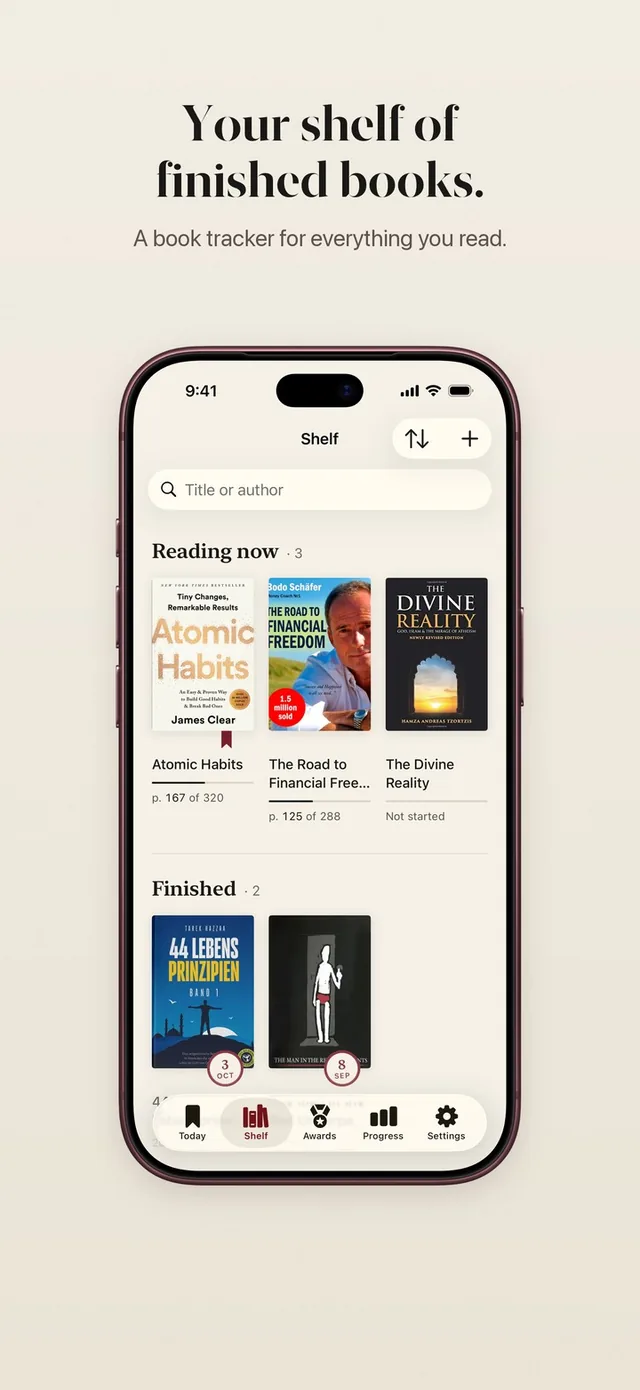
Your shelf has two sections, Reading now and Finished, and adding a book takes a few seconds.
- Tap Add a book on the Shelf tab.
- Pick one of four ways: scan the barcode, photograph the cover, search by title, or type the book in yourself.
- Choose the cover you like best from the results, or use your own photo of the cover.
- Start reading. Every page you count moves the book forward, and your current page shows on the shelf and in the reading widgets.
- When you reach the last page, the book moves to Finished with a small celebration and a book card you can keep or share.
Four ways to add a printed book
A physical book tracker should never make you type an ISBN by hand, so ReadFirst gives you four ways in and lets you use whichever is fastest for the book in front of you.
- Barcode scan. Point the camera at the ISBN barcode on the back cover.
- Cover photo. Take a picture of the front cover. ReadFirst reads the title text on it and searches for the book.
- Title search. Type a few words of the title or the author's name and pick the right edition.
- Typed in. For an old book without a barcode, a self-published one or a family copy, enter the title and page count yourself.
Catalogues from around the world
ReadFirst looks a book up in several catalogues at once, so books from smaller publishers and other countries are found too. The main sources are Open Library and Apple Books. For many ISBNs the app also asks the national library that fits the book's ISBN prefix: the Deutsche Nationalbibliothek and K10plus for German books, Libris in Sweden, the BnF in France, OPAC SBN in Italy and the Brazilian ISBN agency through BrasilAPI.
When several catalogues have a cover, you get to choose. The cover in the app should look like the book on your nightstand. If none of them fits, the cover editor lets you use your own photo.
Only the ISBN or your search words go to the catalogues.
The finish moment
Finishing a printed book deserves more than a checkbox, and ReadFirst marks it with a moment of its own. When you reach the last page, the phone gives a short haptic tap, the book moves from Reading now to Finished and you get a book card with the cover. Save it to your photos or share it with the friend who recommended the book.
If you use the app lock, a finished book also puts your rule's minutes in your bank as a small thank you, at most once a day. Books finished also count toward your reading medals, from the first book up to 100.
A tracker that works with the app lock
ReadFirst's book tracker is fed by the same pages that open your apps. You set a rule, for example one page for 15 minutes in your locked apps. When you read, you take a live photo of the last page; the page is checked on your iPhone and the photo is never saved. Those pages go straight onto the book on your shelf. You can read how that works on read to unlock and the page photo check.
Prefer to only track for now? Set the minutes in your rule to 0 and ReadFirst runs in Track only: every page counts for your book, your goal and your medals, and you can switch the lock on whenever you are ready.
Pages read away from your phone can be added by hand. They count for your book and your streak; opening apps always takes a photo.
iCloud sync, no account
Your books live in iCloud, which is on by default. Add a book on your iPhone and it is on your iPad too. Get a new phone, sign in with your Apple Account and your shelf comes back.
There is no ReadFirst account to create and no password to remember. Purchases run through your Apple Account.
Who it's for
ReadFirst's book tracker suits adults who read printed books and want to read more of them. It is a good fit if you have a stack of unfinished books and want to see which one you are actually in, if you like seeing a book move from Reading now to Finished, or if your phone keeps winning the evening and you want the book to come first.
It is not a social network or a review site. If you mainly want ratings, friends' shelves and book clubs, a social tracker will suit you better. ReadFirst is for the reading itself.
Frequently asked questions
Can I track e-books or audiobooks?
No. ReadFirst is a tracker for printed books. Pages are counted from a live photo of a paper page, so e-books, PDFs and screens are not supported.
How do I add a book without a barcode?
Photograph the cover, search by title or type the book in yourself. You can also use your own photo as the cover.
Do I need an account?
No. ReadFirst has no account of its own. Your books and reading sync through iCloud and purchases run through your Apple Account.
Does ReadFirst work on iPad?
Yes. ReadFirst runs on iPhone and iPad with iOS or iPadOS 18 or later, and your shelf syncs between them with iCloud.
Is ReadFirst free?
No, there is no free tier. On the US App Store, ReadFirst costs $39.99 a year with 3 days free for new subscribers, $7.99 a month, or $99.99 as a one-time purchase.