You get into bed at 22:30 meaning to sleep by 23:00. You check one thing. The next time you look at the clock it is 0:40, your eyes sting and you can't remember a single thing you saw. If you want to stop doomscrolling before bed, you already know that "just put it down" doesn't work. At that hour your decisions are at their weakest, and the feed has no last page.
So don't fight that battle at midnight. Win it at 21:00, when you still have energy, by changing the room, the routine and the rules. This guide is the practical version: what to move, what to buy, what to lock, and what to do instead.
Why doomscrolling gets worse at night
Doomscrolling before bed is hard to stop because three things line up at the end of the day. You are tired, so self-control is low. You are alone with your thoughts, so the feed feels like company. And the feed never ends, so there is no natural moment to stop.
Willpower is the wrong tool for that mix. What works is the opposite: decide earlier, put distance between you and the phone, and give your hands something else to hold. Each of the steps below does one of those.
Step 1: Get the phone out of the bedroom
The single most effective way to stop scrolling in bed is to not have the phone in bed. If it is charging in the hallway, the late-night "one more check" needs you to get up, walk out and stand in the cold. Most nights you won't.
Make it easy:
- Move the charger. Put a charger in the kitchen, the hallway or the living room and leave it there. The phone's home at night is now outside the bedroom.
- Buy a simple alarm clock. "I need it as an alarm" is the reason most phones sleep next to us. A basic alarm clock costs less than a month of most app subscriptions.
- Set a phone bedtime, not a person bedtime. For example: the phone goes on the charger at 21:30, you go to bed whenever you like.
- Plan for emergencies. If you need to be reachable, set up your phone so calls from your favorites ring through, and keep the volume up. You will hear it from the next room.
If the phone has to stay in the room, put it across the room, face down, not on the nightstand.
Step 2: Put a book on your pillow
A printed book on your pillow is the easiest swap for the feed, because your hands want something to hold at that hour. Make it the first thing you see when you get into bed.
A few rules that help:
- Choose an easy book for bed. A novel you enjoy, essays, short stories. Save the dense nonfiction for daytime.
- Start small. Five pages is a fine bedtime goal. Some nights you will read thirty.
- Use a warm, dim lamp. Bright overhead light keeps you alert. A small reading light by the bed is enough.
- Stop when you are sleepy. Falling asleep after three pages is a win, not a failure.
Paper matters here. A book has no notifications, no autoplay and no "one more." It ends at the bottom of the page, and your eyes eventually agree. If you are curious how the two compare in detail, we wrote about reading vs scrolling before bed.
Step 3: Lock the feed until tonight's pages are read
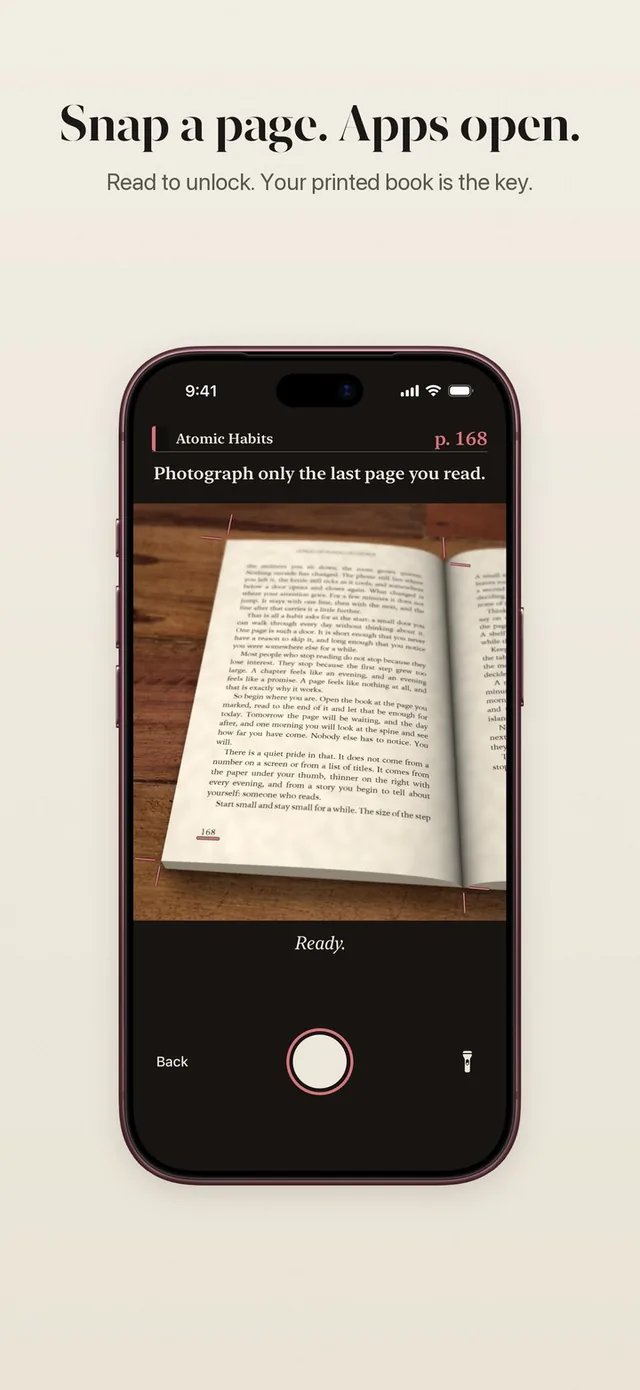
For the nights when the phone does end up in your hand, the strongest move is a lock that only opens after you have read. That turns the worst moment of the evening into a few minutes with your book.
You can lock apps for the night with Apple's Screen Time (Downtime on iOS 26, or an evening window in your Screen Time Schedule on iOS 27). The catch is that Apple says limits can be ignored by default unless you set a passcode and turn on Block at Downtime. We explain the options in how to lock apps on iPhone until a time or task.
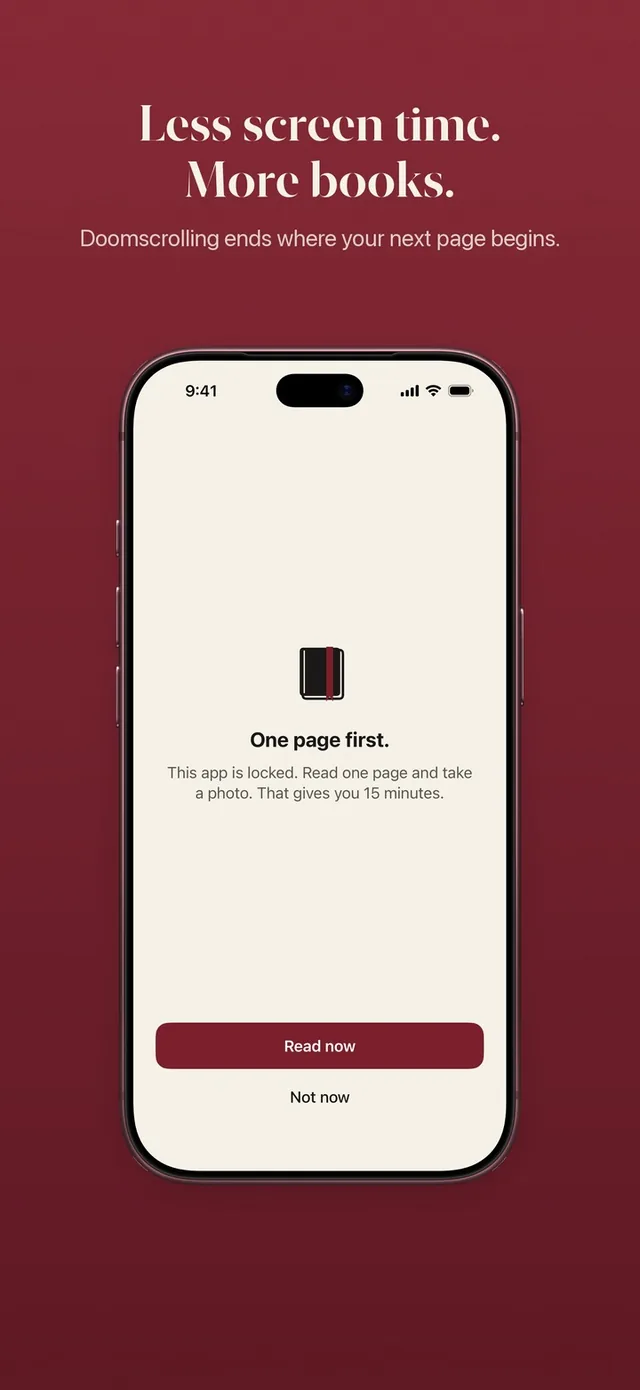
ReadFirst, our app, takes a different approach: your chosen apps stay locked until you read. When you open one, you see "This page can wait." To get in, you read a page of a printed book and take a live photo of the last page you read. The page is checked on your iPhone and the photo is never saved. Then your apps open for the minutes your rule gives, for example 15 minutes per page.
Two details fit bedtime especially well:
- Minutes only run while you use the locked apps. If you check one message and put the phone down, the rest of your minutes wait.
- Midnight starts a new day locked. Every open portion closes at midnight, so a scroll that drifts past 0:00 ends with a book again.
And if for a while you only want to count your reading, set the minutes to 0 and ReadFirst runs in Track only. Every page then counts for your book, your goal and your medals. The read to unlock page explains the whole flow.
Step 4: Build a short wind-down routine
A routine tells your brain the day is over before the feed can tell it otherwise. Keep it short enough to do on a bad day.
| Time | What you do |
|---|---|
| 21:30 | Phone on the charger outside the bedroom. Lights lower. |
| 21:45 | Tea, shower, teeth. Anything without a screen. |
| 22:00 | Into bed with your book. |
| 22:00 to 22:30 | Read until you are sleepy. |
| Lights out | Book on the nightstand, open at tomorrow's page. |
Shift the times to your life. What matters is the order: phone away first, book second, sleep third.
A reading timer can help here too. In ReadFirst, Read now starts a reading clock that shows on your Lock Screen as a Live Activity, so you can see how long you have read without opening anything else.
What to do when you can't sleep
Lying awake is the moment the phone wins most often, so decide your plan for it now. Some simple options:
- Read a few more pages under the dim lamp until your eyes get heavy.
- Write down what is on your mind on a notepad by the bed, then close it.
- Get up for a few minutes in another room with low light, then come back.
If poor sleep keeps going for weeks, talk to a doctor. Changing your phone habits helps many people sleep at a better hour, but it is not a treatment.
Try this tonight
You can start tonight with what you have at home.
- At 21:30, plug your phone in outside the bedroom.
- Set an alarm clock, or borrow one, for tomorrow morning.
- Put a printed book on your pillow, open at the page you are on.
- Read five pages in bed. More if you like.
- Tomorrow evening, lock your top three feed apps, with Screen Time and a passcode someone else sets, or with ReadFirst and a rule like one page for 15 minutes.
Give it a week. The first two nights feel strange. By the end of the week, many people notice they fall asleep earlier and wake up with less of that grey, scrolled-out feeling. And by the end of the month, you might be at the end of a book.
A better last half hour
You don't have to quit your phone to stop doomscrolling before bed. You only have to stop it from being the last thing you hold. ReadFirst keeps the feed behind tonight's pages, so the evening ends with a story instead of a scroll, and the book on your nightstand finally gets finished.
Frequently asked questions
What is the best way to stop doomscrolling before bed?
Keep the phone out of the bedroom. Charge it in another room, use a separate alarm clock and put a printed book where the phone used to be.
What should I do instead of scrolling in bed?
Read a few pages of an easy printed book under a dim lamp. A book has no notifications or autoplay, so it gives your evening a natural end.
Can I lock apps at night on iPhone?
Yes. Use Downtime on iOS 26 or an evening window in Screen Time Schedules on iOS 27. Apple says limits can be ignored by default, so turn on Block at Downtime with a Screen Time passcode to make it firm.
How does ReadFirst help me stop scrolling before bed?
It keeps the apps you choose locked until you read a page of a printed book and take a live photo of it. Every day starts locked at midnight, so a late session ends with your book.
Does ReadFirst work with a Kindle or e-reader at night?
No. ReadFirst works with printed books only, and photos of screens, including e-readers, are recognized and do not count.