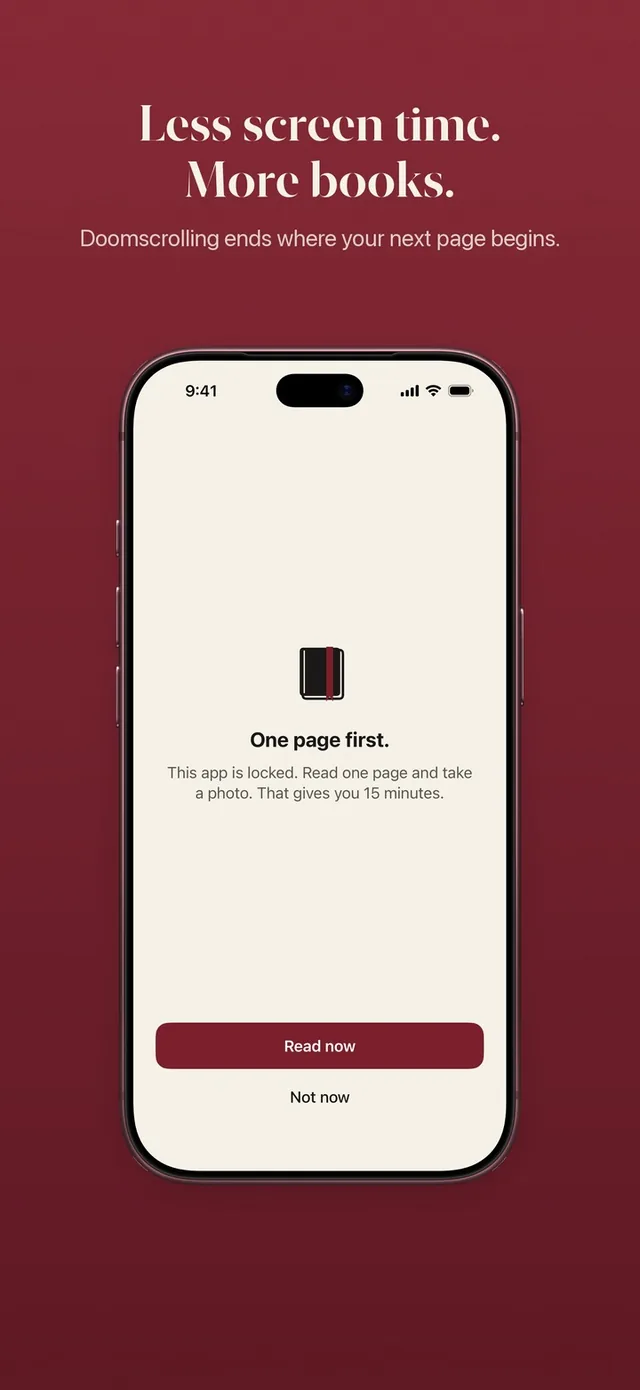
Read-to-unlock apps are app blockers with a book as the key: you read before Instagram, TikTok or YouTube open. They differ in one big way, where the reading happens and how the app knows you did it.
We make ReadFirst, so we are not neutral. We checked every fact about the other apps on their App Store pages and websites on 20 October 2026. We left out star ratings, because at these small numbers they change from week to week.
All read-to-unlock apps at a glance
| App | How it checks your reading | Books | Price (US App Store, 20 Oct 2026) | Best for |
|---|---|---|---|---|
| ReadFirst (our app) | Live photo of the last page read, checked on the device, no quiz | Printed | $39.99 a year, $7.99 a month, $99.99 one-time | Paper readers who also want a full reading tracker |
| Read to Unlock: App Blocker | Page scan plus one comprehension question | Printed | $4.99 a week, $49.99 a year | Paper readers who want a quiz on top |
| Bookplate | Page scan read on the device plus one quick question | Printed | $3.99 a week, $29.99 a year, $49.99 one-time | Paper readers who want a cheaper one-time option |
| Pagelock | Page scan plus a quick question, timed sessions too | Printed | $9.99 a week, $39.99 a year | Paper readers who like a quiz and a timer |
| Another Page | Reading goal in the built-in reader | E-books and free classics | Free tier; $4.99 a month, $19.99 a year, $36.49 one-time | Free classics and a usable free tier |
| ReadBlock | Daily page goal in the built-in reader | Your own EPUB files | $5.49 a month, $22.99 a year, $34.99 one-time | Readers with an EPUB library |
| Block&Read | Daily goal in the built-in reader | E-books, PDFs, comics | Free tier; from $24.99 a year, $39.99 one-time | Readers in many languages |
| App Block - ReadToUnlock | AI quiz of three questions on the pages read | E-books | $4.99 a month, $29.99 a year | E-book readers who want a strict check |
| PageToll | One page of a classic plus a question each unlock | Classics in the app | $4.99 a month after a 7-day trial | A short reading stop with no books needed |
Three ways read-to-unlock apps work
Read-to-unlock apps split by one question: do you read paper or a screen?
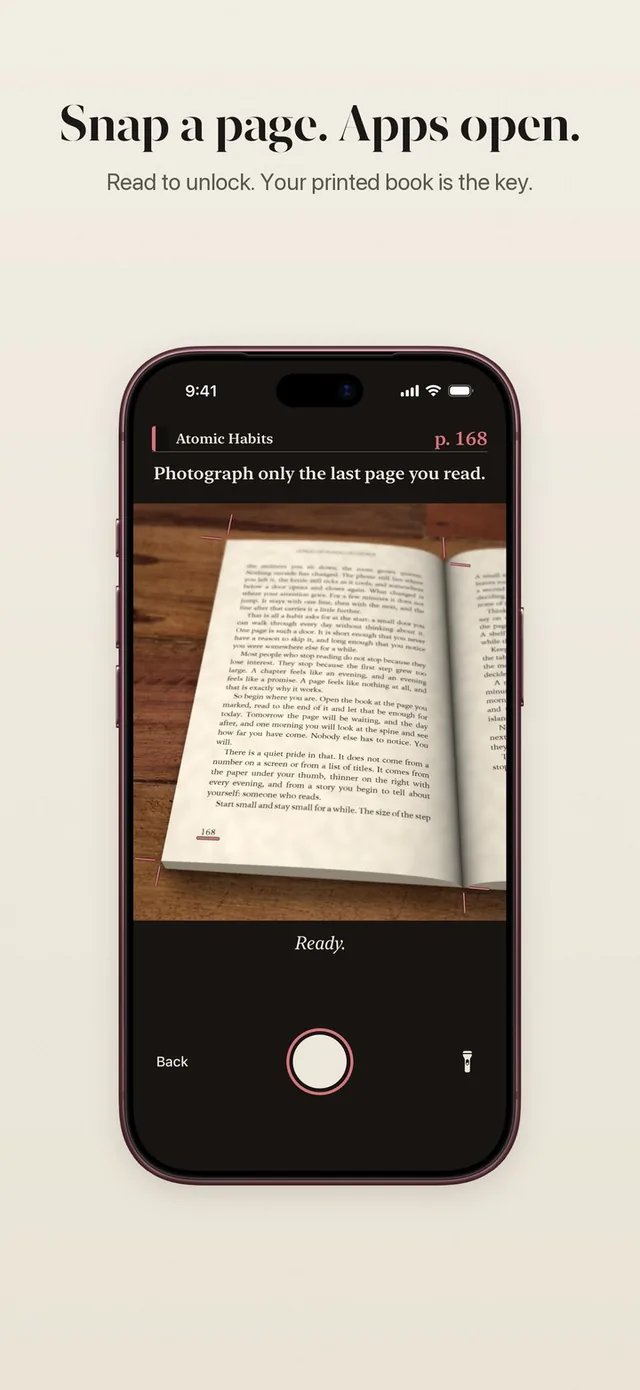
- Printed page scan. You read a real book, then point the camera at the page. ReadFirst, Read to Unlock, Bookplate and Pagelock work this way. The last three add a question about what you read.
- Built-in e-reader. You read inside the app instead of a paper book. Another Page, ReadBlock, Block&Read, App Block - ReadToUnlock and PageToll work this way. Some add a quiz.
- Timer or time in an app. A few apps count minutes instead of pages. Pagelock offers timed reading sessions next to its scan, and Readr counts time you spend in reading apps you choose.
ReadFirst (our app)
ReadFirst locks the apps and websites you choose with Apple Screen Time, and they open when you read a page of a printed book and take a live photo of the last page you read. The photo is checked on your iPhone and never saved. There is no quiz: the page itself is the proof, and a page you already showed does not count twice.
Your rule turns pages into minutes, for example one page gives you 15 minutes, and the minutes only run while you use the locked apps. Extra pages go into a bank for later that day, up to 5 hours. Around the lock sits a full reading tracker: bookshelf, reading clock, daily goal, streak, progress charts, widgets and 60 medals. Read more in read to unlock and the page photo check.
ReadFirst runs on iPhone and iPad with iOS 18 or later. The yearly plan starts with 3 days free for new subscribers.
Best for: people who read printed books, want no quiz and want their reading tracked as well as rewarded.
Read to Unlock: App Blocker
Read to Unlock by Oleksandr Khomin scans a page of a physical book with your camera and then asks one comprehension question. Reading earns credits that you spend in your apps; its example is 10 pages for 20 minutes. It runs on iOS 17.6 or later in English.
Best for: printed-book readers who want a quiz on top of the page scan.
Bookplate: Read to Unlock Apps
Bookplate is the closest concept to ReadFirst. You scan the pages you finished, the page text is read on your device and not stored, and one quick question follows; a paid upgrade adds a stricter comprehension mode. It also keeps a shelf of your books. The yearly plan comes with a 3-day trial.
Best for: paper readers who want a lower one-time price and do not mind a question after the scan.
Pagelock: Read Before Scroll
Pagelock sums it up this way: open a page, read it, scan it, answer a quick question. Timed reading sessions are a separate option.
Best for: readers who like a scan, a quiz and a timer in one app.
Another Page: Read to Unlock
Another Page has you read inside its own reader, with more than 4,500 public-domain classics included. There is no camera and no quiz; you reach your goal on the reading screen. Its free tier blocks up to three apps with the full library. Paid plans add imports of EPUB, PDF and other formats, and it speaks 12 languages, German included.
Best for: people who want free classics on the phone and a free tier that is actually usable.
ReadBlock: Read to Unlock Apps
ReadBlock sets a daily page goal of 5, 10, 15 or 20 pages in its built-in reader, using your own EPUB files, and recent versions guard against skipping pages by swiping.
Best for: e-book readers who already have an EPUB library.
Block&Read: Book App Blocker
Block&Read uses a daily reading goal in its own reader for EPUB, PDF, comics and classics, in 44 languages. The free tier blocks one app with one of your own books. It needs iOS 26.
Best for: readers outside English and anyone who only needs to block one app.
App Block - ReadToUnlock
With App Block - ReadToUnlock you read in its built-in library, and then it asks an AI-written quiz of three questions; two must be right. Every page is worth one minute and minutes are banked. It supports 25 languages.
Best for: e-book readers who want a strict quiz check.
PageToll: Screen Time Blocker
PageToll asks for one page of a public-domain classic plus one question every time you unlock, and a wrong answer means rereading the page. The unlock lasts 5 to 30 minutes.
Best for: a short reading stop before each app, with no books of your own needed.
Which read-to-unlock app should you choose?
Start with where you like to read. If you want screens out of your reading, choose a printed-page app: ReadFirst if you want no quiz, a bank for extra pages and a full tracker with streaks and medals, Bookplate or Read to Unlock if you like a question after each scan. If you read on the phone anyway, Another Page is the easiest start thanks to its free tier, and App Block - ReadToUnlock has the strictest quiz in this list (three questions, two must be right).
If you also want to compare blockers that use other tasks, such as steps or push-ups, see apps that make you earn screen time.
How we compared
We read each app's US App Store page and, where one exists, its website on 20 October 2026. Prices are the headline in-app purchase prices listed there and can change or differ by country. We describe each app only by what its own listing says, and we have tried to say plainly who each app suits better.
Frequently asked questions
What is a read-to-unlock app?
It is an app blocker that keeps chosen apps closed until you read. Depending on the app, you prove it with a photo of a printed page, a quiz or reading inside a built-in e-reader.
Which read-to-unlock apps work with printed books?
ReadFirst, Read to Unlock: App Blocker, Bookplate and Pagelock all check a page of a physical book with the camera. ReadFirst is the only one of these four without a quiz question.
Is there a free read-to-unlock app?
Another Page and Block&Read have free tiers, as listed on 20 October 2026. ReadFirst has no free tier; the yearly plan starts with 3 days free for new subscribers.
Does ReadFirst work with e-books or Kindle?
No. ReadFirst works with printed books only. Photos of screens, including e-readers, are recognized and do not count.
Do read-to-unlock apps lock the whole phone?
ReadFirst does not. It locks only the apps, categories and websites you choose, so calls, maps, your camera and every app you did not pick work as usual.