People look for apps like Opal for different reasons. Some want something cheaper than Opal's $99.99 Yearly Plan, some want a gentler approach, and some want a block that leaves them with more than a quiet hour. The eight apps below all lock or slow down distracting apps on iPhone, but each asks for something different before you get back in.
We make ReadFirst, so we are not neutral. We checked every fact about the other apps on their App Store pages and websites on 20 October 2026.
The apps like Opal at a glance
| App | How you get back into your apps | Price (US App Store, 20 Oct 2026) | Best for |
|---|---|---|---|
| ReadFirst (our app) | Read a page of a printed book and take a live photo | $39.99 a year with 3 days free for new subscribers, $7.99 a month, $99.99 once | Turning scrolling time into reading |
| one sec | A breathing pause before the app opens | Free download; $6.99 a month or $19.99 a year | A gentle nudge against autopilot |
| ScreenZen | A wait that can grow with each open | Free, optional tips $5 to $40 | A strong blocker at no cost |
| Jomo | Earn time with routines and habits | Free download; $5.99 a month or $29.99 a year | Earning screen time with many habits |
| Brick | Tap your phone on a physical Brick | $59 device, app free to download | A hard physical barrier, paid once |
| ClearSpace | A deep breath, or pushups to earn time | Free download; $6.99 a month, yearly from $44.99 | A mindful pause plus exercise |
| BePresent | Sessions with friends, limits with a money stake | Free download; plans from $3.99 a month | Motivation through friends and stakes |
| Apple Screen Time | Limits and schedules you set in Settings | Built into iPhone | A no-install baseline and parents |
ReadFirst (our app)
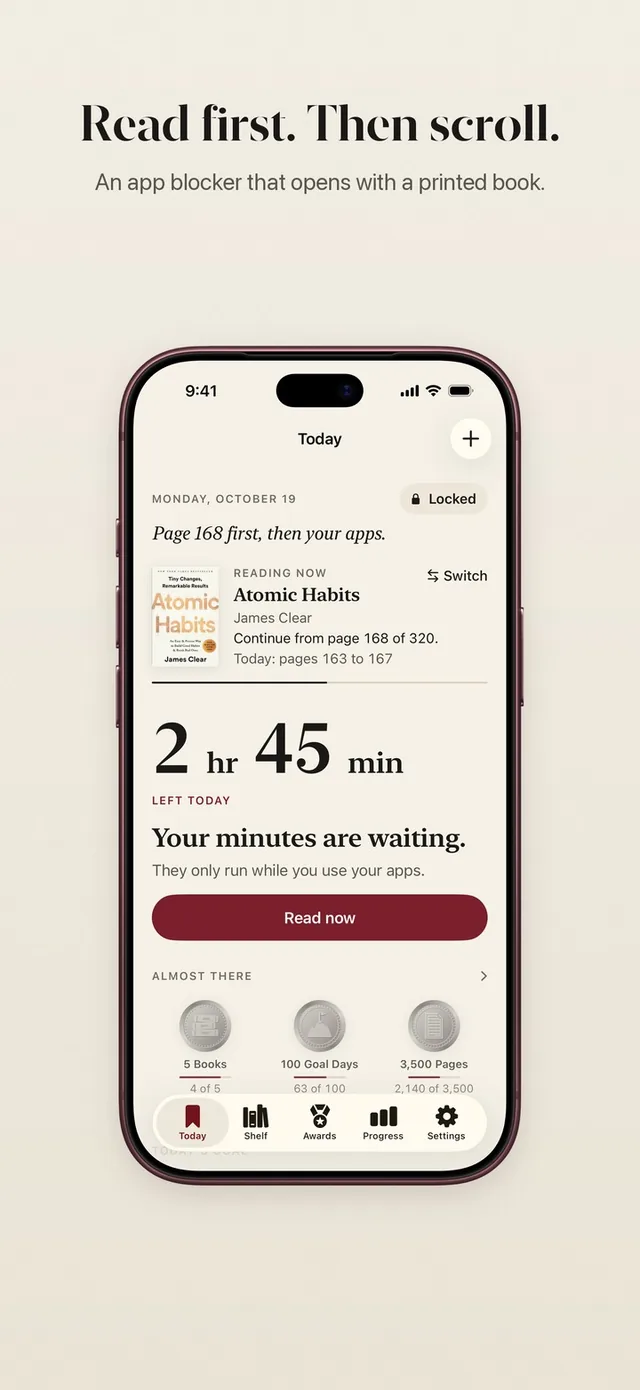
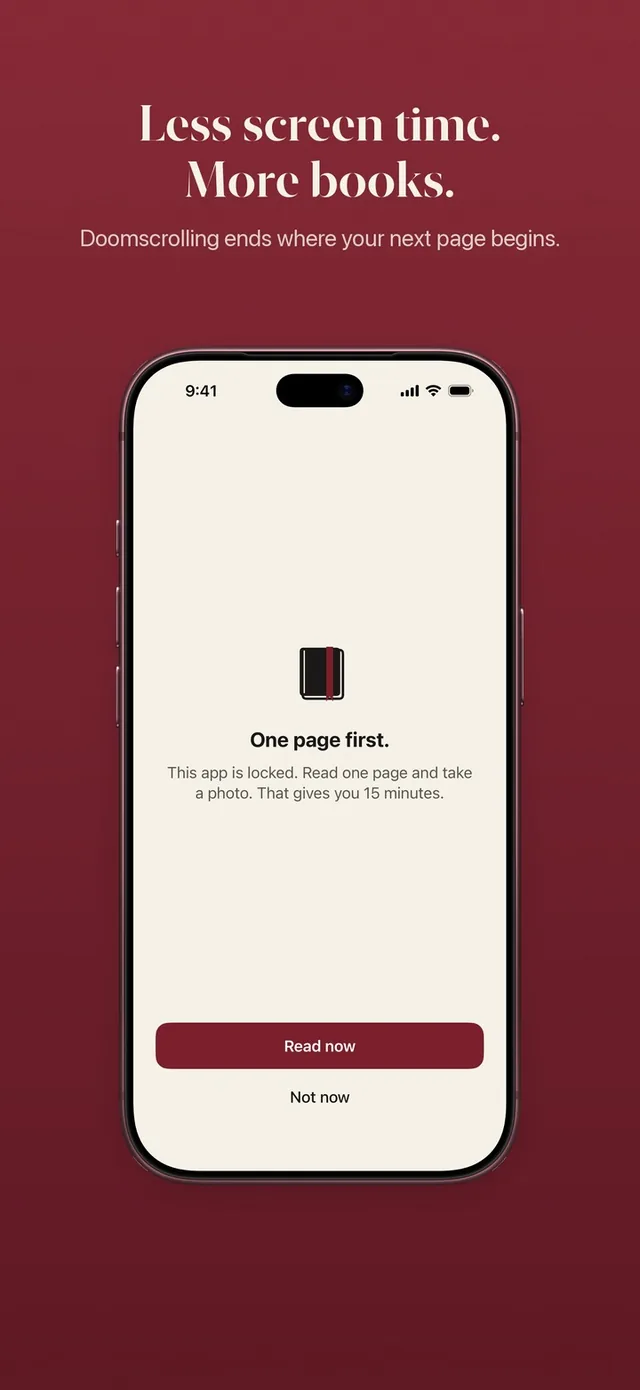
ReadFirst is an app blocker plus reading tracker: the apps you choose stay locked until you read a page of a printed book. When you open a locked app, you see "This page can wait." Tap Read now, read, and take a live photo of the last page. The page is checked on your iPhone, the photo is never saved, and your apps open for the minutes your rule gives.
Your rule sets the trade, for example one page for 15 minutes, and the minutes only count down while you use the locked apps. Extra pages go into a bank for later that day. Around the lock sits a full reading tracker: bookshelf, daily page goal, streak, progress, widgets and 60 reading medals. See how read to unlock works.
Good to know: printed books only, no e-books. No free tier. iPhone and iPad with iOS 18 or later.
Best for: people who want the time they take back to turn into finished books.
one sec
one sec puts a short breathing exercise in front of distracting apps instead of blocking them outright. You breathe, then choose to continue or close the app. It also offers Re-Intervention after a set time, schedules, time budgets and a Safari extension for websites. It runs on iPhone, iPad and Mac.
Price: free download; $6.99 a month or $19.99 a year, with a one-time option at $99.99.
Best for: people who want a gentle pause, not a lock. Read our one sec comparison.
ScreenZen
ScreenZen is a free, donation-supported blocker that adds a wait before apps open, and the wait can grow with each open. It also has check-ins while you scroll, daily goals per app, schedules, strict blocks, a settings lock with an accountability partner and a Halo mode tied to one location.
Price: free, with optional tips of $5, $10, $20 and $40.
Best for: anyone who wants many kinds of friction without paying. If you searched for "apps like Opal but free", start here. Read our ScreenZen comparison.
Jomo
Jomo blocks apps, categories and websites and lets you earn screen time back through routines, such as making your bed or going for a run. Locks can limit opens per day or ask for an exercise first, and Strict Mode fixes your rules for a set number of days. It runs on iPhone, Mac and Apple Vision.
Price: free download; Jomo Plus $5.99 a month or $29.99 a year, with a one-time option listed from $84.99.
Best for: people who want many habits, not only one, to earn screen time. Read our Jomo comparison.
Brick
Brick is a physical device plus an app: you tap your phone on the Brick to block your chosen apps, and tap again to unblock. You can start a block remotely, but ending it needs the Brick itself, with five emergency unbricks in the app as a safety valve. It works on iPhone with iOS 18 or later and on Android.
Price: the Brick device is $59 on Brick's website; the app is free to download.
Best for: people who want a hard physical barrier and a one-time cost. Read our Brick comparison.
ClearSpace
ClearSpace asks you to take a deep breath and decide whether to proceed when you open a chosen app. It adds session limits, focus schedules, challenges, accountability partners and, per its version notes, pushups counted by the camera to earn time.
Price: free download; Premium $6.99 a month, yearly plans listed from $44.99, and a family plan.
Best for: people who want a mindful pause with the option to earn time through exercise.
BePresent
BePresent is a social, gamified screen time app. You run Present Sessions alone, with friends or in a stricter BEAST MODE, and you can put money at stake on daily limits, which you lose if you go over. Streaks and leaderboards keep it competitive.
Price: free download; many plans, from $3.99 a month.
Best for: people who are motivated by friends, competition and something at stake.
Apple Screen Time
Apple Screen Time is built into every iPhone and costs nothing extra. Depending on your iOS version, you set Downtime and App Limits, or Screen Time Schedules and Time Allowances by category. Apple's own guide notes that "By default, Screen Time limits can be ignored once reached." A Screen Time passcode makes the limits firmer, which suits parents managing a child's device.
Price: built in.
Best for: a free, no-install baseline, and parents who hold the passcode.
Which app like Opal should you choose?
Start with what you want to happen in the moment you reach for your phone.
- You want it free: ScreenZen or Apple Screen Time.
- You want something cheaper than Opal but still paid: one sec, Jomo, or ReadFirst at $39.99 a year.
- You want a pause, not a lock: one sec or ClearSpace.
- You want a hard barrier: Brick, or Opal itself with its Deep Focus mode.
- You want friends involved: BePresent.
- You want your screen time to become reading: ReadFirst. Compare it directly in ReadFirst vs Opal.
How we compared
We read each app's US App Store page and, where there is one, its official website on 20 October 2026. Prices are the in-app purchase list shown on the US App Store that day; where a store lists several prices for one plan, we name the lowest or the headline price. Brick's device price comes from its website, and Apple Screen Time's details from Apple's iPhone User Guide. Prices change, so check the store before you buy.
We make ReadFirst, so we are not neutral. We tried to describe every app by what it does well, and we did not include ratings because they change daily.
Frequently asked questions
What is the best free app like Opal?
ScreenZen is free and supported by optional tips, and Apple Screen Time is built into every iPhone. Both let you limit or delay apps without a subscription.
Is there an app like Opal but cheaper?
Yes. As listed on the US App Store on 20 October 2026, Opal's Yearly Plan costs $99.99, while one sec's yearly plan costs $19.99, Jomo's $29.99 and ReadFirst's $39.99.
Is ReadFirst free?
No. ReadFirst has no free tier. New subscribers get 3 days free on the yearly plan of $39.99; there is also $7.99 a month or $99.99 as a one-time purchase.
Which app like Opal makes you read before you scroll?
ReadFirst. It keeps the apps you choose locked until you read a page of a printed book and take a live photo of it, and the page counts for your book, goal and streak too.