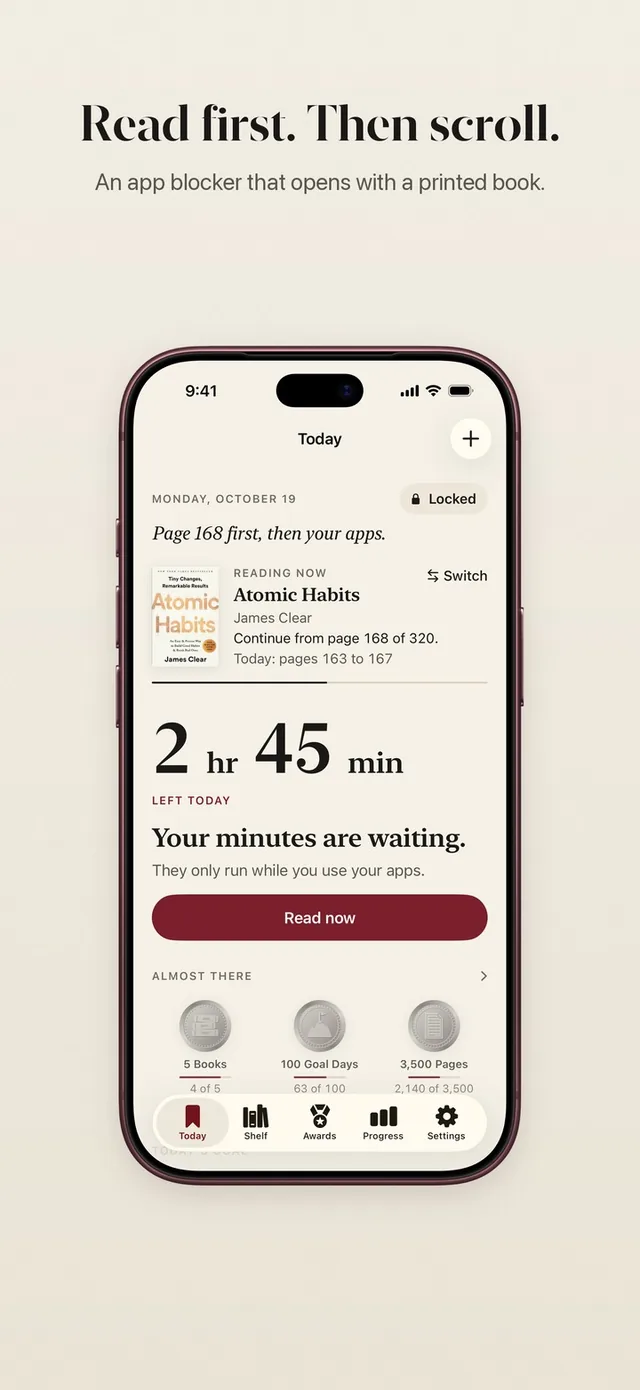
Most people who look for a Freedom app alternative want one of two things: a cheaper or simpler blocker, or a blocker that does something different with the time it gives back. ReadFirst is the second kind. Freedom is a cross-device blocker for focused work. ReadFirst is an iPhone and iPad app that makes reading a printed book the way back into your apps. We make ReadFirst, so we are not neutral. We checked every fact about Freedom on its App Store page and website on 20 October 2026.
What is Freedom?
Freedom, listed on the App Store as "Freedom: Screen Time Control" by Eighty Percent Solutions Corporation, is an app and website blocker that runs across your devices. According to its website, it works on Mac, Windows, iPhone and iPad, Android and Chromebook (websites only on Chromebook), and sessions sync between them. It can even block the whole internet.
You add apps and sites to a blocklist and start a block session now, later, on a recurring schedule or automatically. During a session, blocked apps and sites show a green screen. You can take 5-minute session breaks, and Locked Mode can take away the early exit and the daily break when you want no way out.
Freedom is a free download with in-app purchases and a free tier with limits. On the US App Store on 20 October 2026, its description named a 7-day free trial and then $39.99 a year. The store also listed monthly plans from $8.99 and Freedom Forever at $199, which the website showed discounted to $99.50.
Freedom vs ReadFirst at a glance
| Freedom | ReadFirst | |
|---|---|---|
| What it is | A cross-device app and website blocker | An app blocker plus a reading tracker |
| How you get back into your apps | The session ends, or you take a break | Read a page of a printed book and take a live photo of it |
| Schedules | Yes: now, later, recurring, automatic | No: the lock is always on until you read |
| Reading built in | No | Yes |
| Printed books | Not part of the app | The key to your apps |
| Streaks and goals | Not listed | Daily page goal, reading streak, 60 medals |
| Price (US App Store, 20 Oct 2026) | Free tier, $39.99 a year after a 7-day trial, monthly from $8.99 | $39.99 a year (3 days free for new subscribers), $7.99 a month or $99.99 one-time purchase |
| Platforms | Mac, Windows, iPhone, iPad, Android, Chromebook | iPhone and iPad (iOS and iPadOS 18+) |
| Best for | Focused workdays across devices | A daily reading habit on iPhone and iPad |
Where Freedom is a great choice
Freedom is the clear choice if your distractions live on your computer. For many writers, students and remote workers, the biggest distraction is a browser tab, not a phone, and Freedom can block the same sites on Mac, Windows and your phone at once. ReadFirst does not run on a computer at all.
It is also built for planning. If you want your blocks to start every weekday at 9:00 without thinking about it, or you want to cut off the whole internet for a deadline, Freedom does that. ReadFirst has no schedules, so if a timed plan is what you need, Freedom fits better.
Where ReadFirst is different
ReadFirst is not trying to guard your workday. It is trying to change what happens in the small moments when you reach for your phone, and to turn those moments into reading.
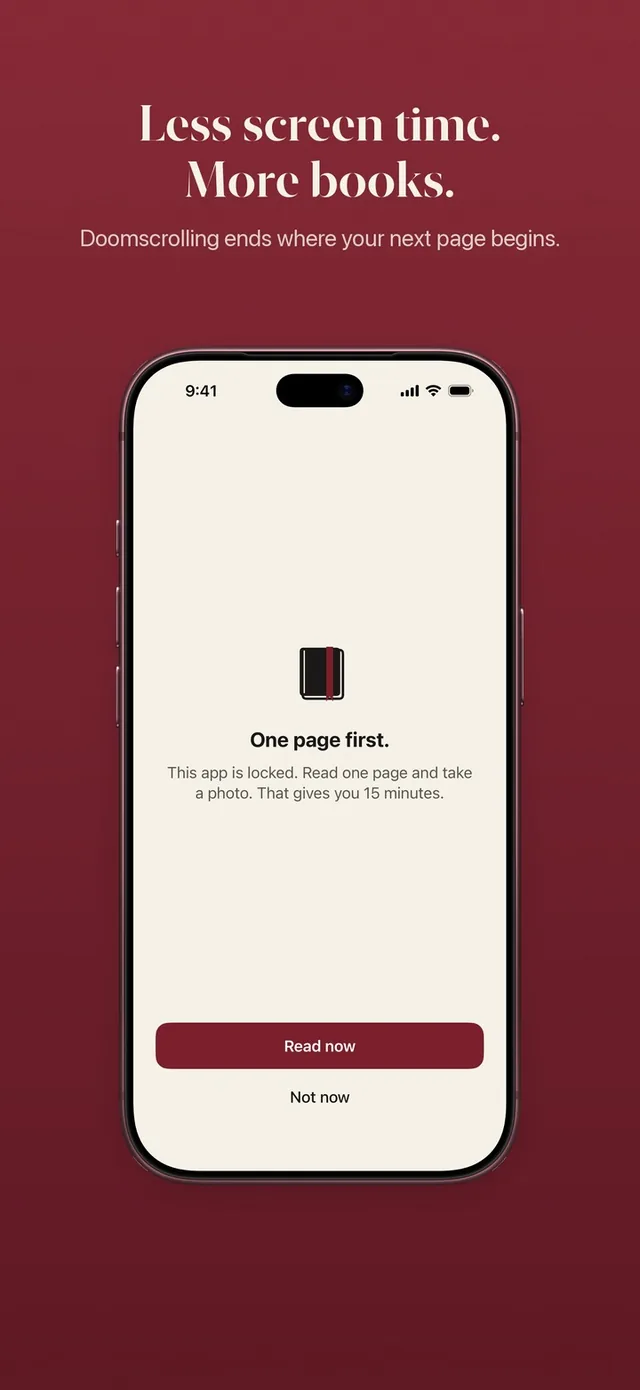
- A page opens your apps, not a timer. Your chosen apps and websites stay locked through Apple Screen Time until you read a page of a printed book and take a live photo of it. Learn how read to unlock works.
- The check happens on your device. ReadFirst looks for a printed page and its page number, rejects photos of screens and never saves the photo. See the page photo check.
- Your rule, your pace. You decide how many pages give how many minutes, for example one page for 15 minutes. Minutes only run while you use the locked apps, and you can add a daily limit if you want a ceiling. Set it up in your reading rule.
- Read ahead for later. Read more than the rule asks and the extra minutes go into a bank for later that day, up to 5 hours. Ten pages with your morning coffee can cover your lunch break. The read-ahead bank empties at midnight.
- A reading tracker in the same app. A shelf for your printed books, a daily page goal, a streak with one grace day a month, progress by week, month and year, widgets and 60 reading medals.
Can you use both?
Yes, and for many people that is the best setup. Freedom can keep your Mac or Windows computer clear of distracting sites during work hours. ReadFirst can sit on your iPhone and iPad and make sure your evening scroll starts with a few pages of a book. Because ReadFirst only locks the apps and websites you choose on your iPhone and iPad, the two have separate jobs: one guards your desk, the other your evening.
Which one should you choose?
Choose Freedom if:
- you need blocking on Mac, Windows, Android or Chromebook
- you want sessions on a schedule or the whole internet blocked
- you want a free tier to start with
Choose ReadFirst if:
- your phone, not your computer, is where the time goes
- you want reading, not waiting, to be the way back into your apps
- you want a reading tracker with a streak, a goal and medals built in
Frequently asked questions
Does ReadFirst work on Mac or Windows?
No. ReadFirst runs on iPhone and iPad with iOS and iPadOS 18 or later. For blocking on a computer, a cross-device tool like Freedom is the better fit.
Does ReadFirst have schedules like Freedom?
No. ReadFirst has no schedules or time windows. Your chosen apps stay locked until you read, and the day starts locked again at midnight.
Is ReadFirst cheaper than Freedom?
On the US App Store on 20 October 2026, both listed a yearly plan at $39.99. ReadFirst also offers $7.99 a month or a $99.99 one-time purchase, and it has no free tier.
Does ReadFirst block websites?
Yes. You can choose apps, app categories and websites to lock through Apple Screen Time, up to 45 in total.