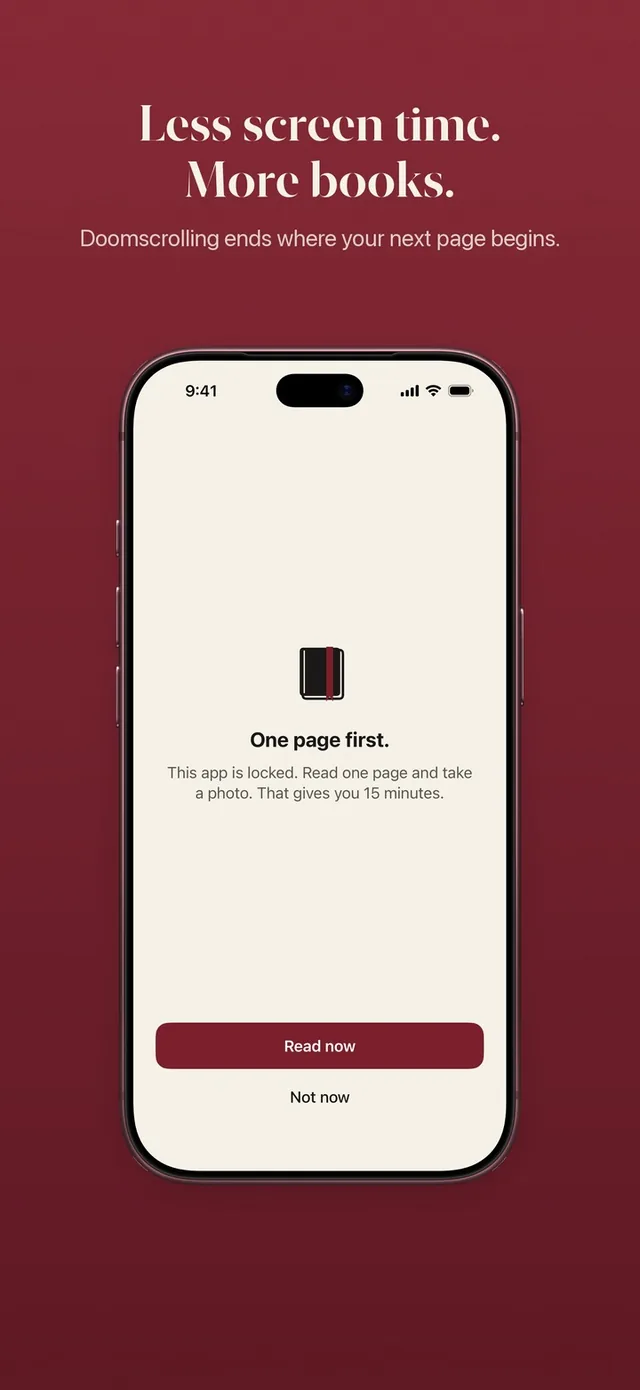
People searching for an AppBlock alternative often have the same experience: a careful set of schedules and profiles that worked for a while, until the rules started to feel like something to manage. ReadFirst takes the opposite approach. There are no schedules at all, just one rule: your chosen apps open when you have read a page of a printed book. We make ReadFirst, so we are not neutral. We checked every fact about AppBlock on its App Store page on 20 October 2026.
What is AppBlock?
AppBlock, listed as "AppBlock: Block Apps, Websites" by MobileSoft s.r.o., is a rule-based app and website blocker. You build profiles that block apps on a schedule by time of day, by location, by Wi-Fi network or on specific dates. You can also limit how long or how often an app opens.
For quick breaks there is Quick Block, which blocks apps for anywhere from 1 minute to 24 hours and can be started from the Action button or Control Center. Strict Mode is there to stop you from getting around a block, an allowlist keeps the apps you need, and Time Poke gives you small nudges. AppBlock runs on iPhone, iPad and Apple Watch, on Android, and on desktop through browser extensions.
AppBlock is a free download with in-app purchases. On the US App Store on 20 October 2026, Premium was listed from $4.99 a month and from $29.99 a year.
AppBlock vs ReadFirst at a glance
| AppBlock | ReadFirst | |
|---|---|---|
| What it is | A rule-based app and website blocker | An app blocker plus a reading tracker |
| How you get back into your apps | The schedule or limit ends | Read a page of a printed book and take a live photo of it |
| Schedules | Time, location, Wi-Fi, dates | None: the lock is always on until you read |
| Reading built in | No | Yes |
| Printed books | Not part of the app | The key to your apps |
| Streaks and goals | Not listed | Daily page goal, reading streak, 60 medals |
| Price (US App Store, 20 Oct 2026) | Free, Premium from $4.99 a month or from $29.99 a year | $39.99 a year (3 days free for new subscribers), $7.99 a month or $99.99 one-time purchase |
| Platforms | iPhone, iPad, Apple Watch, Android, browser extensions | iPhone and iPad (iOS and iPadOS 18+) |
| Best for | Detailed rules for when and where apps block | Making reading the way back into your apps |
Where AppBlock is a great choice
AppBlock is a great choice when your problem depends on time and place. If you want social media blocked at the office but not at home, or only on school days, or only on your work Wi-Fi, AppBlock can do that and ReadFirst cannot. Its Quick Block from the Action button is a fast way to switch distractions off for a set time.
It is also the better pick if you switch between Android and iPhone, or want the same habits in your desktop browser. And if you want to start without paying, AppBlock has a free version.
Where ReadFirst is different
ReadFirst is honest about one thing up front: it has no schedules, no locations and no time windows. That is a choice, not a gap we are hiding. Instead of asking you to plan when you are allowed to scroll, it asks you to read before you do.
- One rule instead of many. You decide how many pages give how many minutes, for example one page for 15 minutes. That is the whole setup. If you like, add a daily limit as a ceiling. Read more about your reading rule.
- Reading is the key. Read a page of a printed book, take a live photo of the last page you read, and all your locked apps open. The photo is checked on your device and never saved. Here is how read to unlock works.
- Minutes only count while you scroll. Your minutes run only while you use the locked apps, and Lock now closes them early. Unused minutes stay for later today.
- Read ahead, spend later. Extra pages put extra minutes in a bank for later that day, up to 5 hours. The read-ahead bank empties at midnight, when the day starts locked again.
- Progress you can see. Your books, a daily page goal, a reading streak with one grace day a month, Home Screen and Lock Screen widgets, and 60 medals. A blocker takes something away. ReadFirst gives you something to show for it.
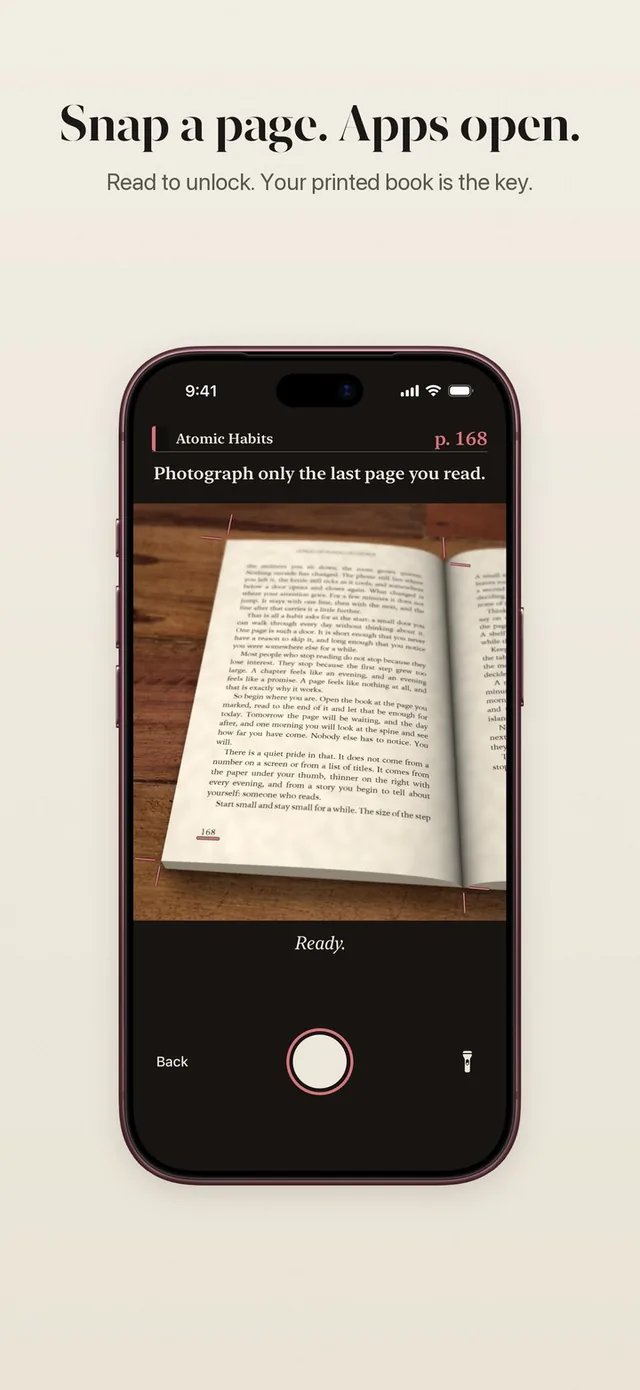
If your day changes a lot, one simple rule can be easier to live with than a calendar of blocks. You never have to remember to start anything: the lock is simply there until you have read.
Switching from AppBlock
If you are moving from AppBlock, start small. Choose the three or four apps that cost you the most time, set a gentle rule such as one page for 15 minutes, and give it a week. You can change the rule any time and the change applies right away. ReadFirst does not import AppBlock profiles, so pick your apps again in the setup.
Avoid running both blockers on the same apps at once. Two locks on one app get in each other's way, and you want reading to be the thing that opens it.
Which one should you choose?
Choose AppBlock if:
- you want blocks by time, place, Wi-Fi or date
- you use Android or want browser extensions on desktop
- you want a free version to start with
Choose ReadFirst if:
- you are tired of managing schedules and want one clear rule
- you want reading, not the clock, to be the way back into your apps
- you want a reading tracker with a streak, goal and medals built in
Frequently asked questions
Does ReadFirst have schedules like AppBlock?
No. ReadFirst has no schedules, location rules or time windows. Your chosen apps stay locked until you read, and every day starts locked at midnight.
Does ReadFirst work on Android?
No. ReadFirst runs on iPhone and iPad with iOS and iPadOS 18 or later.
Is there a free version of ReadFirst?
No. ReadFirst has no free tier. It costs $39.99 a year with 3 days free for new subscribers, $7.99 a month, or $99.99 as a one-time purchase on the US App Store.
Can ReadFirst block websites like AppBlock?
Yes. You can lock apps, app categories and websites through Apple Screen Time, up to 45 in total.