If you like Steppin, you already believe in the idea behind ReadFirst: screen time should be earned with something you do away from the screen. Steppin pays you in minutes for walking. ReadFirst pays you in minutes for reading. The honest short answer is that neither replaces the other, and many people would do well with both. We make ReadFirst, so we are not neutral. We checked every fact about Steppin on its App Store page on 20 October 2026.
What is Steppin?
Steppin ("Steppin: Steps for Screen Time", sold by Boston Venture Studio, Inc.) blocks the apps you choose until you earn minutes by walking. The App Store page puts it simply: "Earn 1 minute of screen time for every 100 steps or customize your goals to fit your lifestyle." It counts steps with your iPhone and integrates with Apple Health, so other fitness trackers can count too.
Steppin is free. Its version notes from May say "Steppin Pro features are now free for all users," and it was listed as free on the US App Store on 20 October 2026. It runs on iPhone with iOS 18.6 or later. TechCrunch reported at launch that it was built by Kayak co-founder Paul English.
Steppin vs ReadFirst at a glance
| Steppin | ReadFirst | |
|---|---|---|
| What it is | An app blocker that pays in minutes for steps | An app blocker plus a reading tracker |
| How you get back into your apps | Walk: by default, 100 steps earn 1 minute | Read a page of a printed book and take a live photo of it |
| What you earn with | Steps | Pages |
| Reading built in | No | Yes: pages, books, streak, goal, medals |
| Streaks and goals | Step goals | Daily page goal, reading streak, 60 medals |
| Price (US App Store, 20 Oct 2026) | Free | $39.99 a year (3 days free for new subscribers), $7.99 a month or $99.99 one-time purchase |
| Platforms | iPhone (iOS 18.6+) | iPhone and iPad (iOS and iPadOS 18+) |
| Best for | Moving more | Reading more |
Where Steppin is a great choice
Steppin is a great pick if you want to move more. A walk is one of the simplest good things you can do for an afternoon, and tying screen time to steps makes it the default. You don't have to think about it: you walk to the station, and minutes add up.
It is also free, which is hard to argue with. And because it works with Apple Health, the steps you already take with a watch or tracker count without any extra effort. If you spend your days at a desk and your evenings on the couch, Steppin gets you up.
Where ReadFirst is different
The idea is the same. The activity is different, and so is what it leaves you with. A day of steps leaves you rested and moving. A day of pages leaves you a chapter further into a book.
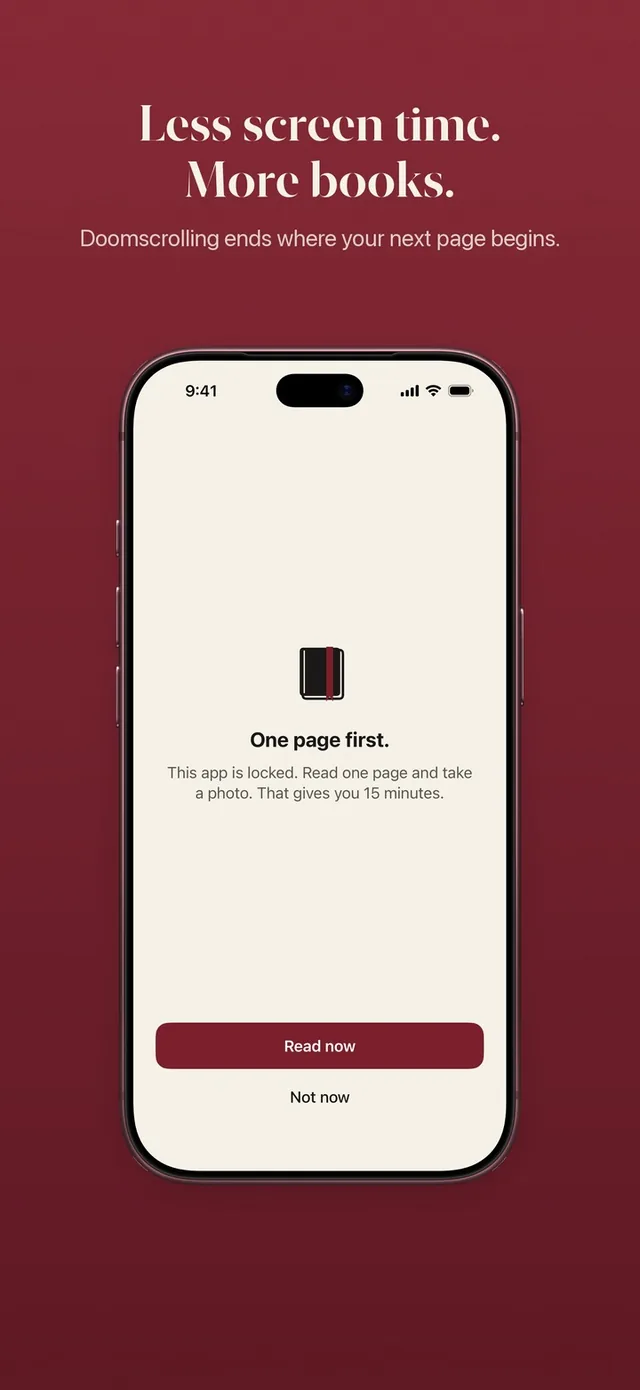
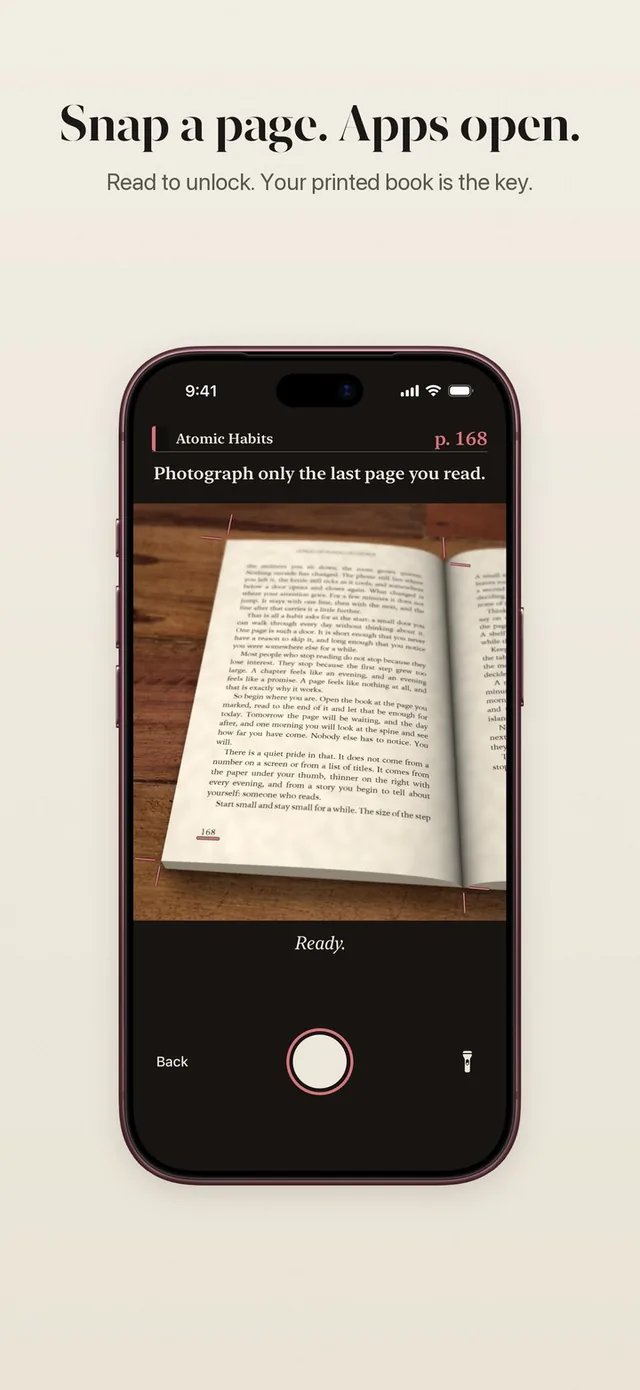
- Pages instead of steps. Open a locked app and you see "This page can wait." Read a page of a printed book and take a live photo of the last page you read. See how read to unlock works.
- You set the exchange rate. Steppin defaults to 100 steps for one minute. In ReadFirst, your rule decides, for example one page gives you 15 minutes. You can choose 1 to 5 pages and 5 to 60 minutes. See your reading rule.
- Minutes only run while you use the apps. Put the phone down halfway through and the rest of your minutes wait for you.
- A bank for extra pages. Read more than the rule asks and the extra minutes go into a bank for later that day, up to 5 hours. It empties at midnight. More on the read-ahead bank.
- A real reading tracker. Steppin counts steps; ReadFirst also tracks your books, with a shelf, a daily page goal, a streak with one grace day a month, widgets and 60 reading medals.
- The check happens on your phone. The page photo is checked on your iPhone or iPad, photos of screens are rejected and the photo is never saved. See the page photo check.
Can you use both?
Yes, and this pair makes more sense than most. Both apps use Apple Screen Time, so give each one its own apps. One simple split: let Steppin guard the apps you open on the go, and let ReadFirst guard the ones that eat your evenings, like the feed you scroll in bed. A walk earns your afternoon, a chapter earns your night.
If you want only one lock for the same apps, ask yourself which habit you are missing more. If you rarely leave the couch, start with steps. If you have a stack of unread books, start with pages. Our list of apps that make you earn screen time compares more options, from push-ups to routines.
Which one should you choose?
Choose Steppin if:
- moving more is your main goal
- you want a free app
- you already track steps with Apple Health or a watch
Choose ReadFirst if:
- reading more is your main goal
- you want to set your own exchange rate in pages and minutes
- you want your books tracked too, with a goal, a streak and medals
Frequently asked questions
Is there an app like Steppin for reading?
Yes. ReadFirst follows the same idea with books: your chosen apps stay locked until you read a page of a printed book and take a live photo of it, and each page earns the minutes your rule sets.
Is ReadFirst free like Steppin?
No. ReadFirst has no free tier. It costs $39.99 a year with 3 days free for new subscribers, $7.99 a month or $99.99 as a one-time purchase on the US App Store.
Can I use Steppin and ReadFirst at the same time?
Yes. Both use Apple Screen Time, so you can run them side by side. Give each app its own set of locked apps so you know what earns what.
Does ReadFirst work with Kindle or e-books?
No. ReadFirst works with printed books only. Photos of phone and e-reader screens are recognized and do not count.