People look for a Fable alternative for different reasons. Some want less social noise, some read mostly printed books, and some simply want to read more often instead of talking about reading. The honest short answer: if book clubs are what you love, stay with Fable. If what you need is a daily nudge away from your phone and toward a paper book, ReadFirst is built for that.
We make ReadFirst, so we are not neutral. We checked every fact about Fable on its App Store page and website on 20 October 2026.
What is Fable?
Fable is a social book app from Fable Group Inc. that combines book clubs, reading tracking and an ebook store. You can join free book clubs and TV clubs, do buddy reads and discuss chapters in spoiler-free rooms. It is built around reading together.
For tracking, Fable offers annual goals, stats such as your reading history, top authors and genres, average rating and longest streak, and daily logging by page or percent with reminders and streaks. A Home Screen widget shows your streak. You can import from Goodreads and Kindle, and you can buy ebooks inside the app.
Fable is free to download with in-app purchases. As listed on the US App Store on 20 October 2026, Fable Plus costs $5.99 a month or $49.99 a year, and individual ebooks are sold separately. It runs on iPhone and iPad.
Fable vs ReadFirst at a glance
| Fable | ReadFirst | |
|---|---|---|
| What it is | Social book club app with tracking and an ebook store | App blocker plus reading tracker |
| How tracking works | Log pages or percent each day | Live photo of the last page you read, or pages typed in by hand |
| Locks other apps | No | Yes, the apps and websites you choose, with Apple Screen Time |
| Book clubs and friends | Yes, free clubs, buddy reads, discussion rooms | No, ReadFirst is not social |
| Printed books | Yes, plus ebooks bought in the app | Printed books only |
| Streaks and goals | Annual goal, streaks, streak widget | Daily page goal, streak with one grace day a month, 60 medals, widgets |
| Price (US App Store, 20 Oct 2026) | Free download; Fable Plus $5.99 a month or $49.99 a year | $39.99 a year (3 days free for new subscribers), $7.99 a month or $99.99 one-time purchase |
| Platforms | iPhone and iPad | iPhone and iPad, iOS 18 or later |
| Best for | Readers who want to read and talk with others | Readers who want to scroll less and read every day |
Where Fable is a great choice
Fable is a great choice if reading is social for you. Its book clubs give you a reason to keep up with a schedule, and spoiler-free rooms let you talk about chapter five without hearing about chapter twenty. Buddy reads make a long book feel lighter.
It also suits people who read ebooks. You can buy and read books inside Fable, and Goodreads and Kindle import make it easy to bring your history along. If you want a community, a store and a tracker in one place, Fable covers a lot of ground.
ReadFirst does none of the social part. There are no clubs, no friends list and no comments. If those are what keep you reading, Fable is the better fit.
Why readers pick ReadFirst
ReadFirst is for the reader whose problem is not a lack of people to talk with, but a phone that always wins. It works in quiet moments: on the couch, in bed, on the train. Here is what it does differently.
- Read first, then scroll. You choose apps and websites to lock with Apple Screen Time. To open them, you read a page of a printed book and take a live photo of the last page you read. Read to unlock explains the steps.
- Your rule, your pace. You decide what a page is worth, for example one page gives you 15 minutes in your apps. The minutes only run while you use the locked apps, and extra pages go into a bank for later that day, up to 5 hours.
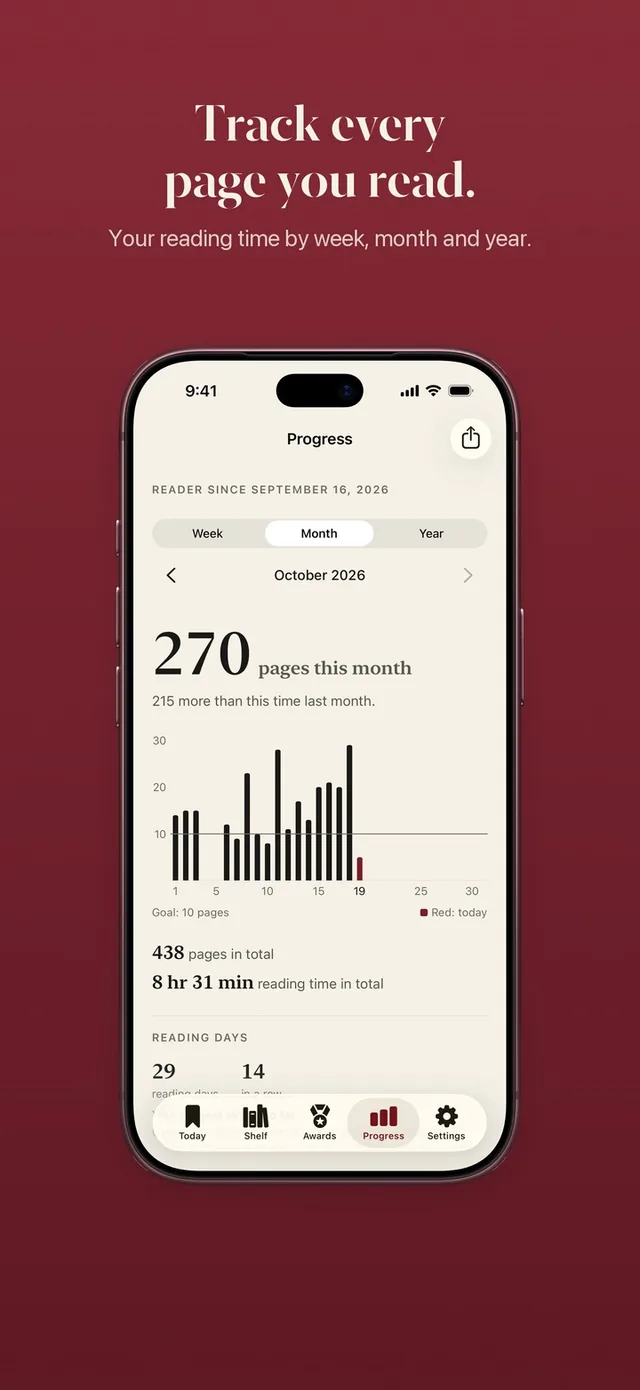
- A goal that fits a day, not a year. Set a daily reading goal from one page up, keep a streak with one grace day a month and see your week, month and year in progress charts with share cards.
- Rewards that are just yours. 60 reading medals, including three secret ones in black gold, and widgets for your Home Screen and Lock Screen that show your book and your page.
- Private by default. There is no ReadFirst account. The page photo is checked on your iPhone and never saved, and your books sync with iCloud.
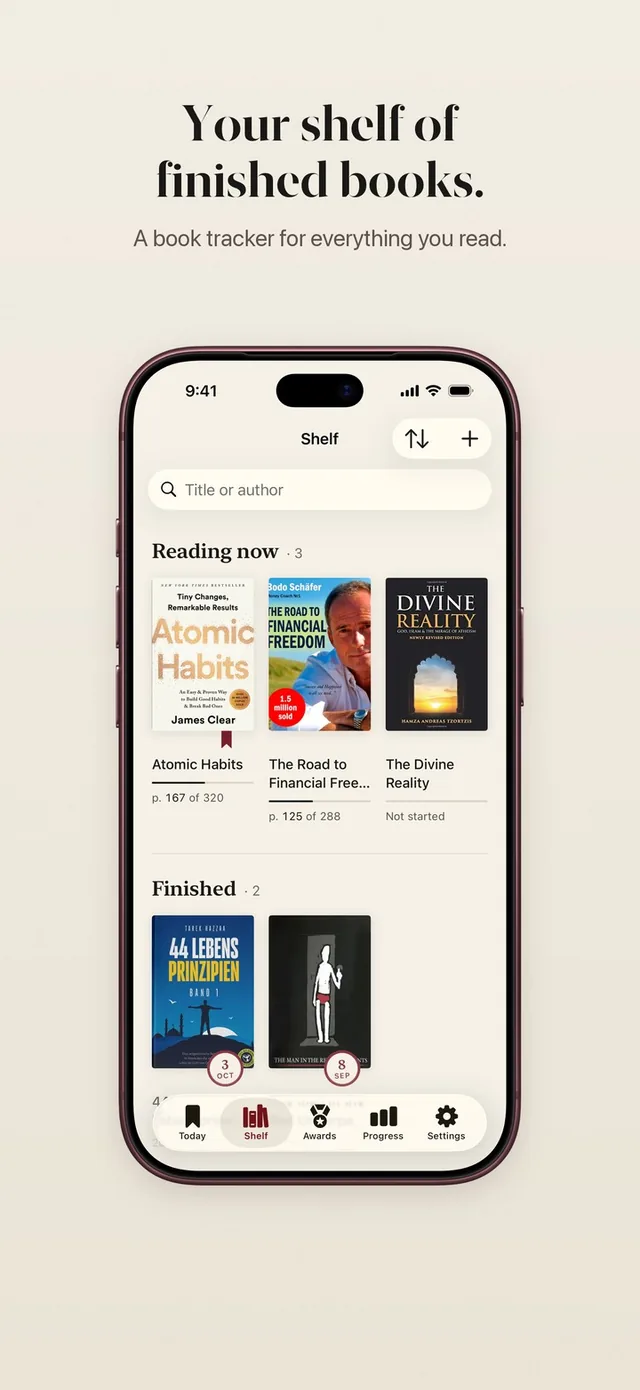
Adding a book takes seconds: scan the barcode, photograph the cover, search by title or type it in.
Can you use both?
Yes. Many readers will keep Fable for their club and use ReadFirst for the daily habit that gets them through the club's book. When your club picks a printed book, every page you read in ReadFirst also moves you closer to the next discussion.
Keep in mind that ReadFirst only counts printed books. If your club reads an ebook you bought in Fable, those pages will not open your apps in ReadFirst. ReadFirst also has no import from Fable or Goodreads, so you add your current books by hand or by barcode scan.
If you only want to track your printed reading for a while, set your minutes per unlock to 0. In this Track only mode, every page counts for your book, your goal and your medals.
Which one should you choose?
Choose Fable if:
- You want book clubs, buddy reads and spoiler-free discussions.
- You read ebooks and like buying them in the same app.
- Talking about books is what keeps you reading.
Choose ReadFirst if:
- You read printed books and want to read more of them.
- You reach for the feed in every quiet moment and want the book to come first.
- You prefer a calm, private tracker with goals, a streak and medals, without a social layer.
Frequently asked questions
Does ReadFirst have book clubs?
No. ReadFirst is not a social app. There are no book clubs, friends or comments. You can share progress cards and medal cards as images if you want to.
Is ReadFirst free like Fable?
No. ReadFirst has no free tier. It costs $39.99 a year with 3 days free for new subscribers, $7.99 a month or $99.99 as a one-time purchase (US App Store, 20 October 2026).
Can I read ebooks in ReadFirst?
No. ReadFirst works with printed books only and has no ebook store or reader. Photos of screens, including e-readers, do not count.
Can I import my Fable or Goodreads history?
No. ReadFirst has no import. You add books by barcode scan, cover photo, title search or by typing them in, and your reading syncs with iCloud.