If you are looking for a Basmo alternative, you probably like the idea of a reading habit app but want something that actually gets the book into your hands. The honest short answer: Basmo is strong at journaling and notes, and ReadFirst is strong at the moment before you pick up your phone. They solve different problems, and some readers will want both.
We make ReadFirst, so we are not neutral. We checked every fact about Basmo on its App Store page and website on 20 October 2026.
What is Basmo?
Basmo is a reading habit tracker and book journal for iPhone from Book Vitals Inc. It sets reading goals with a daily goal tracker, tracks reading time and daily streaks, and gives you stats and habit tips. Its journaling side is the heart of the app: you can note emotions while reading, record voice notes, scan pages and highlights and design quote images.
Basmo also syncs with Kindle (including Kindle highlights) and Notion, and it has an AI chat called ChatBook where you can ask questions about the book you are reading. Friends can react to your reading and you can invite others.
Basmo is free to download with in-app purchases. As listed on the US App Store on 20 October 2026, its premium plan costs $4.99 a month or $39.99 a year after a 7-day free trial, with other packs listed from $3.49 a week. The listing says it is made for iPhone; it also runs on Apple silicon Macs and Apple Vision Pro.
Basmo vs ReadFirst at a glance
| Basmo | ReadFirst | |
|---|---|---|
| What it is | Reading tracker and book journal with AI chat | App blocker plus reading tracker |
| How tracking works | Reading timer, goals, journal entries, Kindle sync | Live photo of the last page you read, or pages typed in by hand |
| Locks other apps | No | Yes, the apps and websites you choose, with Apple Screen Time |
| Printed books | Yes, alongside Kindle | Printed books only |
| Notes and highlights | Journal, voice notes, quotes, Notion sync | Not the focus |
| Streaks and goals | Daily goal tracker, streaks | Daily page goal, streak with one grace day a month, 60 medals |
| Price (US App Store, 20 Oct 2026) | Free download; premium $4.99 a month or $39.99 a year | $39.99 a year (3 days free for new subscribers), $7.99 a month or $99.99 one-time purchase |
| Platforms | iPhone, Apple silicon Mac, Vision Pro; Google Play per its website | iPhone and iPad, iOS 18 or later |
| Best for | Readers who want to reflect, take notes and talk about books | Readers who want to scroll less and read every day |
Where Basmo is a great choice
Basmo is a great choice if reading for you is also thinking and writing. Its journal lets you capture how a chapter made you feel, save a line you loved as a designed quote and keep voice notes when typing is too slow.
It also fits people who read on more than paper. If much of your reading happens on a Kindle, Basmo's Kindle sync and highlights import save you from logging by hand, and Notion sync puts your notes where the rest of your work lives. The AI chat is useful when you want to check a detail in a long novel or think through an argument in a nonfiction book.
And it has a free download, so you can try the basics before you decide to pay.
Why readers pick ReadFirst
ReadFirst starts one step earlier: it makes sure you read at all. Most readers do not fall behind because their journal is missing a feature. They fall behind because the phone is closer than the book. Here is what ReadFirst does differently.
- Your apps open when you open your book. You choose the apps and websites that pull you in, and Apple Screen Time keeps them closed. To open them, you read a page of a printed book and take a live photo of the last page you read. See how read to unlock works.
- The page is checked on your iPhone. The live photo is checked on the device and never saved. A page you already showed does not count twice, and photos of screens do not count. Details are in the page photo check.
- Pages become minutes. Your rule says what a page is worth, for example one page gives you 15 minutes in your apps. Minutes only run while you use the locked apps.
- Reading ahead pays off. Read more than your rule asks and the extra minutes go into a bank for later that day, up to 5 hours. The bank empties at midnight.
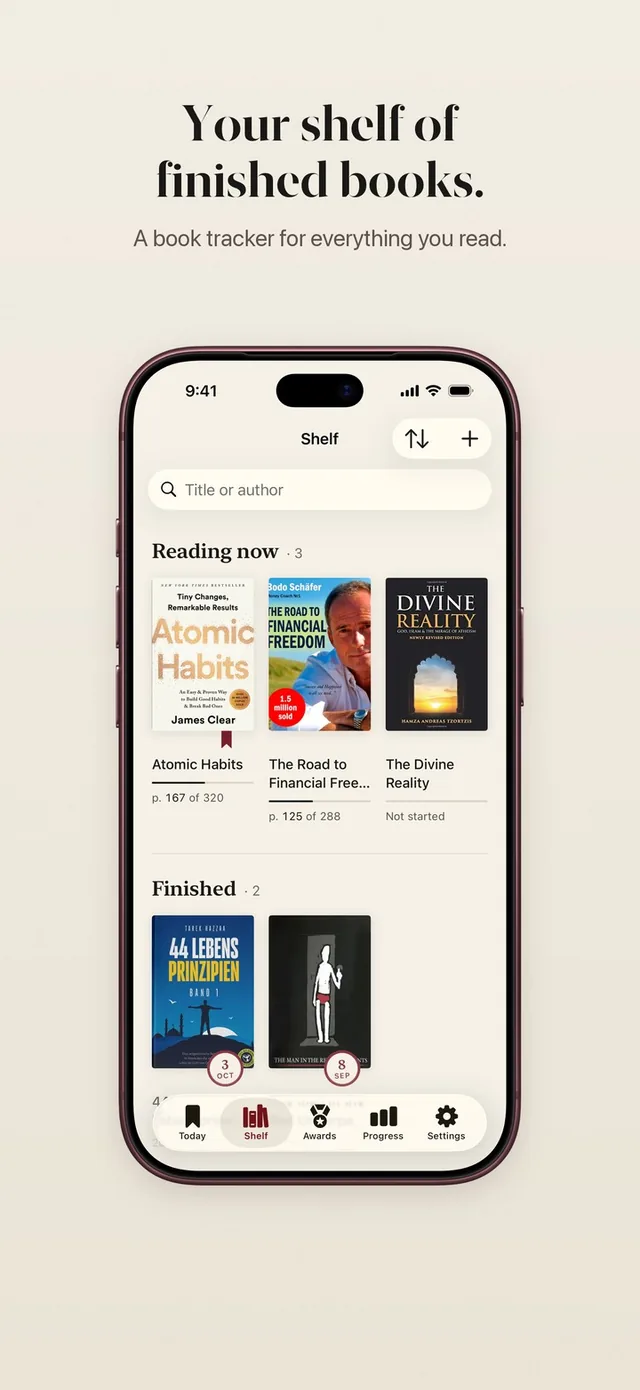
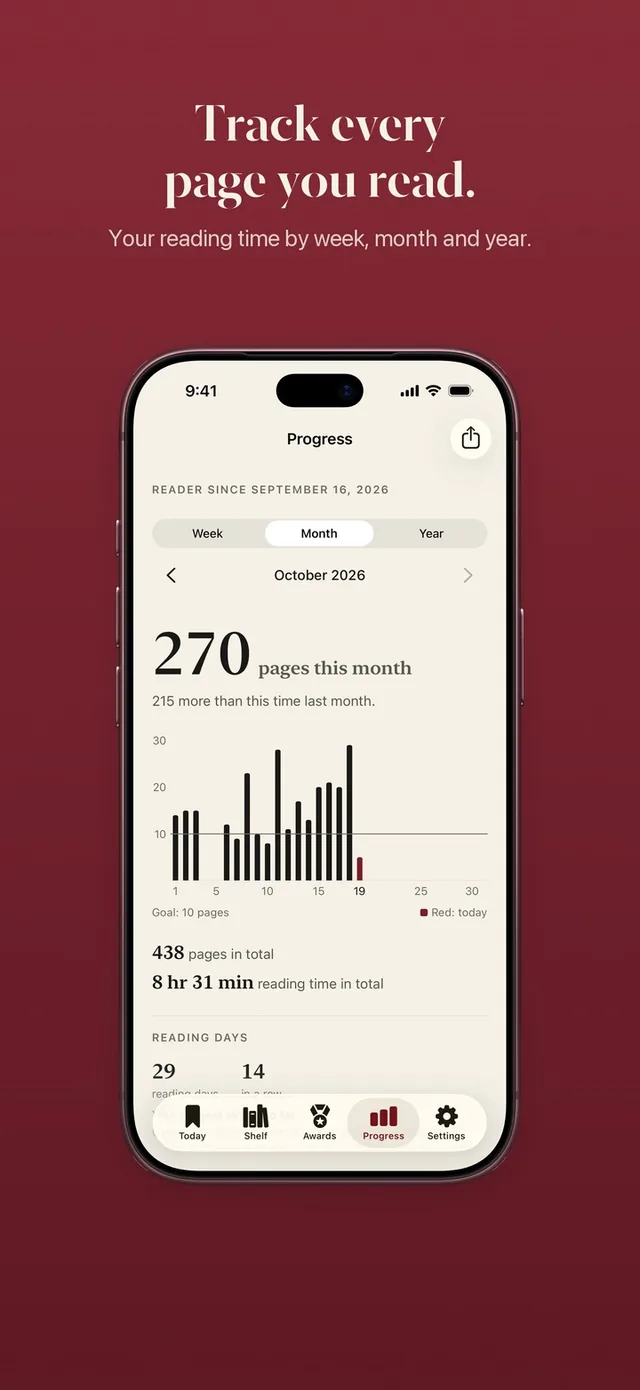
- A full tracker comes with it. A bookshelf with barcode scan, a daily page goal, a reading streak with one grace day a month, weekly, monthly and yearly progress with share cards, Home Screen and Lock Screen widgets and 60 reading medals.
ReadFirst has no account. Your books and reading sync with iCloud between your iPhone and iPad.
Can you use both?
Yes, and they fit together well. ReadFirst handles the daily push: the feed waits until you have read, and your streak, goal and medals keep the habit going. Basmo can stay your place for notes, quotes and conversations about the book.
There is one thing to know before you plan that setup. ReadFirst only counts printed books, so pages you read on a Kindle will not open your apps. If you split your reading between paper and screen, you might keep Basmo for the Kindle side and use ReadFirst for the paper books on your nightstand.
ReadFirst also has a Track only mode. Set the minutes per unlock to 0 and every page simply counts for your book, your goal and your medals.
Basmo's developer also makes a separate app called Bible Chat Lock: App Blocker, which asks you to read a verse before your apps open. It is not part of Basmo and is built around Bible verses rather than your own books.
Which one should you choose?
Choose Basmo if:
- You want a reading journal with emotions, voice notes and designed quotes.
- You read on Kindle and want highlights and progress synced in.
- You like asking an AI questions about the book you are reading.
Choose ReadFirst if:
- You keep meaning to read, but your thumb opens the feed first.
- You read printed books and want each page to count toward something you care about.
- You want a reading tracker with goals, a streak, widgets and medals, and a lock that makes reading the first step of your day.
Frequently asked questions
Is ReadFirst free like Basmo?
No. ReadFirst has no free tier. It costs $39.99 a year with 3 days free for new subscribers, $7.99 a month or $99.99 as a one-time purchase (US App Store, 20 October 2026).
Does ReadFirst work with Kindle?
No. ReadFirst works with printed books only. Photos of screens, including e-readers, are recognized and do not count.
Does Basmo block apps?
Basmo's App Store page does not describe app blocking. Its developer offers a separate app, Bible Chat Lock: App Blocker, which is a different product.
Can ReadFirst sync with Notion or import from Basmo?
No. ReadFirst has no Notion sync and no import from Basmo. You add your books by barcode scan, cover photo, title search or by typing them in.
Does ReadFirst have a journal or AI chat?
No. ReadFirst focuses on getting you to read and on tracking pages, books, streaks and goals. It has a reading log of every step, but no journal and no AI chat.